Create a bracket
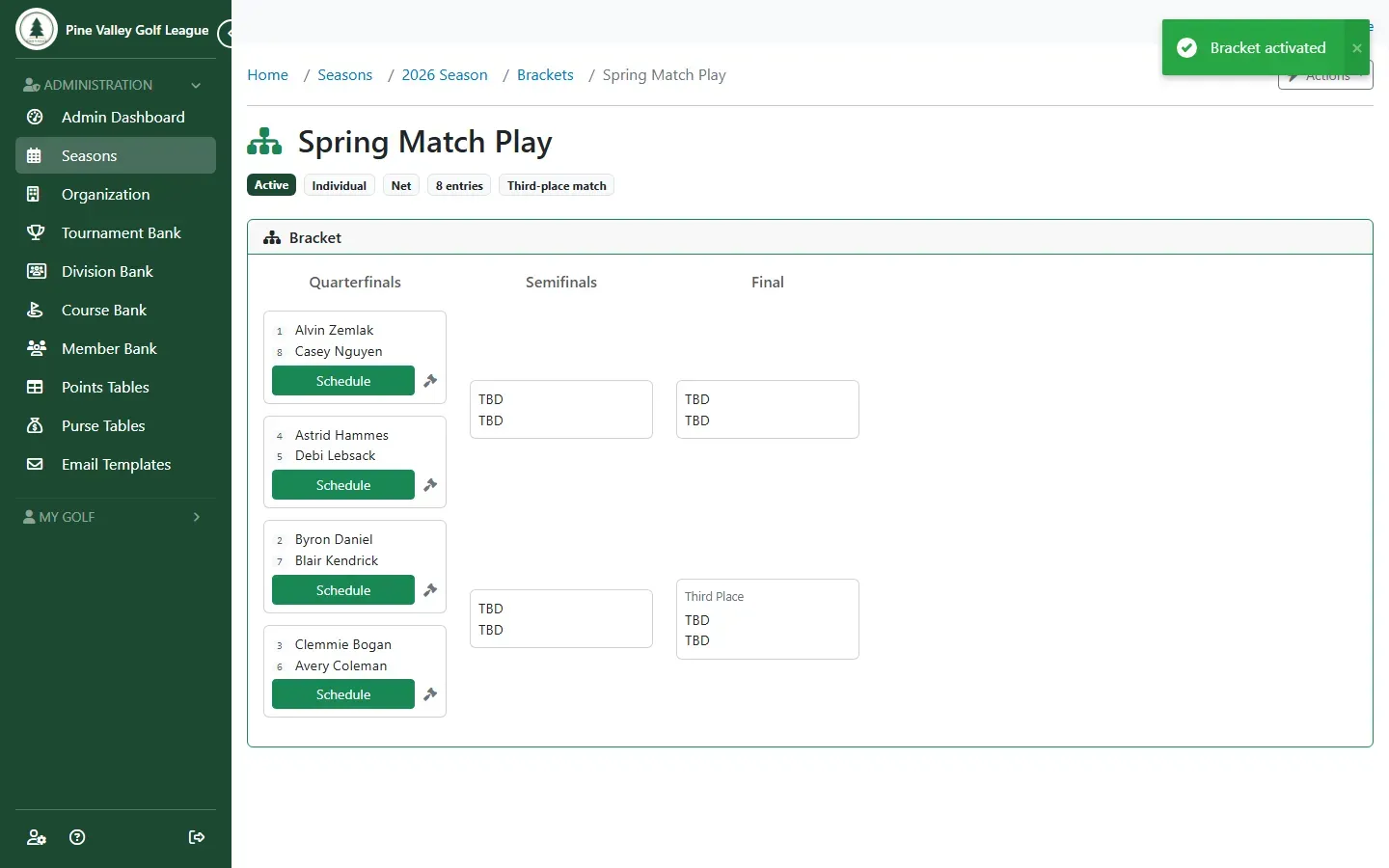
A bracket belongs to a season. You create it, fill it with players (or let them sign up), put them in seed order, and activate it. Activating draws the whole bracket: the top seed meets the lowest, and so on.
Before you start:
- The season has its members (Create and start a season).
- For seeding by handicap, members need a Handicap Index (Add your members).
- Brackets are on the Birdie plan and up.
-
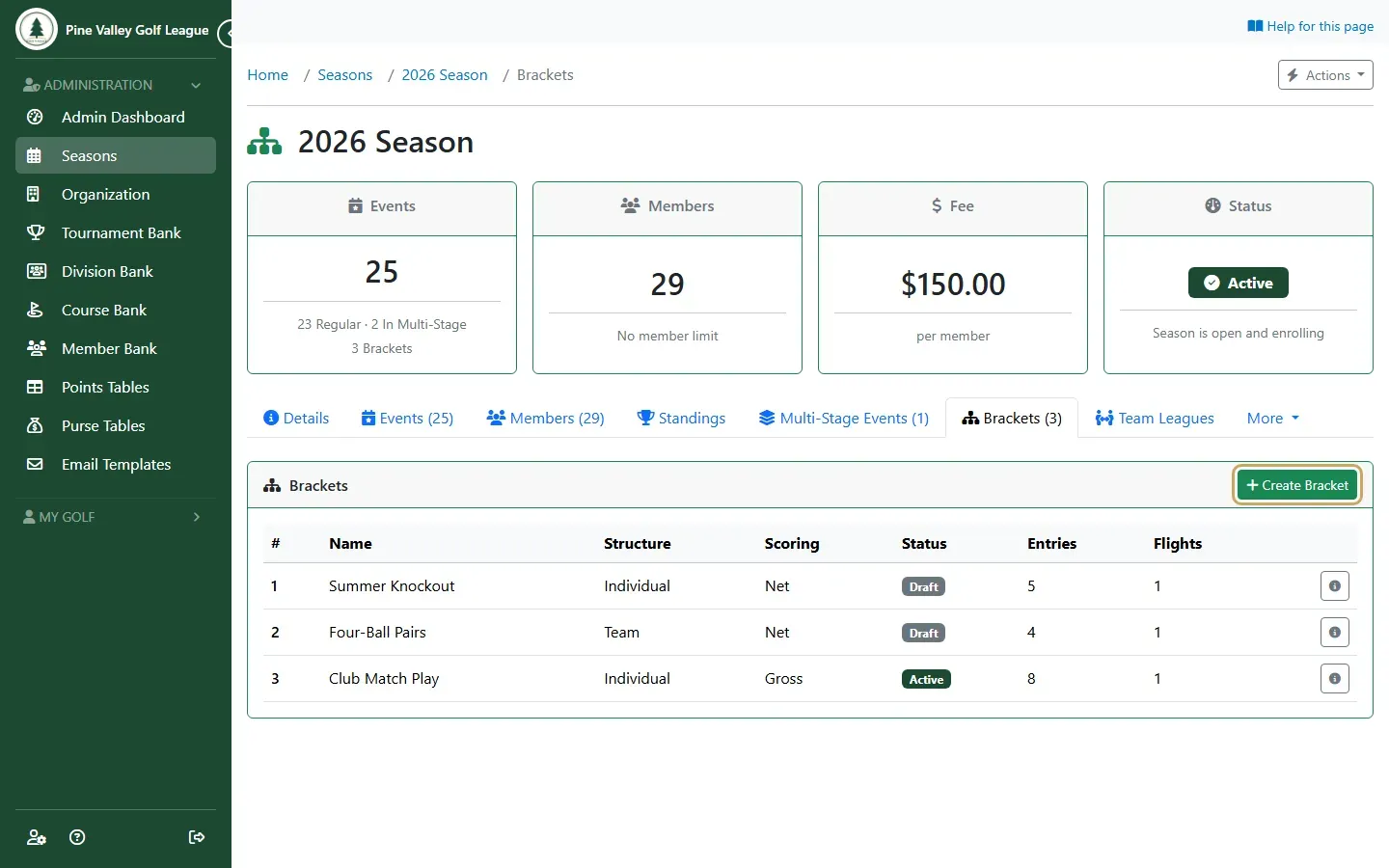
Open the season and its Brackets tab, then select Create Bracket.
-
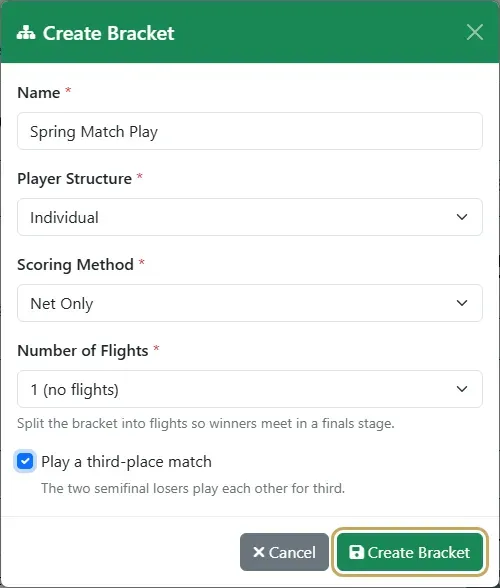
Give the bracket a name and choose:
- Structure: Individual, or Team for two-person teams playing four-ball.
- Scoring: Gross Only or Net Only.
- Flights: one bracket, or 2, 4 or 8 flights whose winners meet in a finals stage. Flights split the field by seed: flight 1 holds the top seeds.
- Play a third-place match if the two semifinal losers should play each other for third.
Select Create Bracket.
-
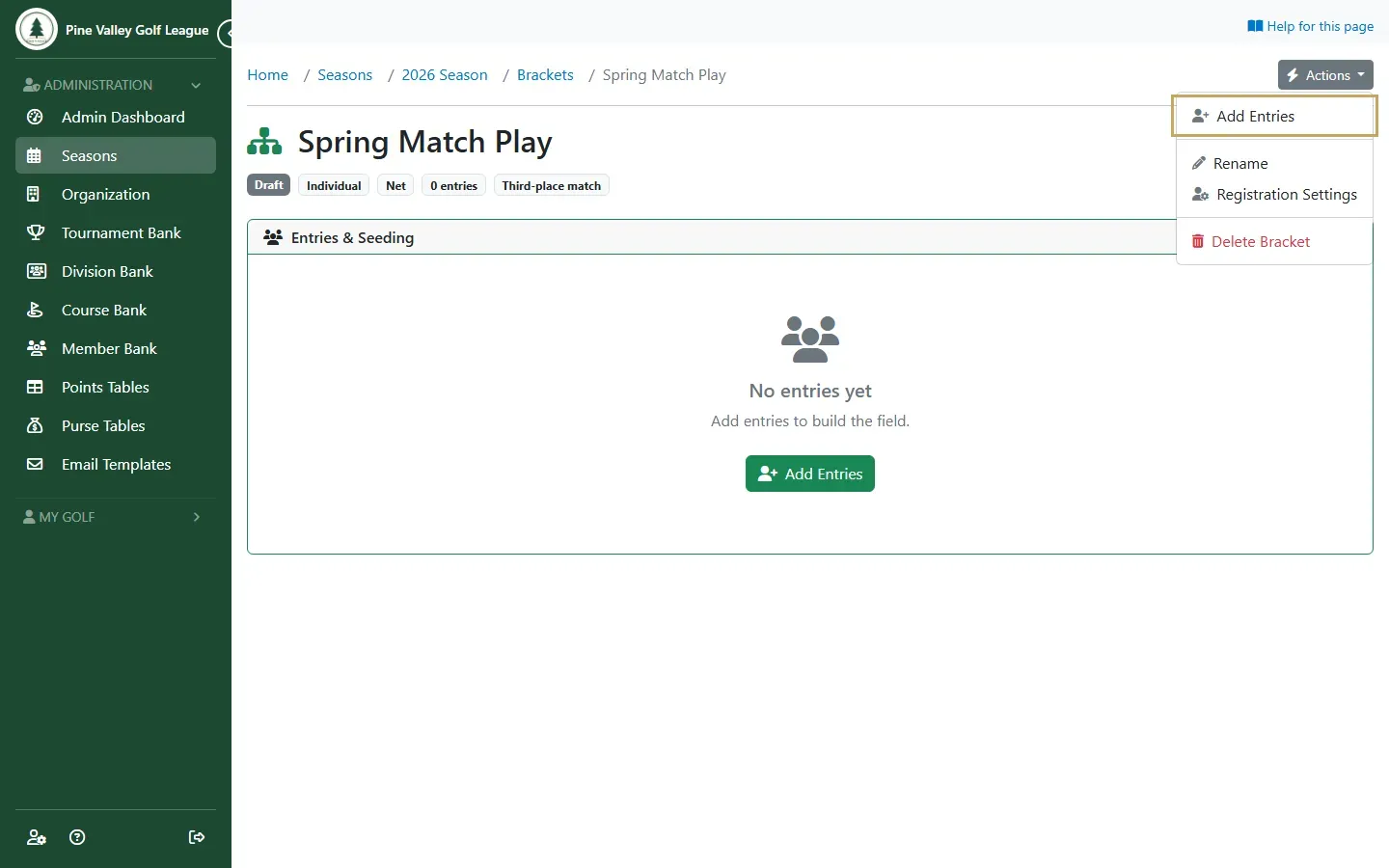
On the bracket’s page, open Actions and choose Add Entries.
-
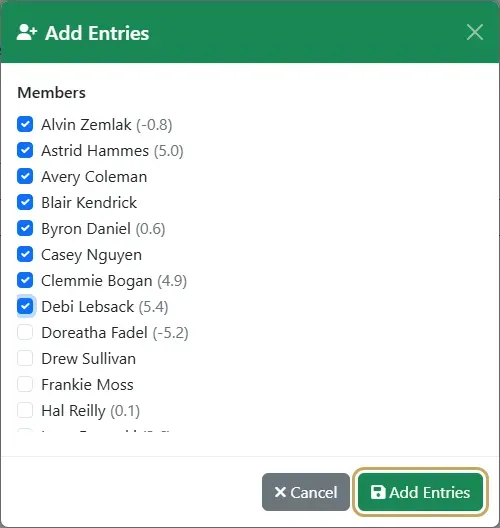
Tick the players and select Add Entries. Each one is listed with their Handicap Index.
-
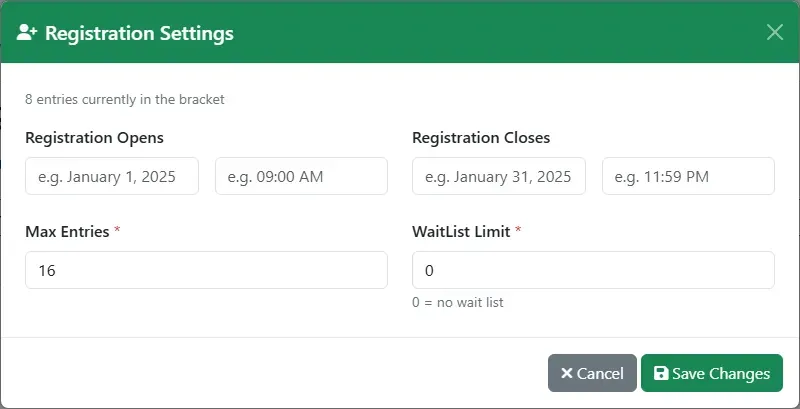
To let players sign up themselves instead, open Actions and choose Registration Settings (individual brackets only). Set when sign-up opens and closes, the most entries, and a Wait List size (0 means no wait list). Players then sign up from My Brackets. When the bracket is full they join the wait list, and the first on it moves in when someone drops out.
-
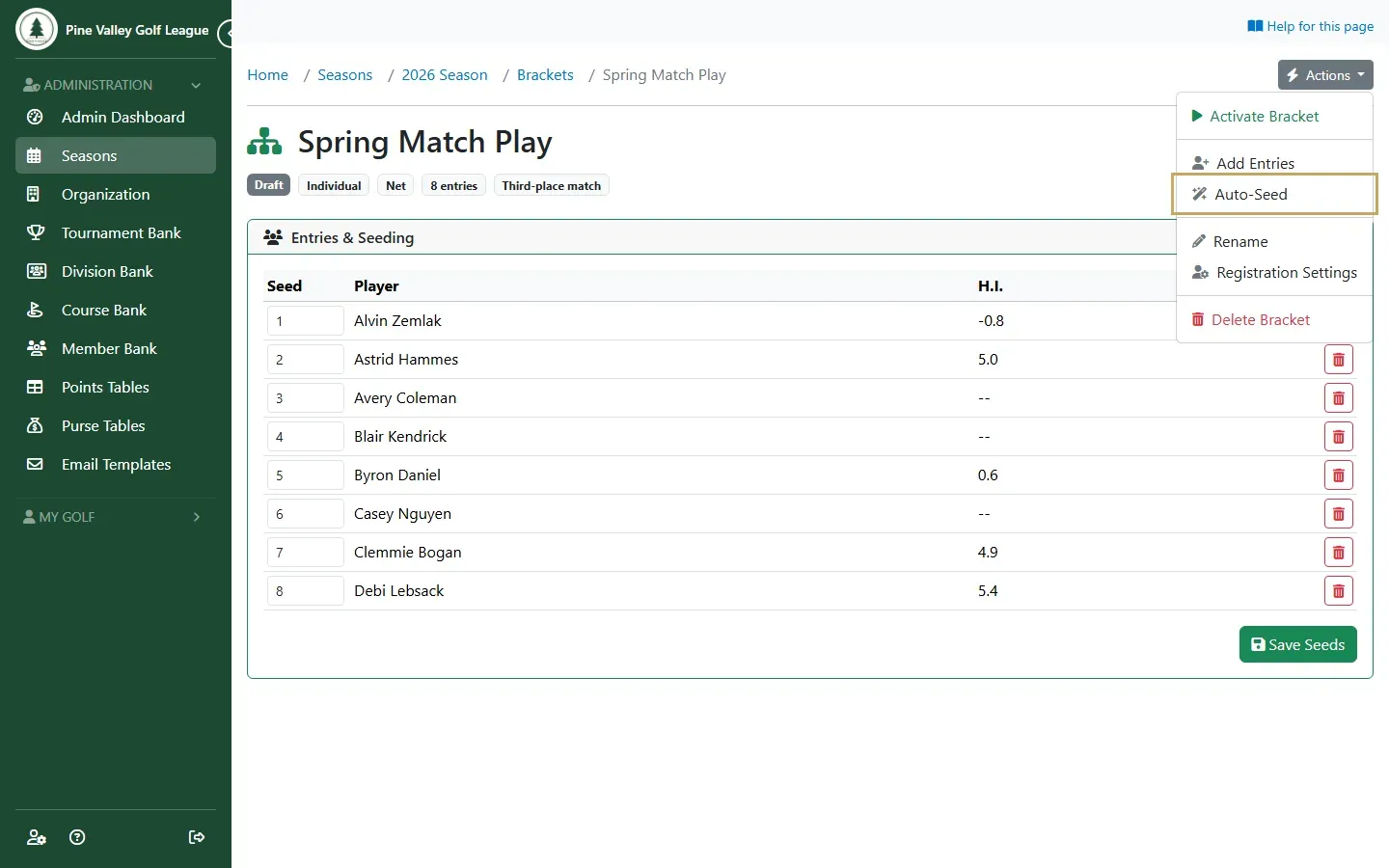
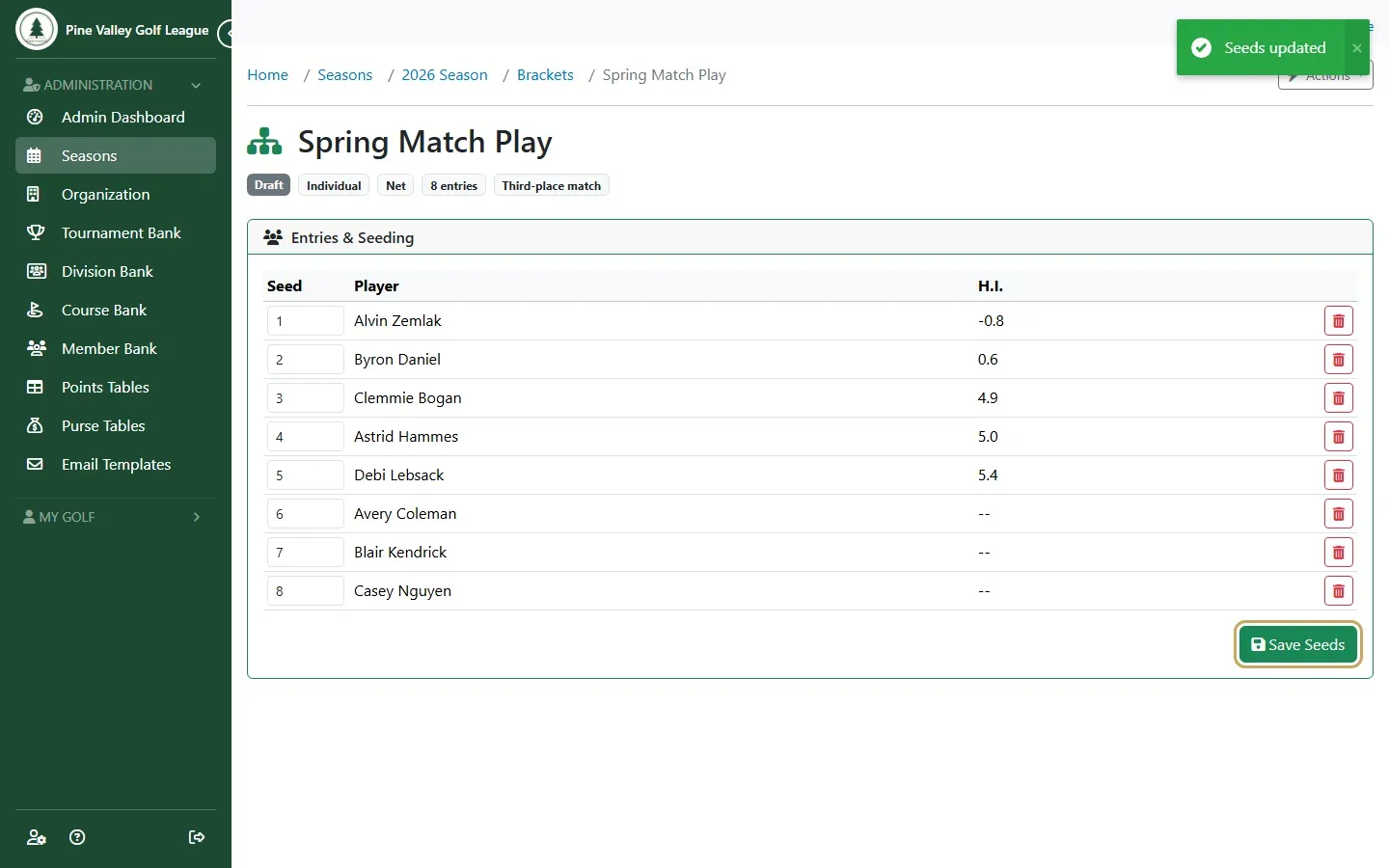
To seed by handicap, open Actions and choose Auto-Seed: the lowest Handicap Index is seed 1, and players without one go last.
-
To change the order yourself, type the seed numbers in the table and select Save Seeds. Every entry needs a different seed, from 1 to the number of entries.
-
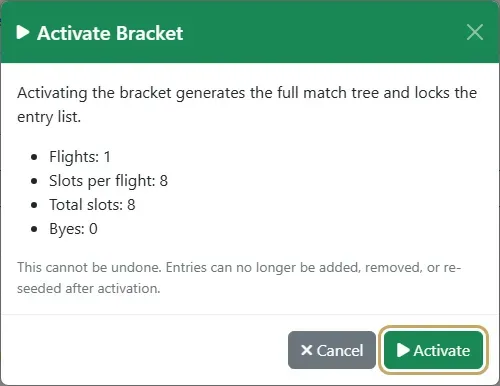
When the field is set, open Actions, choose Activate Bracket, check the preview and select Activate. If the field isn’t a full 4, 8, 16 and so on, the top seeds get byes and move straight to the next round.
-
The bracket is drawn. Next, schedule and play the matches.
Team brackets
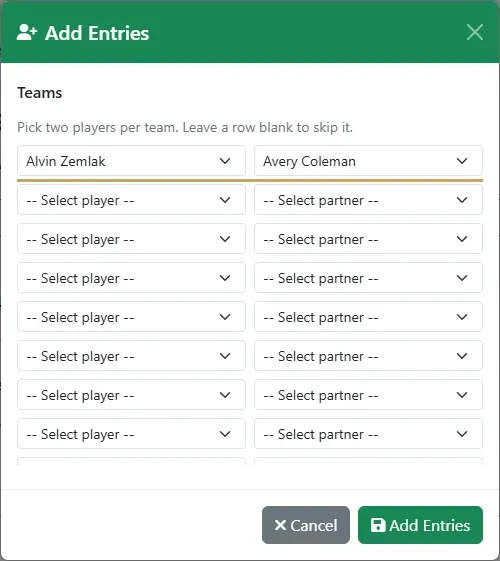
Section titled “Team brackets”In a Team bracket, Add Entries asks for two players per row: the player and their partner. A player can be on only one team, and can’t be their own partner. Teams can’t sign up themselves; you enter them.
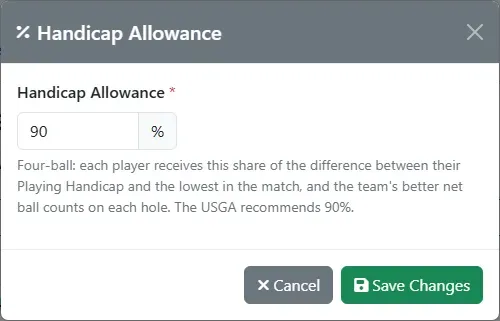
A Net Only team bracket plays four-ball with a handicap allowance: open Actions and choose Handicap Allowance to change it. Each player gets that share of the difference between their Playing Handicap and the lowest in the match, and the team’s better net score counts on each hole. The USGA recommends 90%, the default.