Pay prizes by flight
Paying by flight splits the field into separate competitions. Each flight has its own pool, its own winners, and its own places paid, chosen from the purse table by how many players that flight has. The pool for each flight is suggested from the buy-ins its players paid.
Before you start:
- The event has flights (Flights).
- The tournament has a purse table (Purse tables).
- Players’ buy-ins are marked paid (Manage registrations).
-
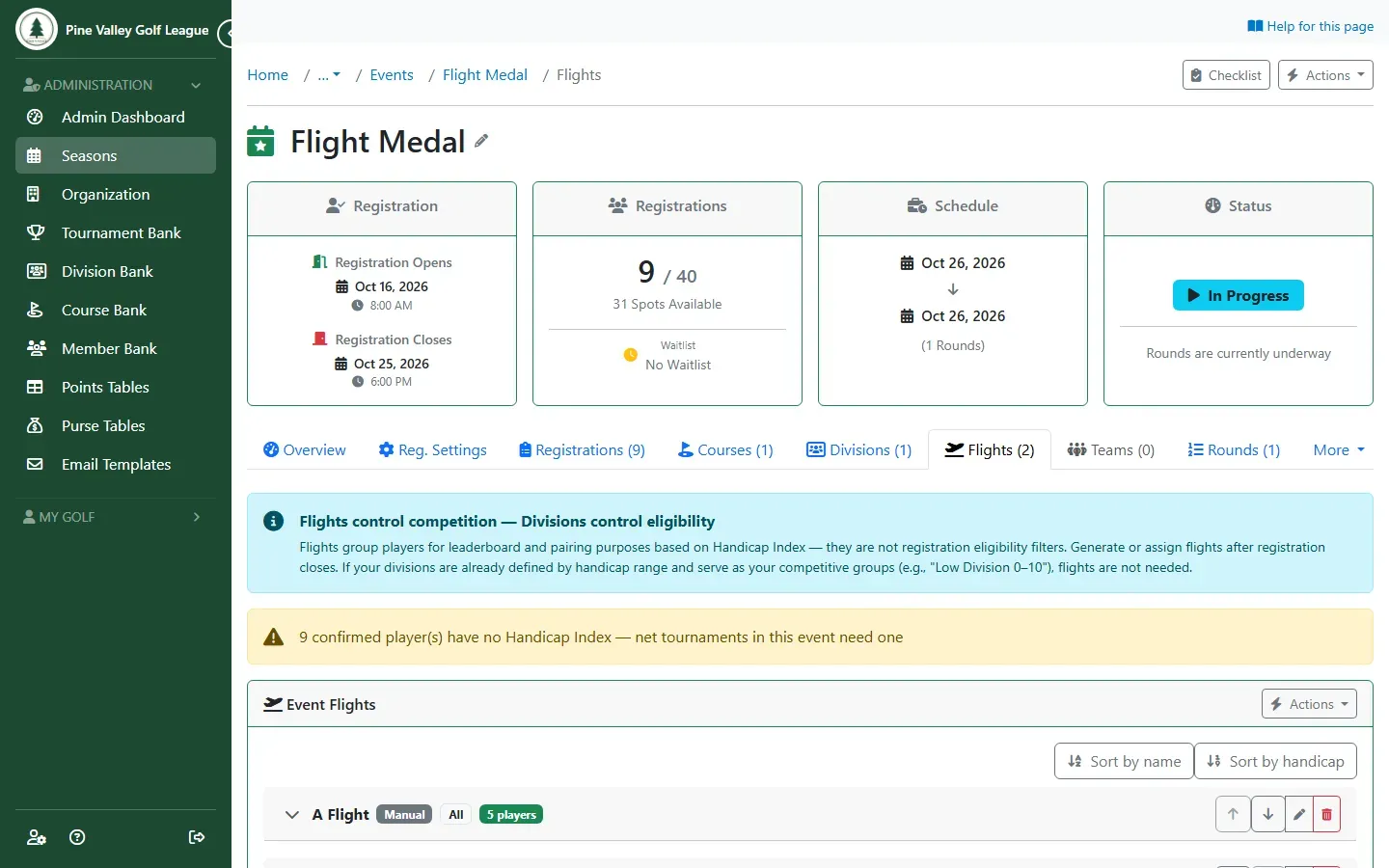
Check the event’s Flights tab: every player who should win money needs to be in a flight.
-
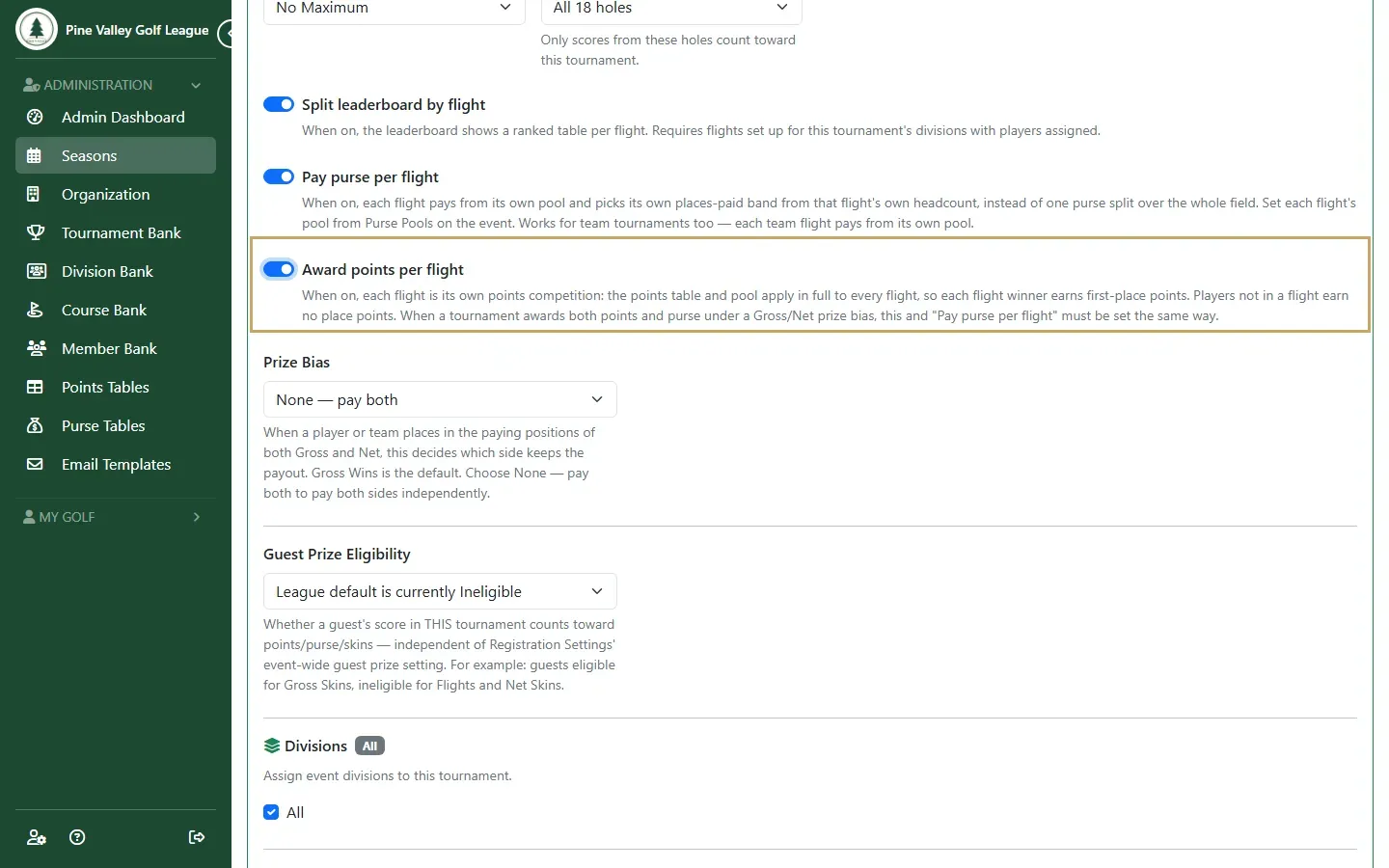
Open the tournament from the round’s Tournaments tab. Split leaderboard by flight is on for a new tournament; if it’s off, turn it on. Pay purse per flight and Award points per flight appear underneath: turn on the ones you want.
-
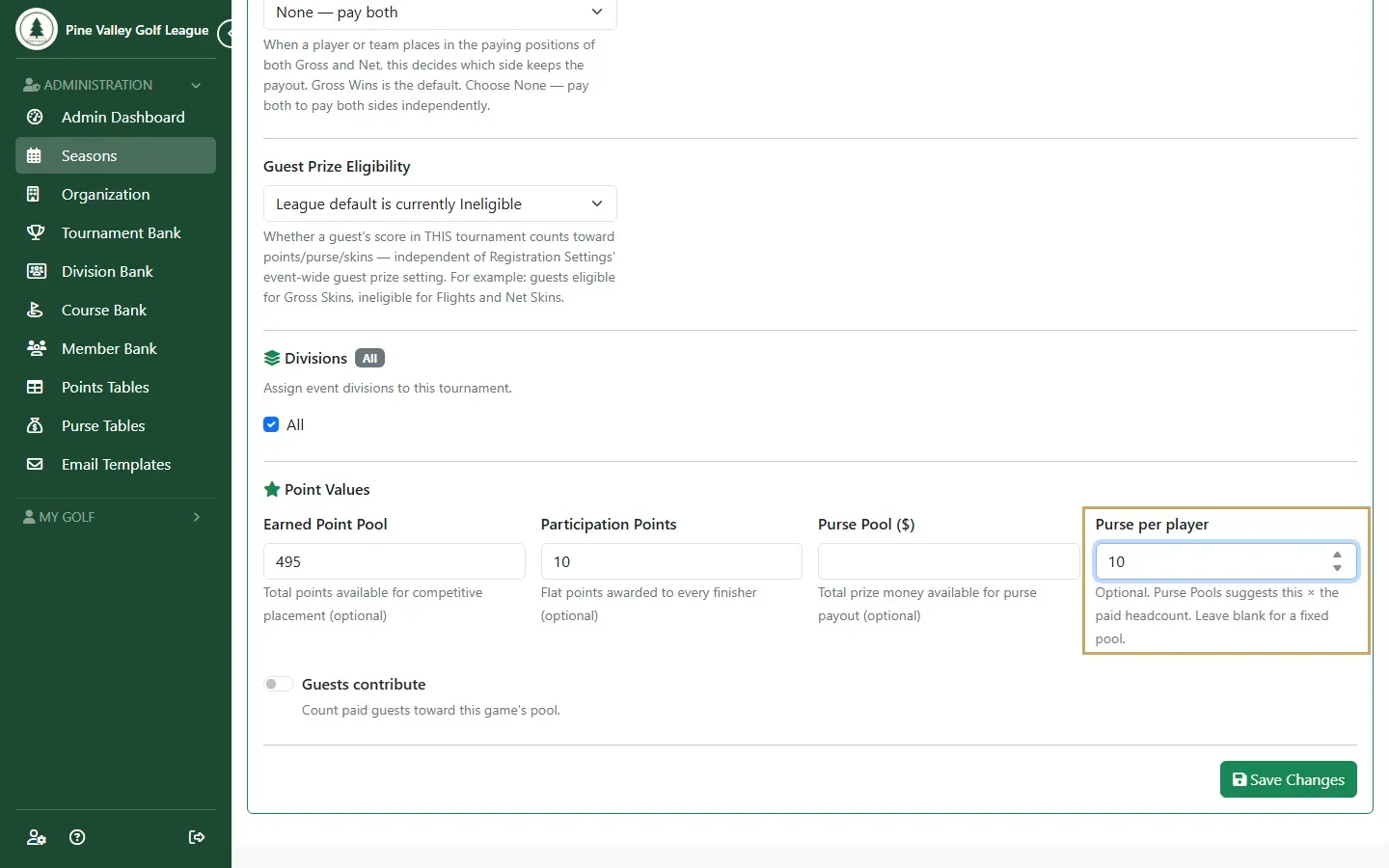
Under Point Values, set Purse per player: what each player puts in for this game. Select Save Changes.
-
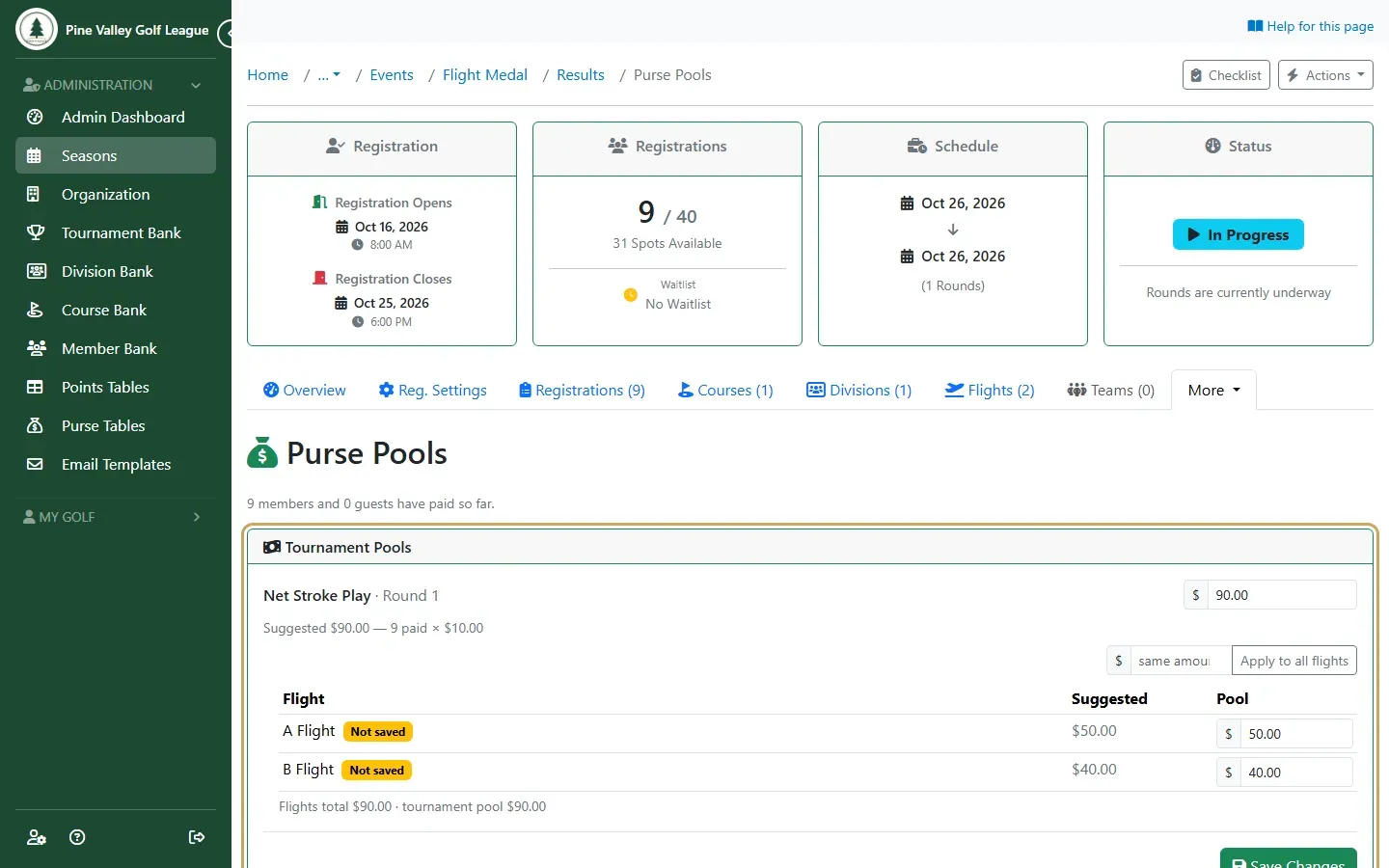
Open the event’s Purse Pools (from the Results page, or the round’s Tournaments tab). For a tournament paid by flight, each flight has its own pool, suggested as the purse per player times that flight’s paid players. Change any amount, or type an amount in the box beside Apply to all flights and select it for the same pot in each. Select Save Changes. A flight marked Not saved pays nothing until you save: the amount in its box is only a suggestion.
-
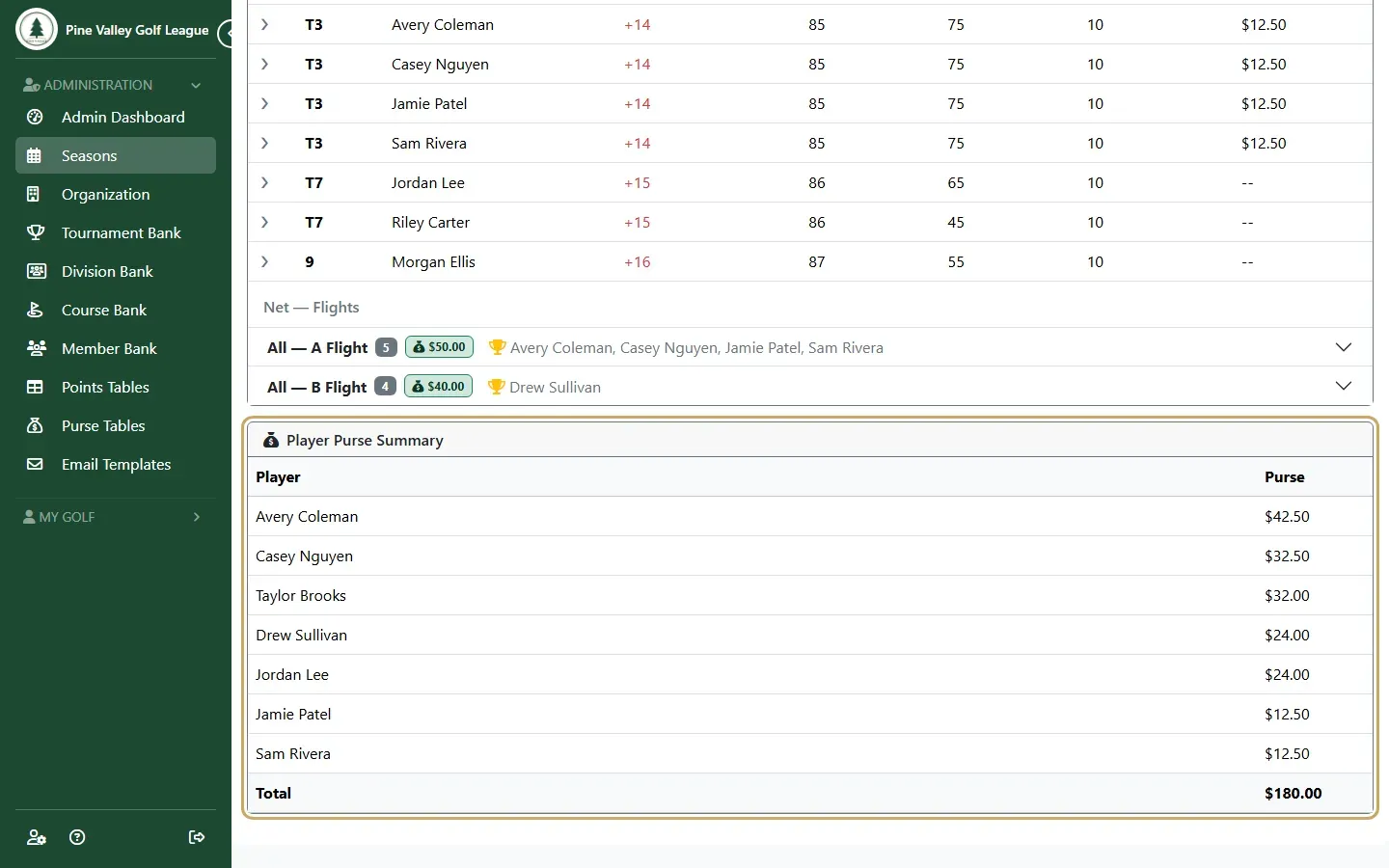
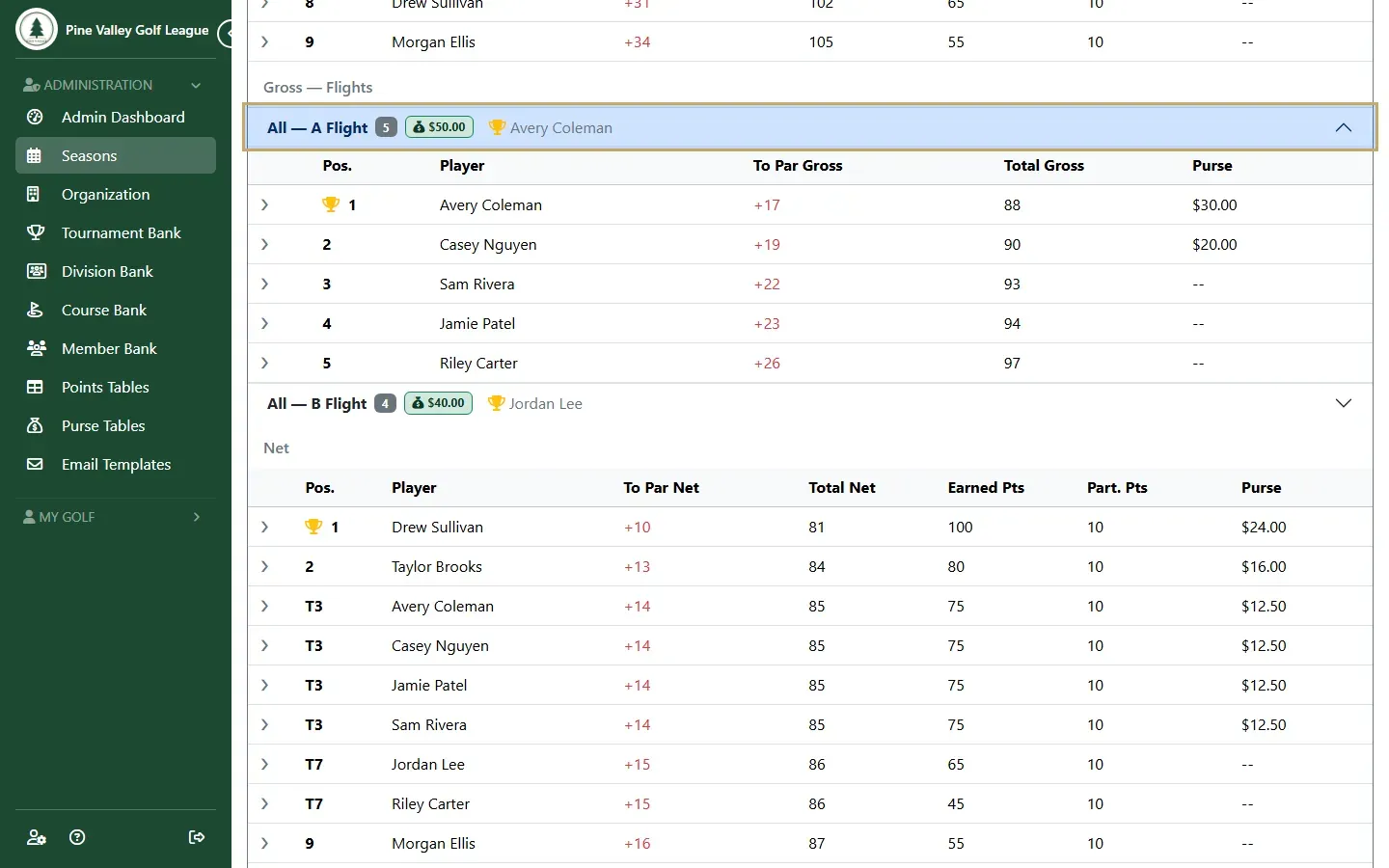
Complete the round and the event. On the Results page, open Gross — Flights or Net — Flights. Each flight shows its players, its pool and its winners.
-
The Player Purse Summary adds up what each player won across the event’s games.