
Link tournaments
A linked tournament adds up the results of two or more tournaments in the same event, scored to par, into one leaderboard: for example, each day’s stroke play into a two-day medal. The tournaments can be in different rounds or in the same round, and they don’t need multi-round scoring.
Before you start:
- The tournaments you want to link are already in the event’s rounds (Add rounds and tournaments).
- They’re all individual or all team, all stroke-play style (Stroke Play, Scramble, Best Ball and similar) or all points style (Stableford, Par/Bogey, Quota), and they share Gross or Net scoring. Skins, Match Play and Custom tournaments can’t be linked, and neither can a paired Gross and Net tournament.
- Team tournaments you link use the same teams: the event’s teams, or the same team list.
- Linked tournaments are on the Eagle plan and up.
-
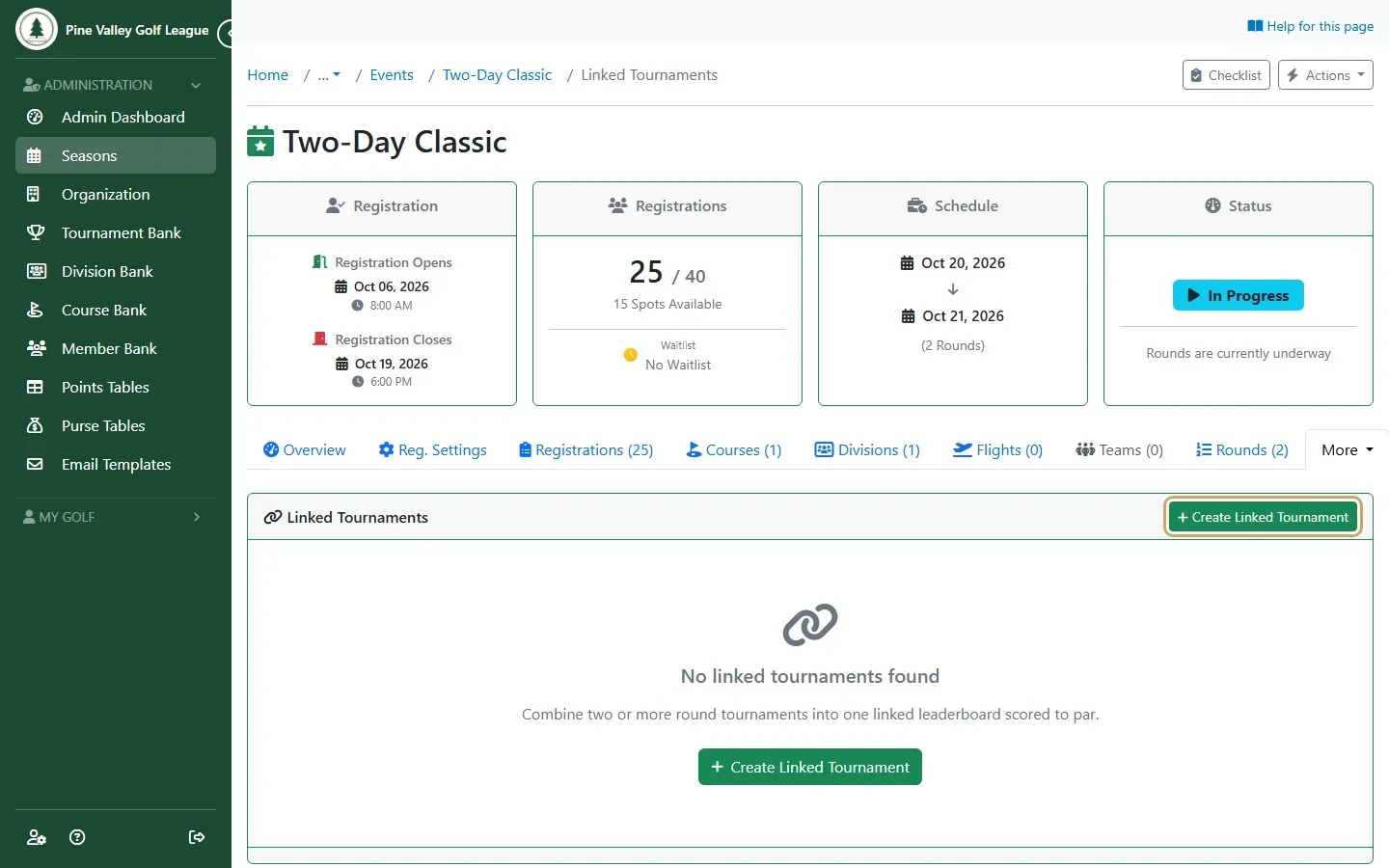
Open the event, open More and select Linked, then select Create Linked Tournament.
-
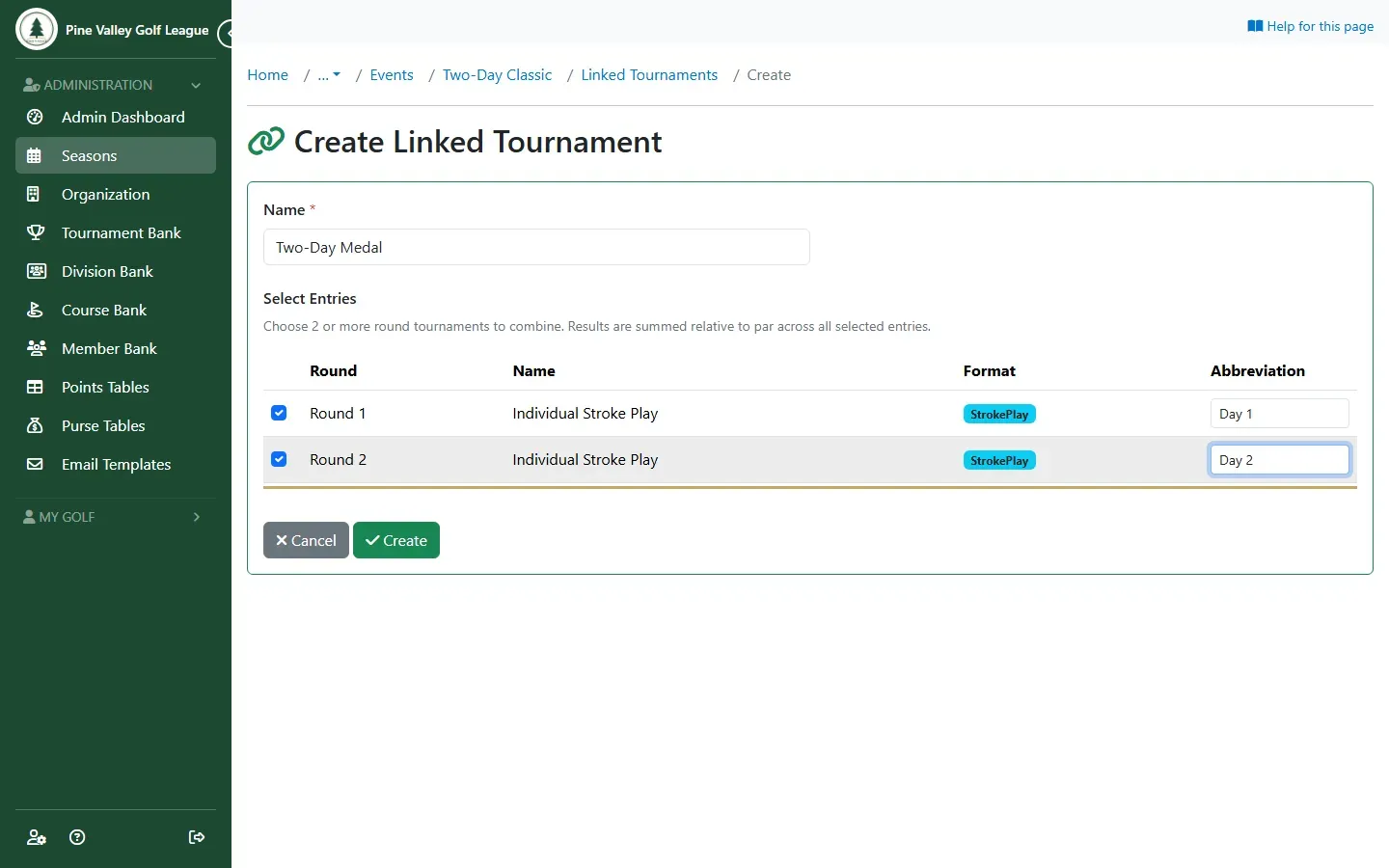
Give it a Name, tick the tournaments to combine, and give each a short Abbreviation for its column, such as “Day 1”. Select Create.
-
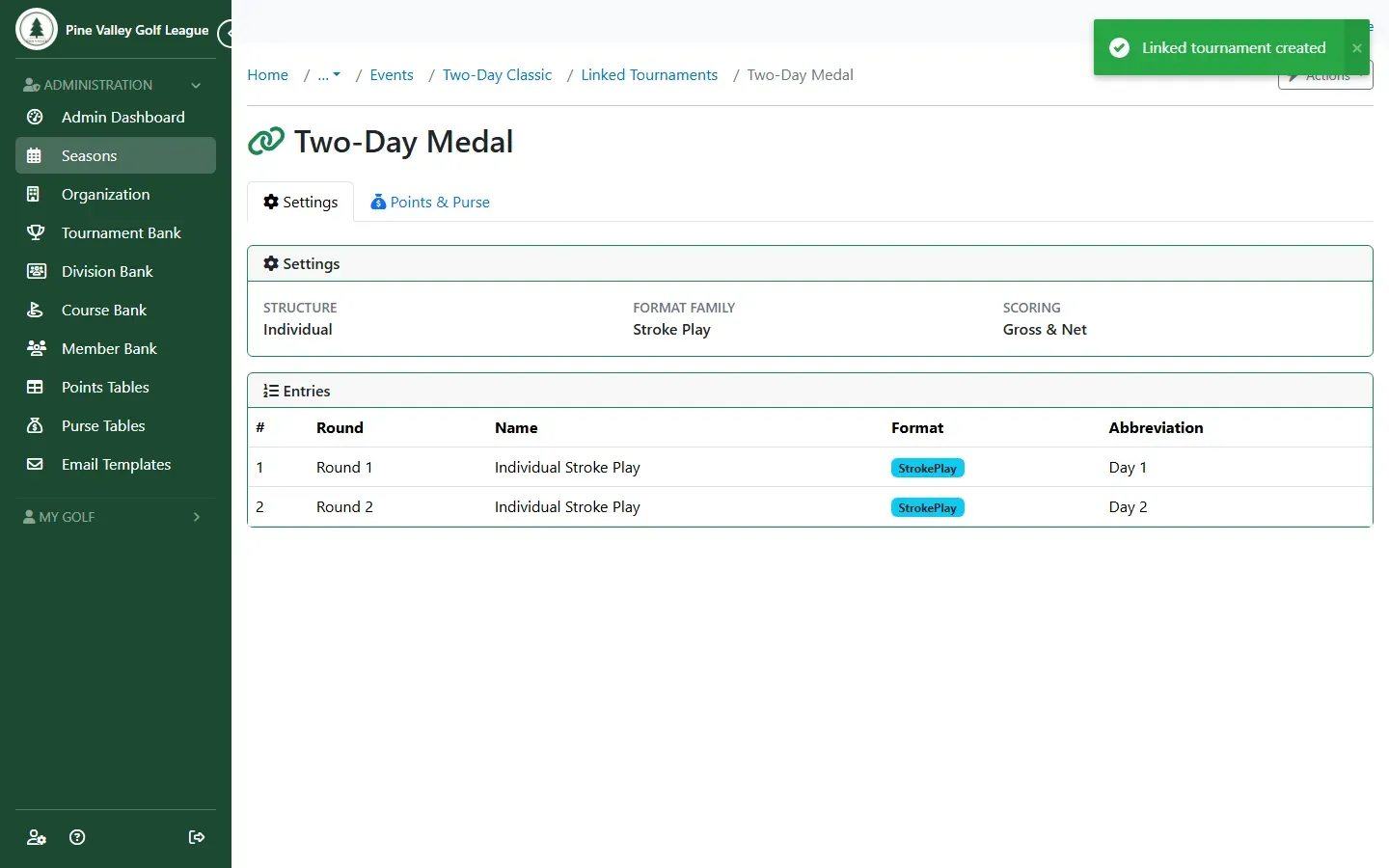
Its page lists the linked entries. Set its points and purse on Points & Purse.
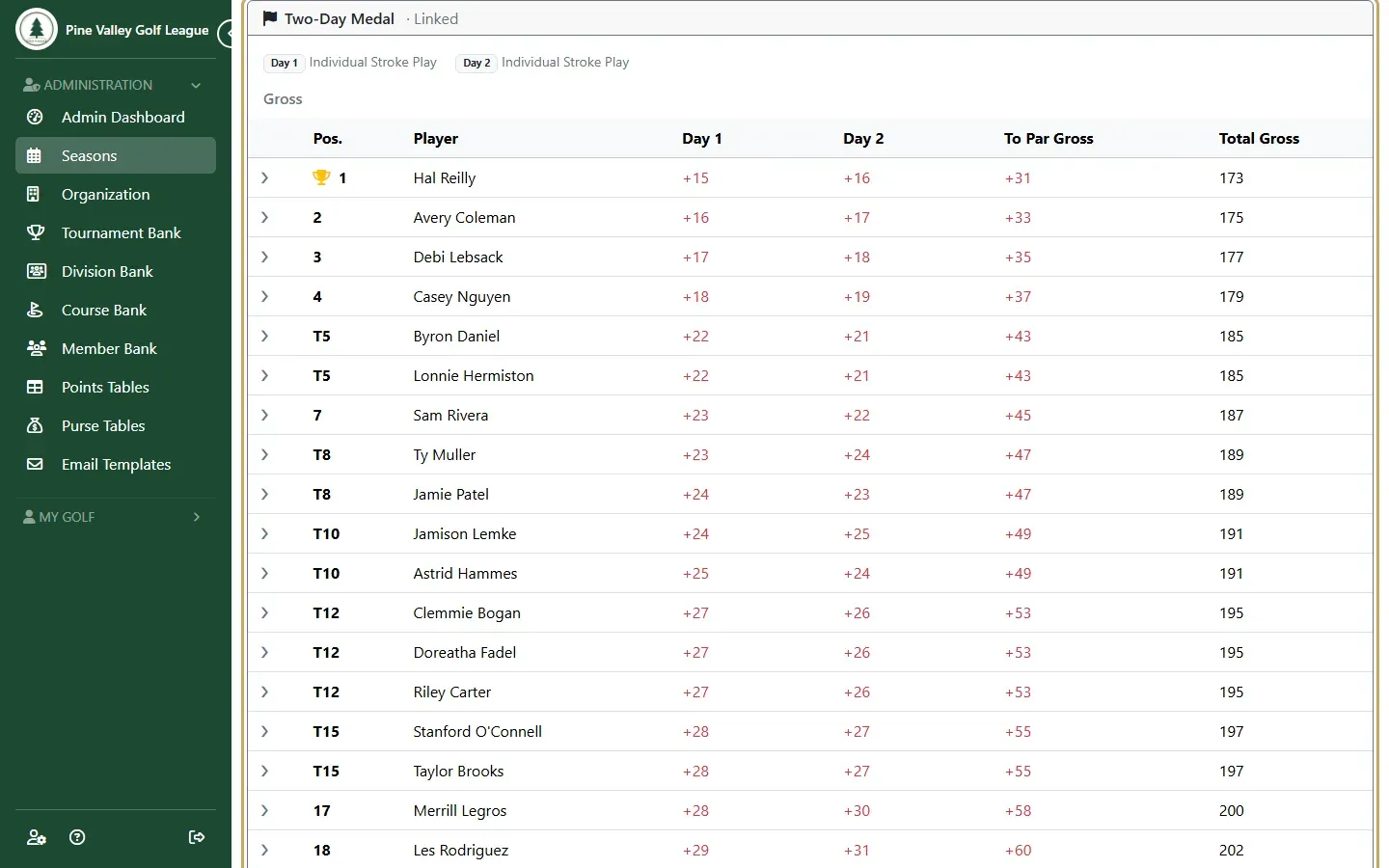
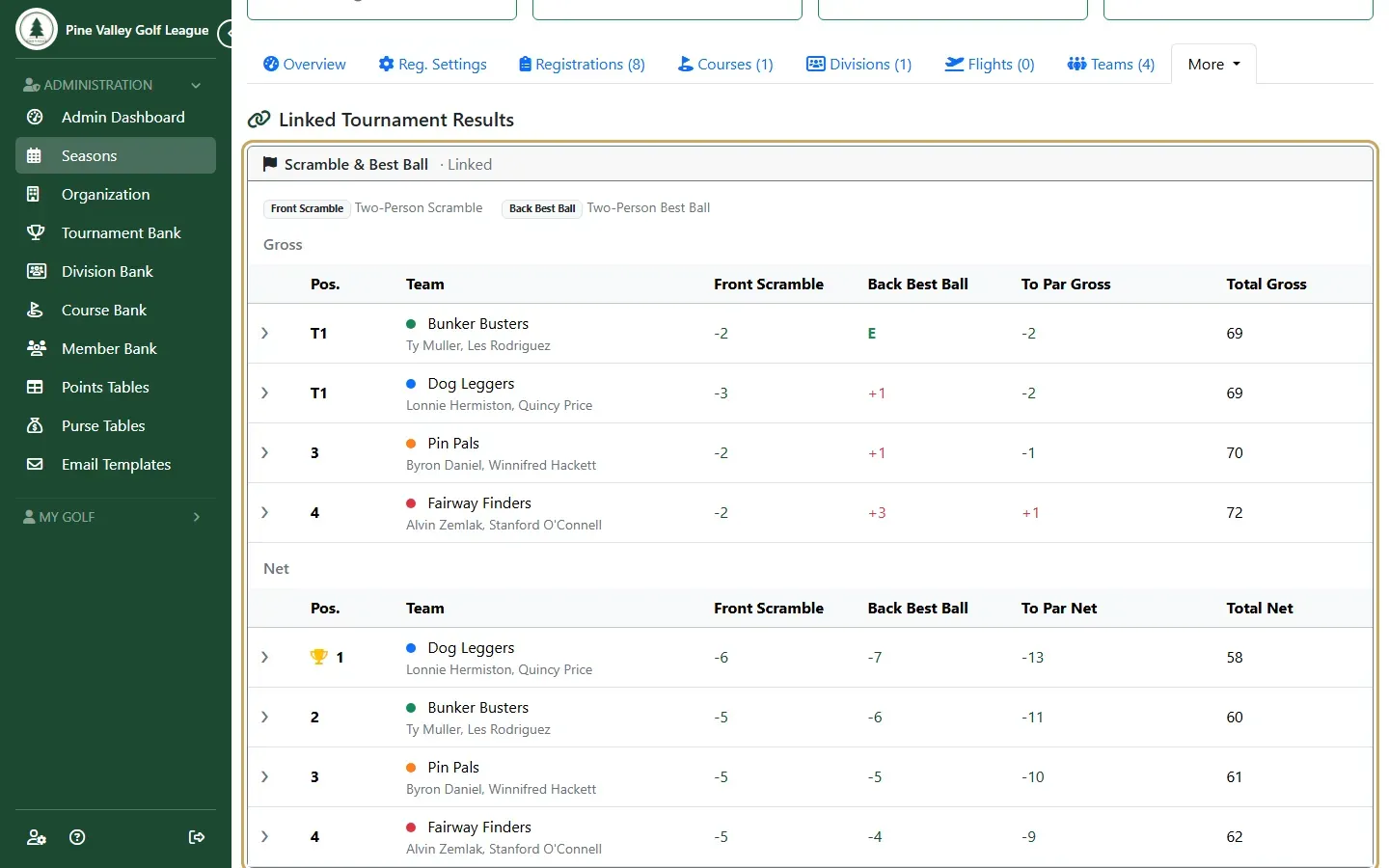
The Results tab shows it under Linked Tournament Results, with a column for each entry and the total.
Example: front-nine scramble, back-nine best ball
Section titled “Example: front-nine scramble, back-nine best ball”A common team event: two-player teams play a scramble on the front nine and a best ball on the back nine, and the two add up to one team total.
-
Add both tournaments to the round, a Scramble and a Best Ball, both on the same teams (Add rounds and tournaments).
-
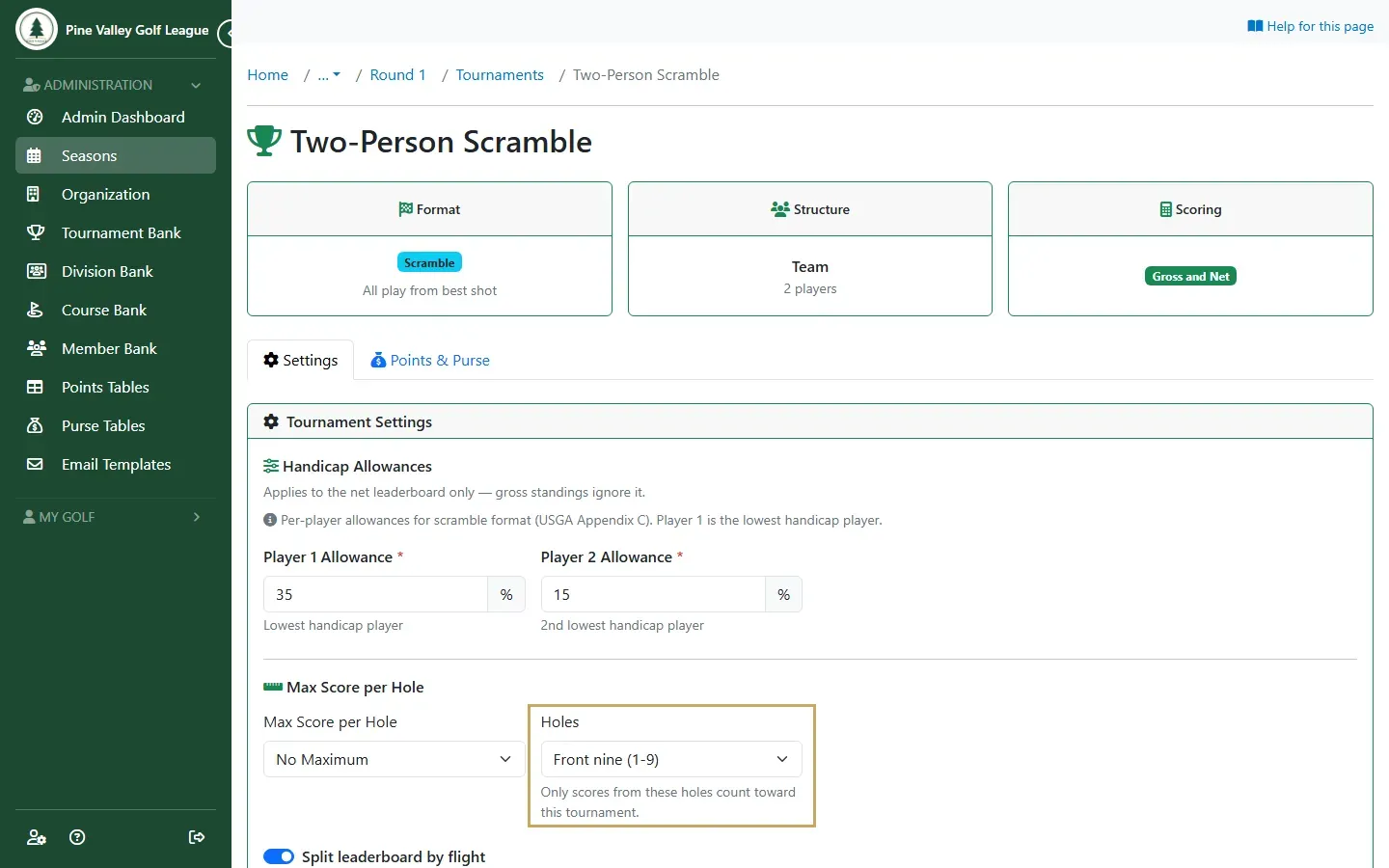
Open each tournament’s settings from the round’s Tournaments tab and set Holes: Front nine (1-9) on the scramble, Back nine (10-18) on the best ball. Each nine is scored on the players’ nine-hole handicaps.
-
Link the two as above, with an abbreviation each, such as “Front Scramble” and “Back Best Ball”.
-
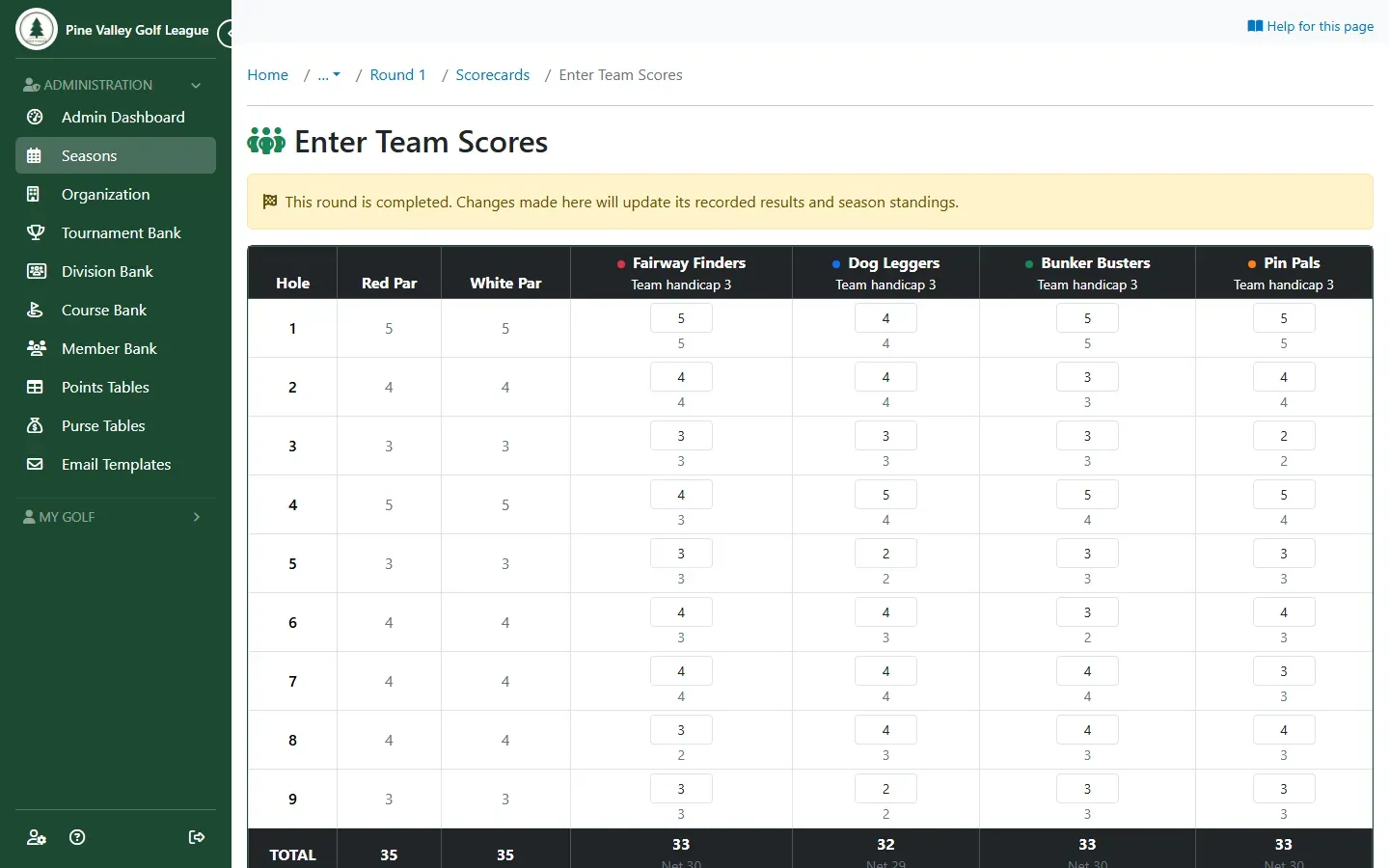
Enter the scores. On the round’s Scores tab, select By Team, then Enter Team Scores: only the scramble’s nine shows, and you enter one score per team on each hole. The back nine is each player’s own ball: enter it on By Player, or players score their own round, with the team’s score on the front nine.
-
The Results tab shows the team total: a column for each nine and the total.
A round with a scramble isn’t posted to GHIN (a scramble isn’t an acceptable score under the World Handicap System).
To change the entries later, open Actions on its page and choose Edit. Delete removes the linked tournament but leaves the tournaments it combined, and their scores, as they were.