Run a team league
Each league week, you group the week’s matches into the round, the players play and score as usual, and the standings update from their scorecards.
Before you start: the league has a schedule (Set up a team league).
-
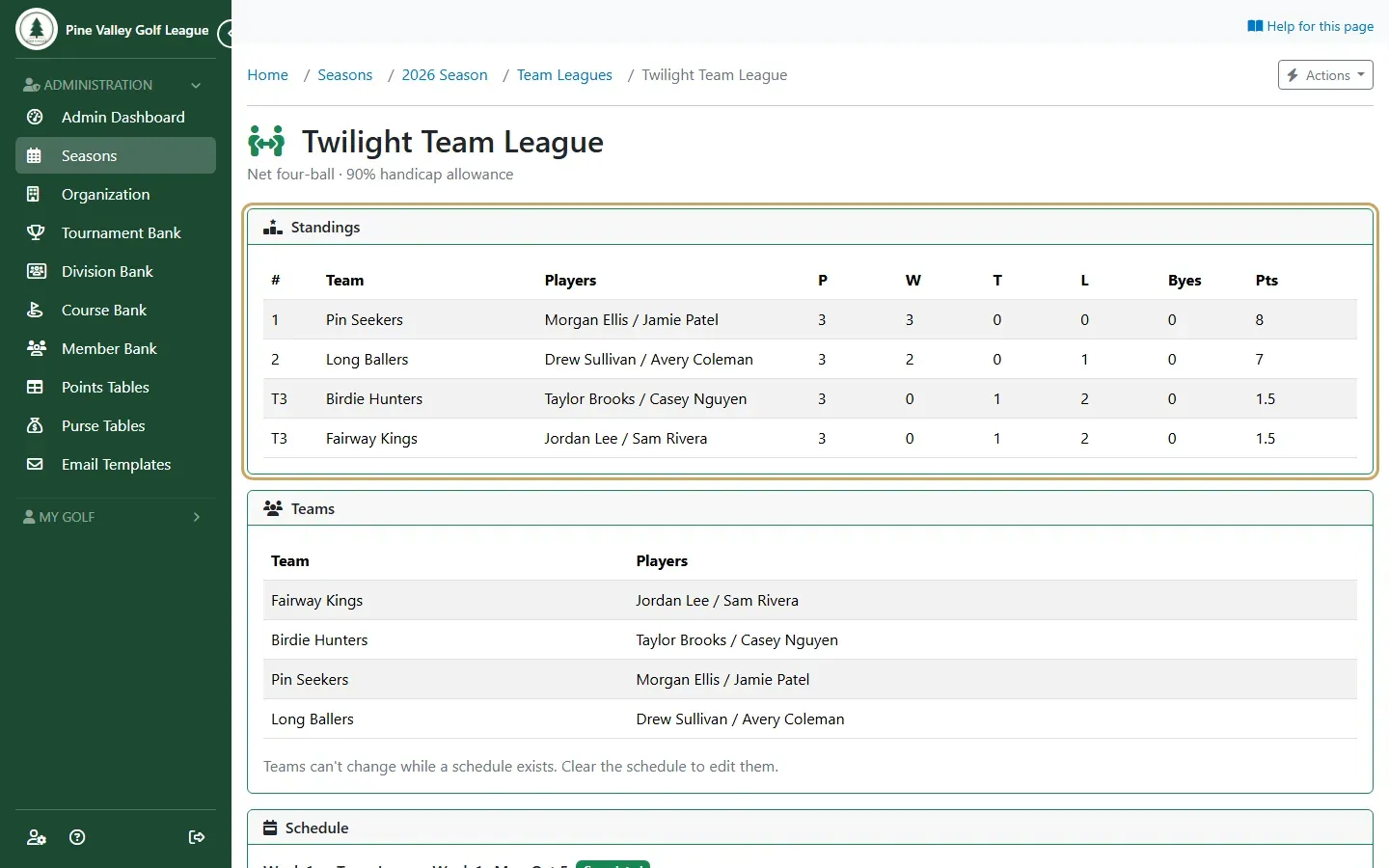
Open the league from the season’s Team Leagues tab. Standings comes first, then the teams and the Schedule, one block per week.
-
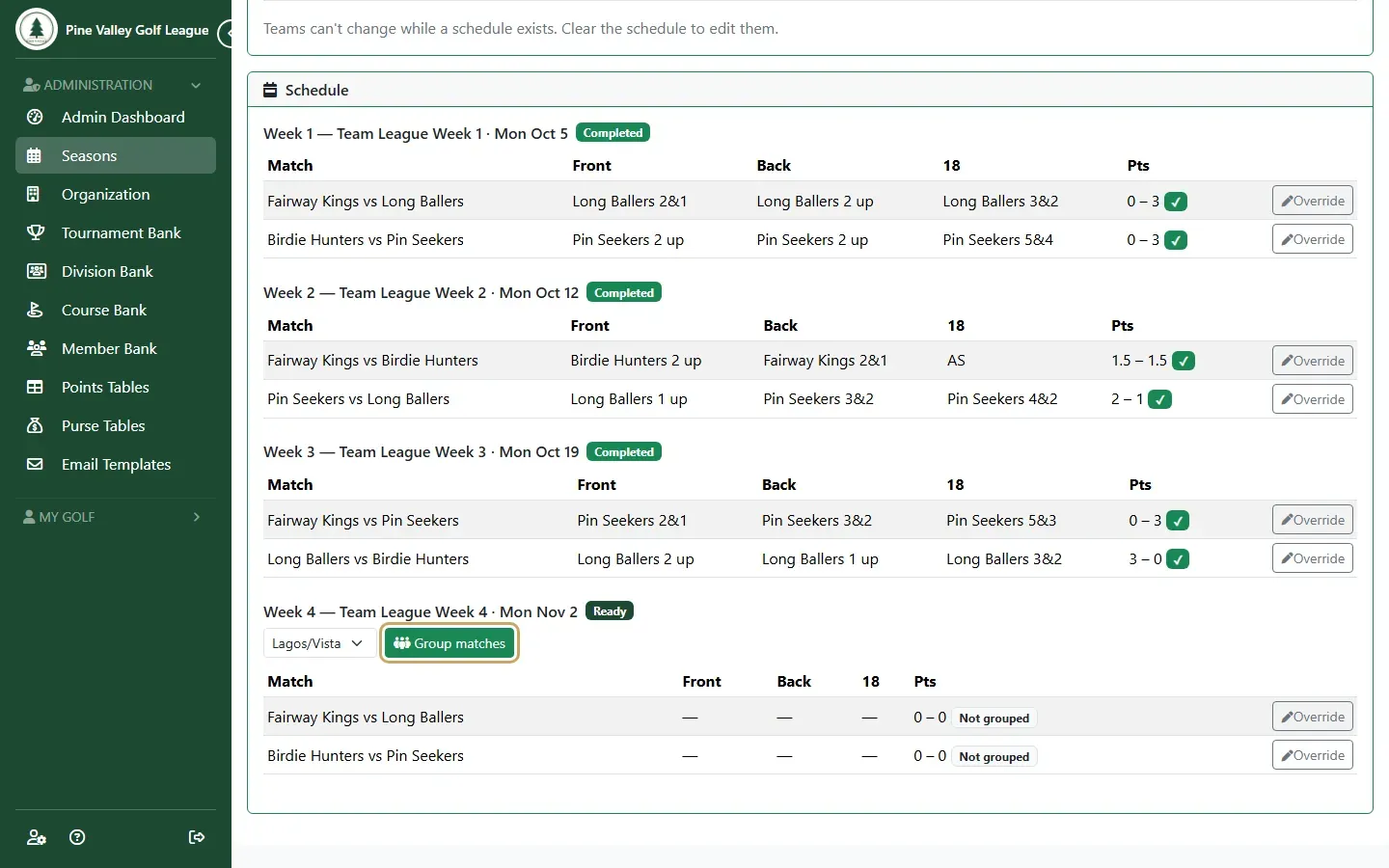
Before the week’s event starts, choose the course and select Group matches for that week. Each match becomes a group of four in the round. Players who aren’t registered for the event yet are registered for you.
-
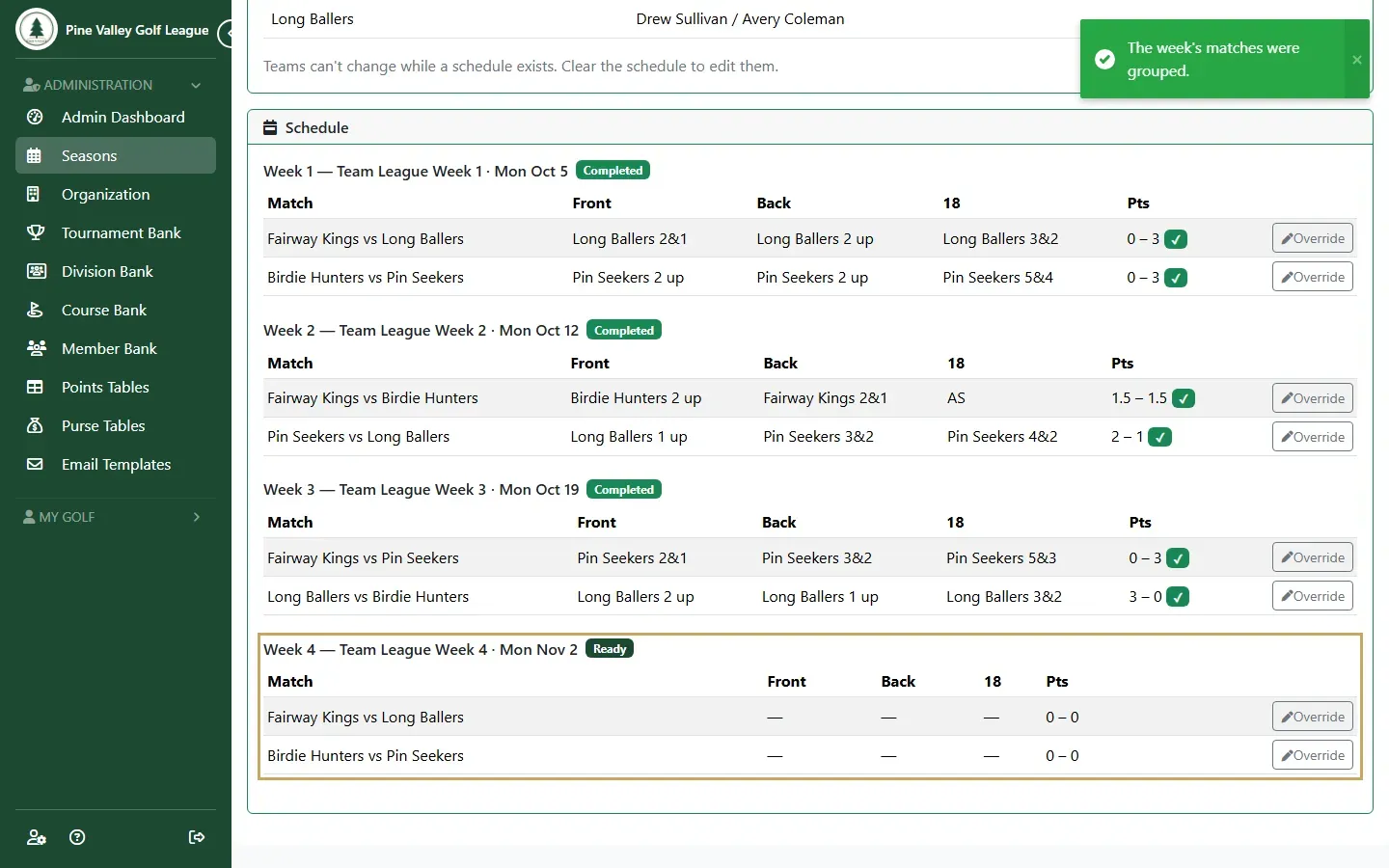
The week’s matches are now groups in the round. Set their tee times on the round’s Pairings page as usual (Pairings and tee times), then the players play and score.
-
As scores come in, each match shows the front nine, the back nine and the 18: who’s up and by how much, then the result. Each part is worth a point; a halved part is half a point each. A match is final once all three are.
-
Standings lists each team’s matches played, wins, ties, losses and byes, and its points. Teams are ranked by points, then by wins.
-
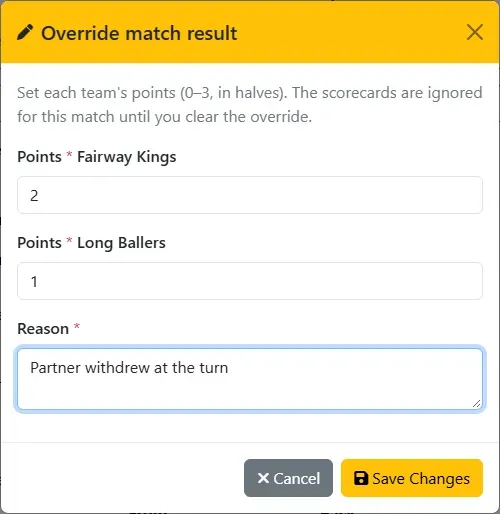
To correct a result (a forfeit, say), select Override on the match. Give each team’s points (0 to 3, in halves, no more than 3 between them) and a reason, then select Save Changes. The match then counts with those points. Clear override asks you to confirm, then scores the match from the cards again.