
Purse tables
A purse table splits a tournament’s prize money into places: for example 1st takes 60% and 2nd takes 40%. The split can change with the size of the field, so a small field pays two places and a big one pays four. You build a table once and reuse it on any tournament.
Before you start: you need to be a league admin. The Weekly stroke play preset in your Tournament Bank already includes a table, Weekly purse, that you can use or copy.
-
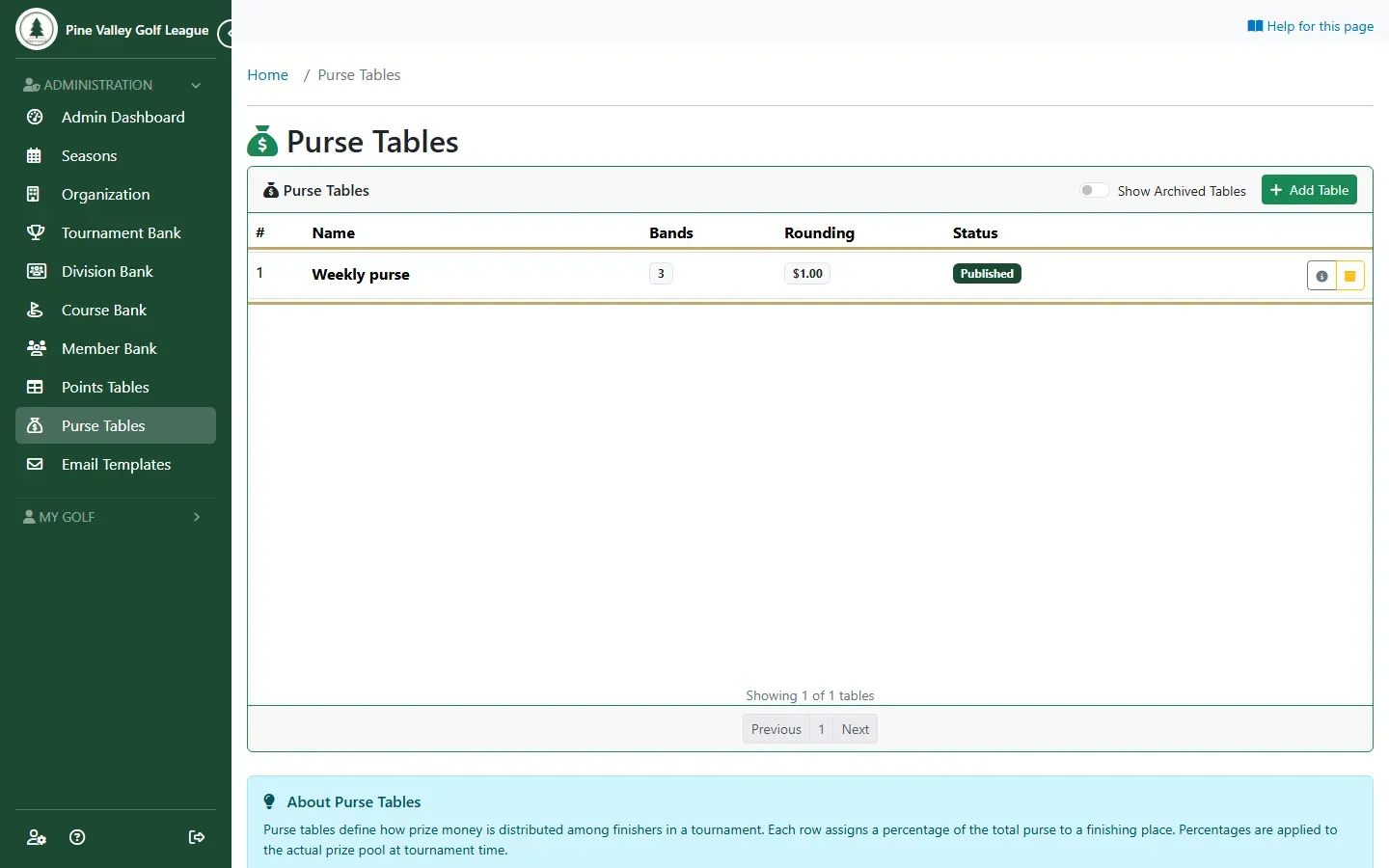
Open Purse Tables from the menu. It lists your league’s tables with how many field-size bands each has and how it rounds payouts. Select Add Table to start a new one, or open a table to look at it.
-
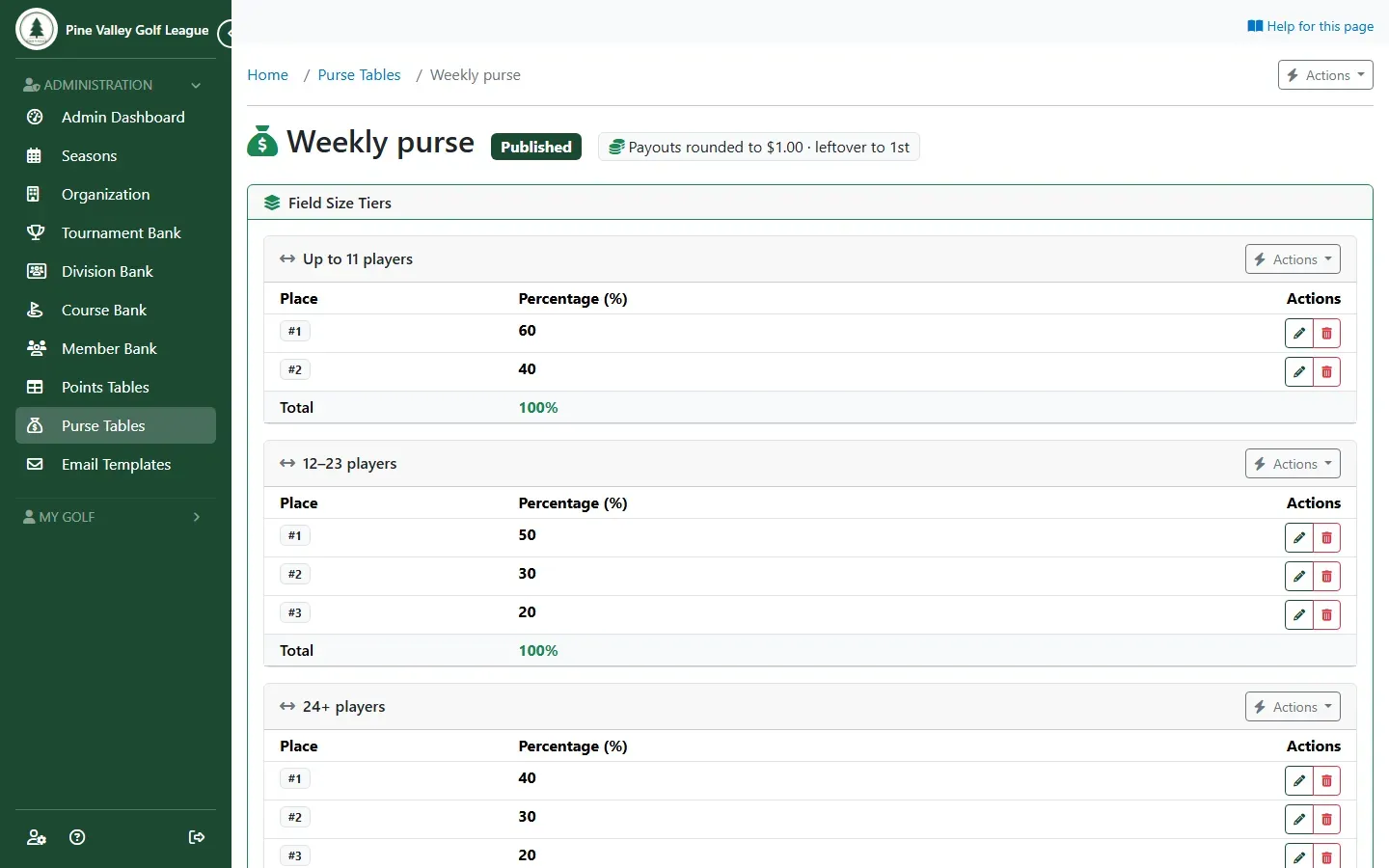
A table holds one or more Field Size Tiers, such as “Up to 11 players”, “12–23 players” and “24+ players”. Each tier has its Distribution Rows: each place and its percentage. Use Add Tier, Add Place or Add multiple rows. The percentages apply to whatever the pool is when the tournament is paid, so a table works for any amount.
-
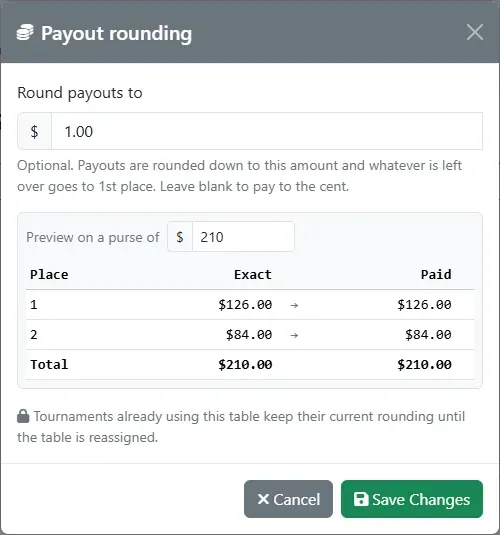
To pay round amounts, open Actions and choose Payout rounding. Each payout is rounded down to the amount you set, for example $1, and whatever is left over goes to 1st place. The preview shows the effect on a sample purse. Leave it blank to pay to the cent.
-
When the table is ready, open Actions and choose Publish: only a published table can be attached to a tournament.
-
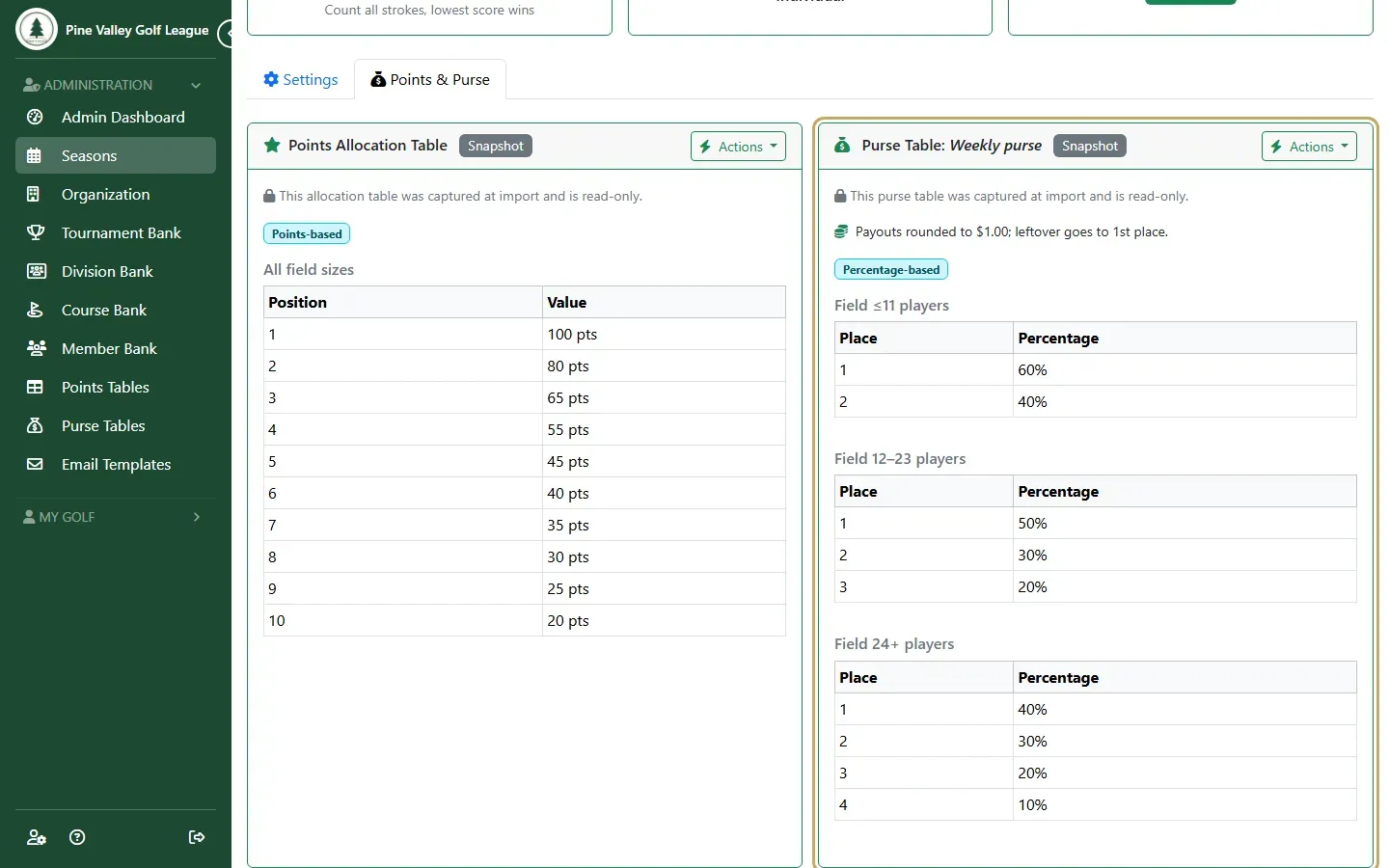
Attach the table on the tournament’s Points & Purse tab. Under Purse Table, open Actions, choose Assign, pick the table and select Assign. A tournament imported from a template that has a table brings its own copy.
Next: set how much is in the pot, and pay each flight separately, in Pay prizes by flight.