Scoring a round
Scores get into RELM Golf two ways: your players enter them as they play, or you enter them for a group. Players who sign in score straight away (see Score your round). Players without a login score with their group’s round access code (RAC), a short code you generate for each group. This guide hands out the codes and enters a group’s scores yourself.
Before you start: the round has its groups and tee times (Pairings and tee times) and has been started.
Group codes
Section titled “Group codes”-
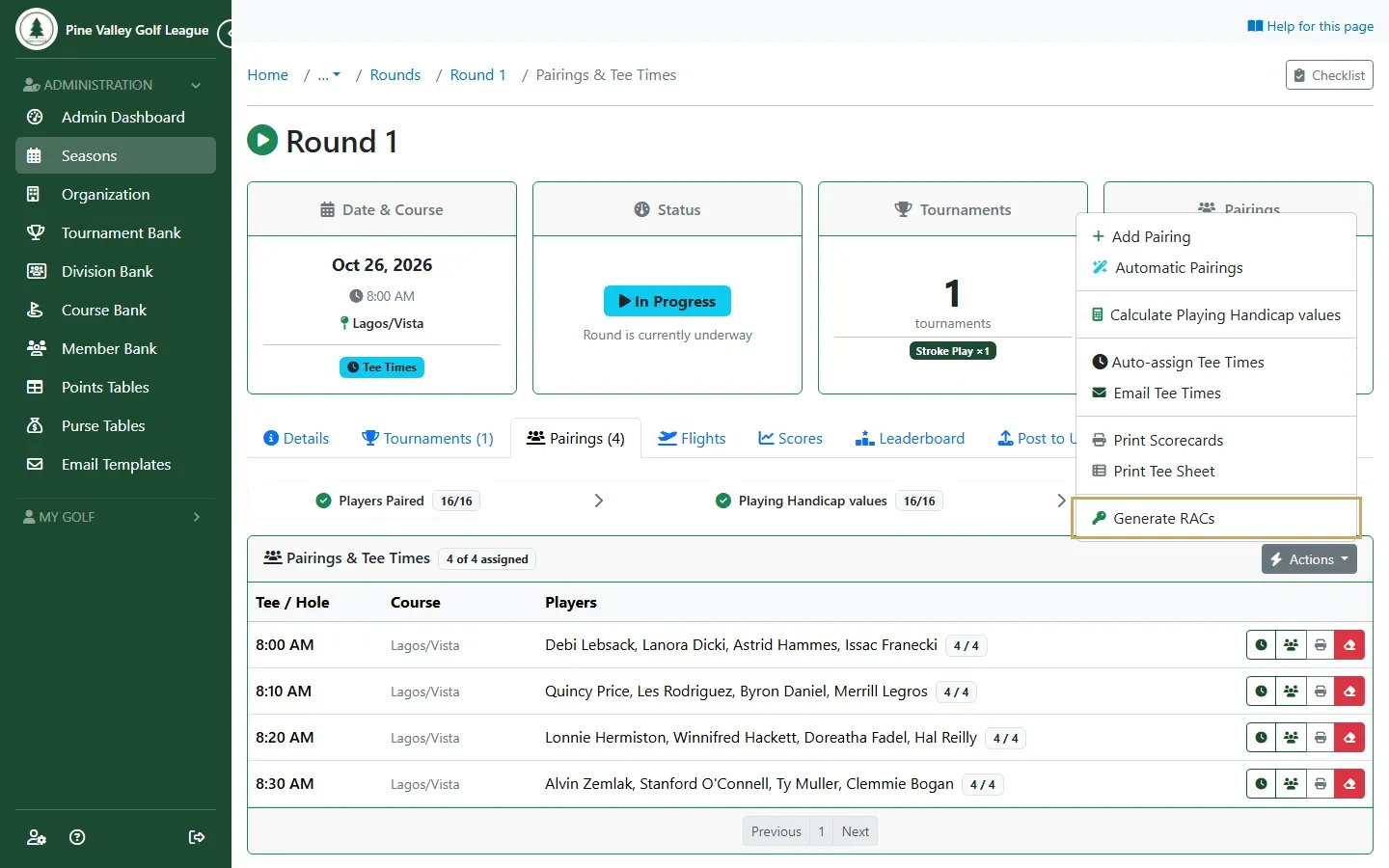
Open the round and go to its Pairings tab. Open Actions and choose Generate RACs. It’s available once every group has a tee time.
-
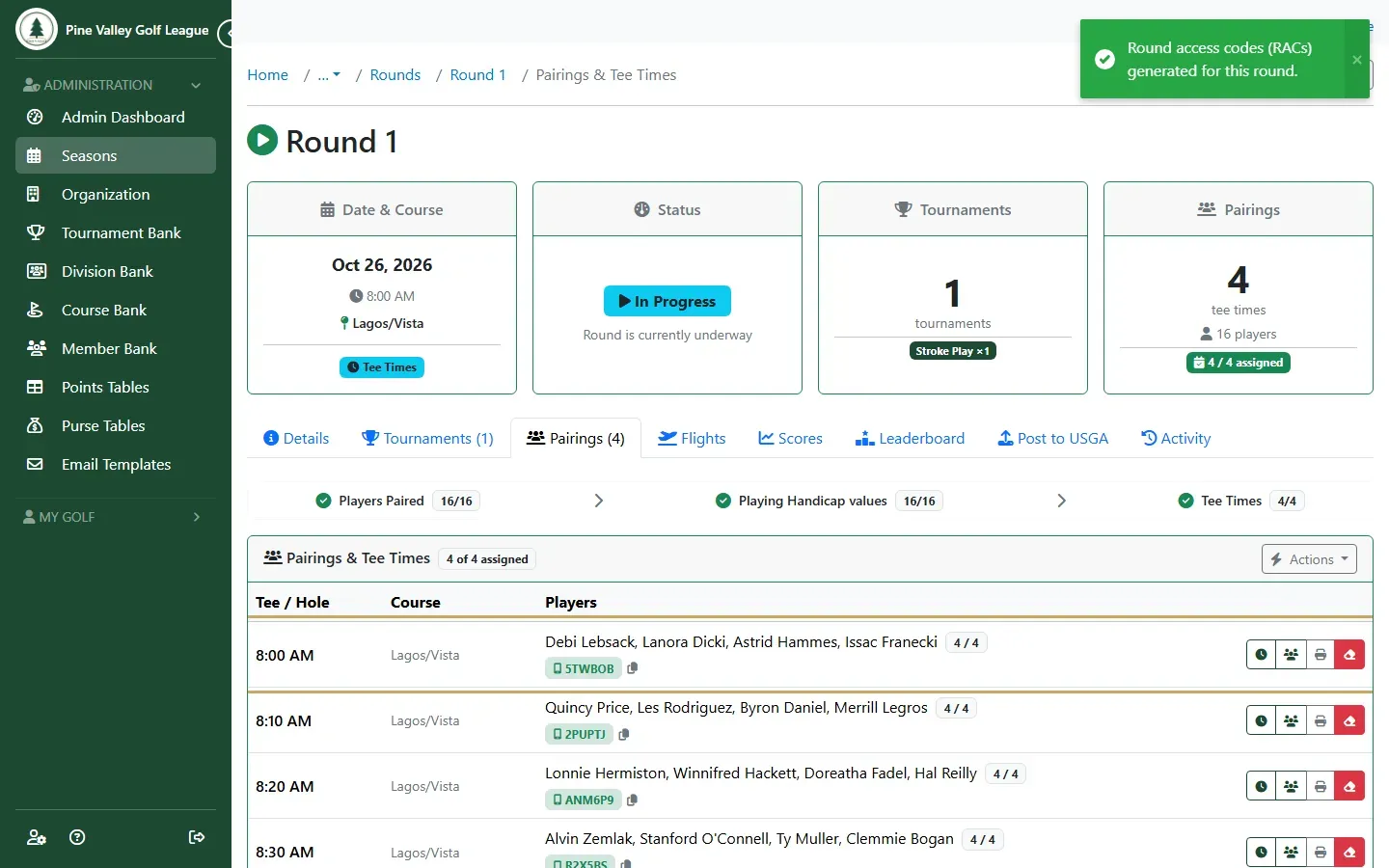
Each group now shows its code under the players’ names. The copy button next to it copies a link that opens the group’s scorecard directly. Email Tee Times sends each player their group’s code and link with their tee time.
Enter a group’s scores yourself
Section titled “Enter a group’s scores yourself”-
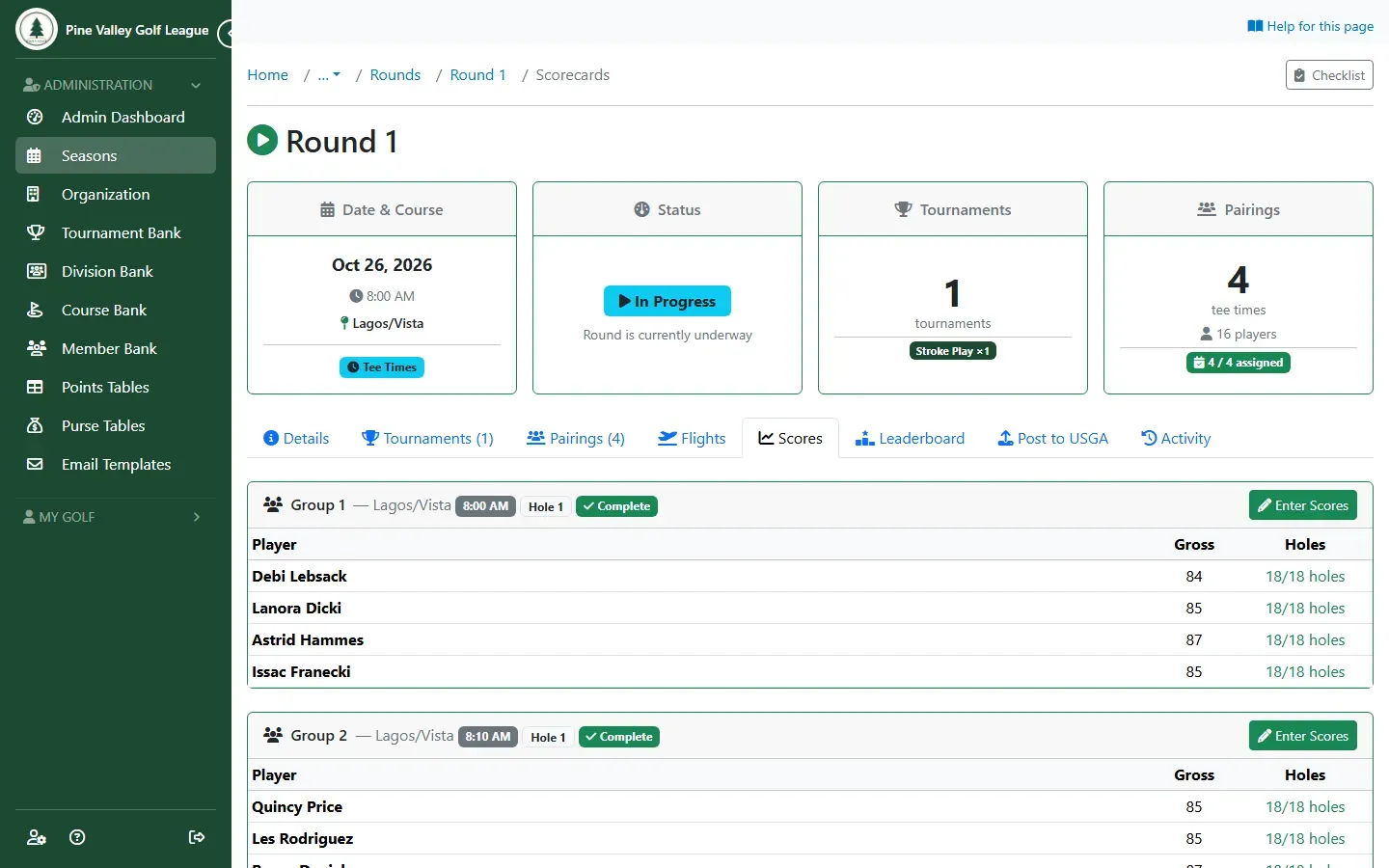
Go to the round’s Scores tab. Each group shows how far its scorecard has got. Select Enter Scores for the group you want.
-
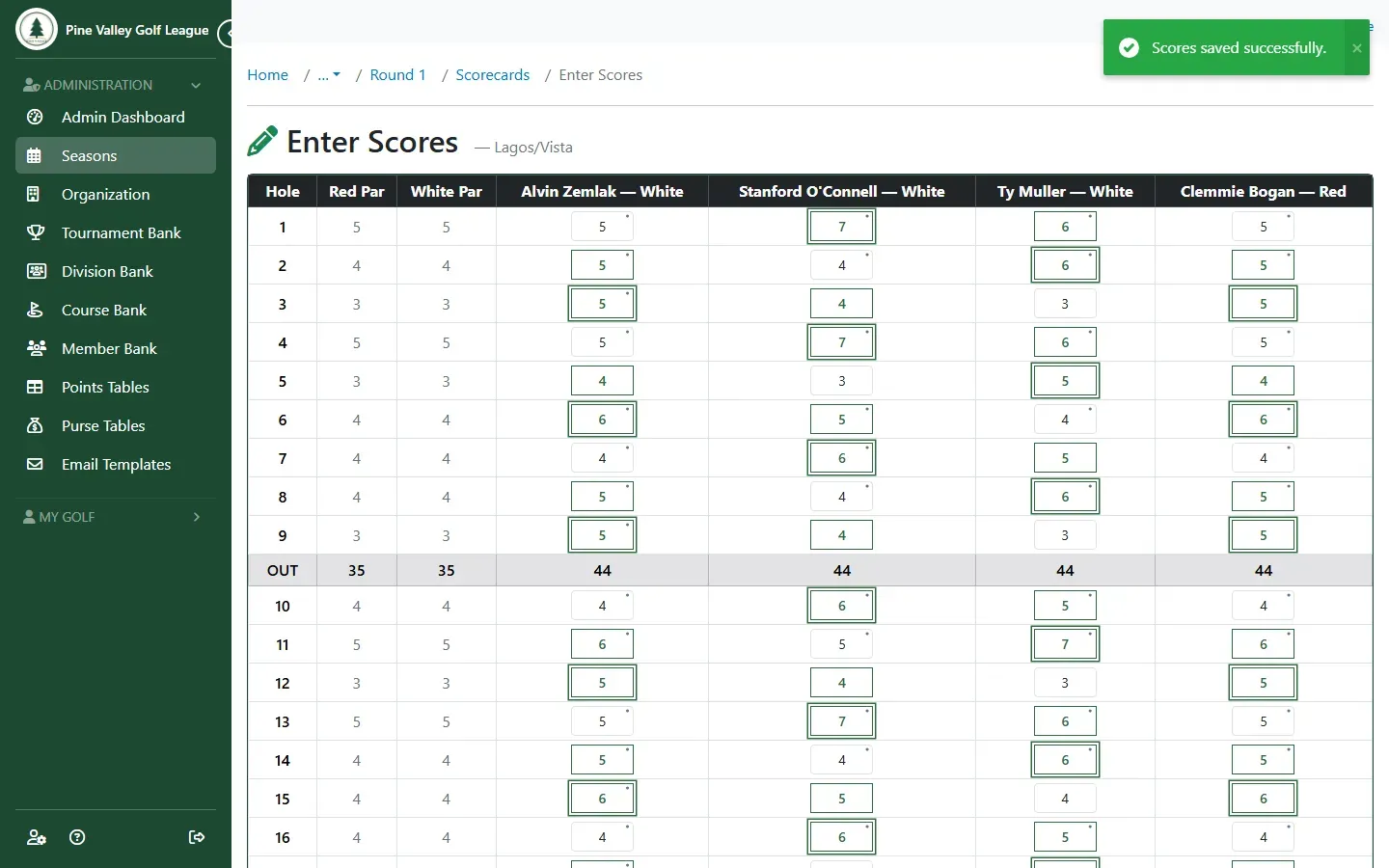
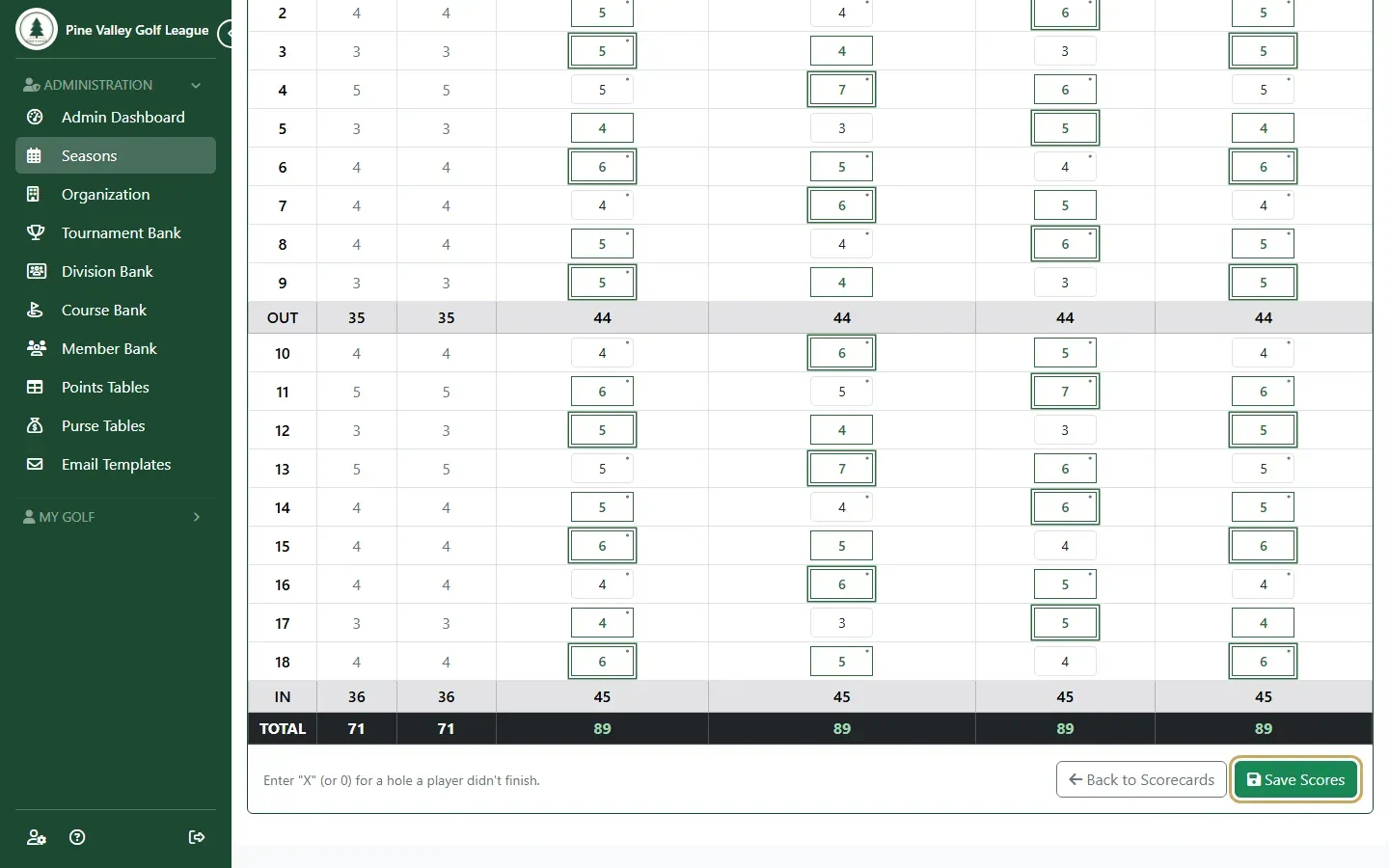
Type each player’s strokes hole by hole. The OUT, IN and TOTAL rows add up as you go. Enter X (or 0) for a hole a player didn’t finish. Select Save Scores.
-
The scores are saved, and the leaderboards update.