Guests and prizes
Whether a guest can win is set at three levels: the league’s guest policy, each event’s Reg. Settings, and each tournament. The setting closest to the game wins: a tournament’s own setting comes first, then the event’s, then the league’s. A level left on its default follows the one above it.
A common case: guests may buy into the Gross Skins and win it, but nothing else. Make the league (or the event) Not eligible for prizes, then make only the Gross Skins tournament Eligible.
Before you start: the event has its rounds and tournaments (Add rounds and tournaments).
-
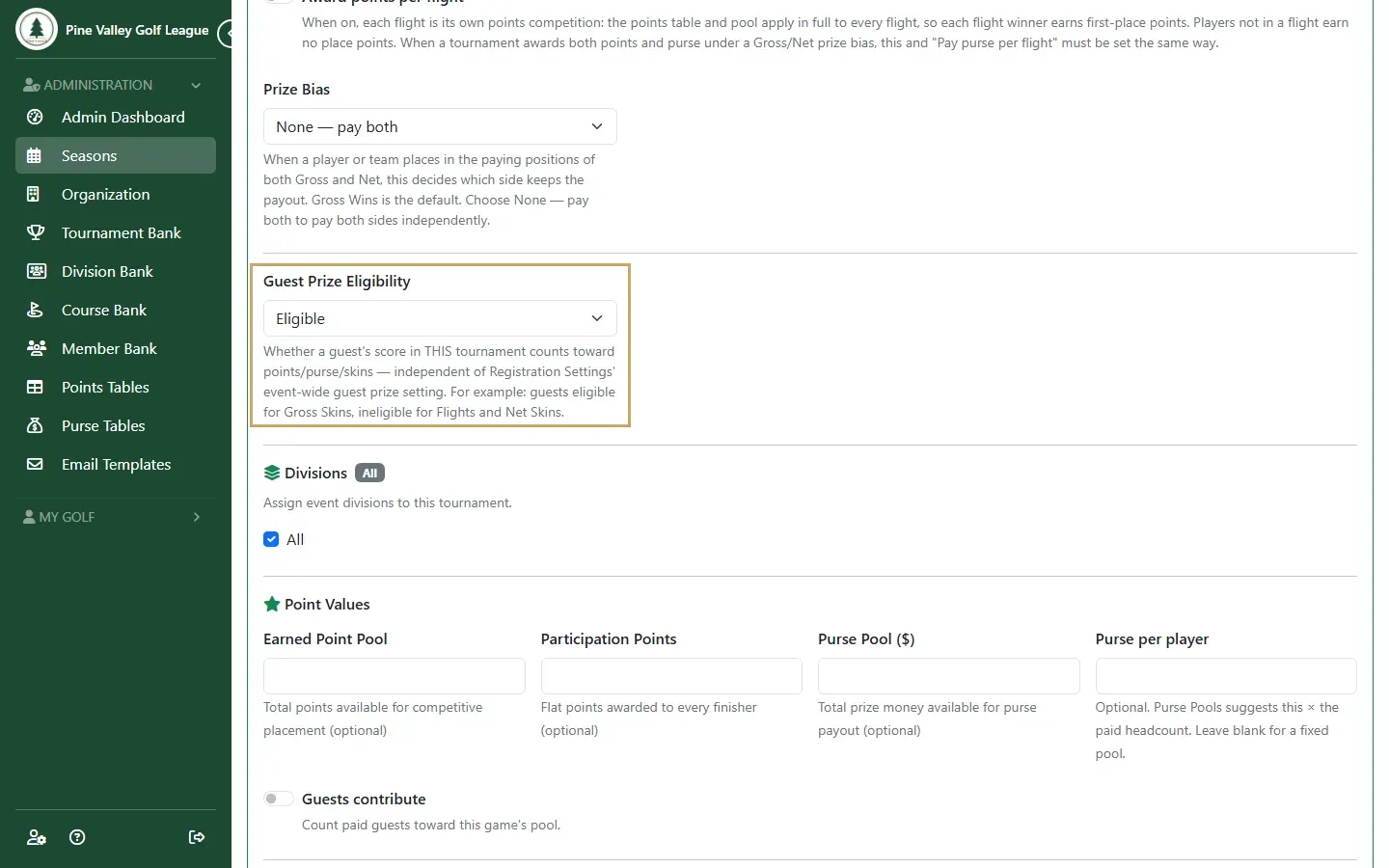
Open the round’s Tournaments tab and select the tournament. Under Guest Prize Eligibility, choose Eligible or Ineligible. The blank choice follows the event, or the league when the event doesn’t set it, and says which applies now. Select Save Changes.
-
On a purse game, Guests contribute decides whether paid guests count toward the game’s pool when it’s suggested from the purse per player.
-
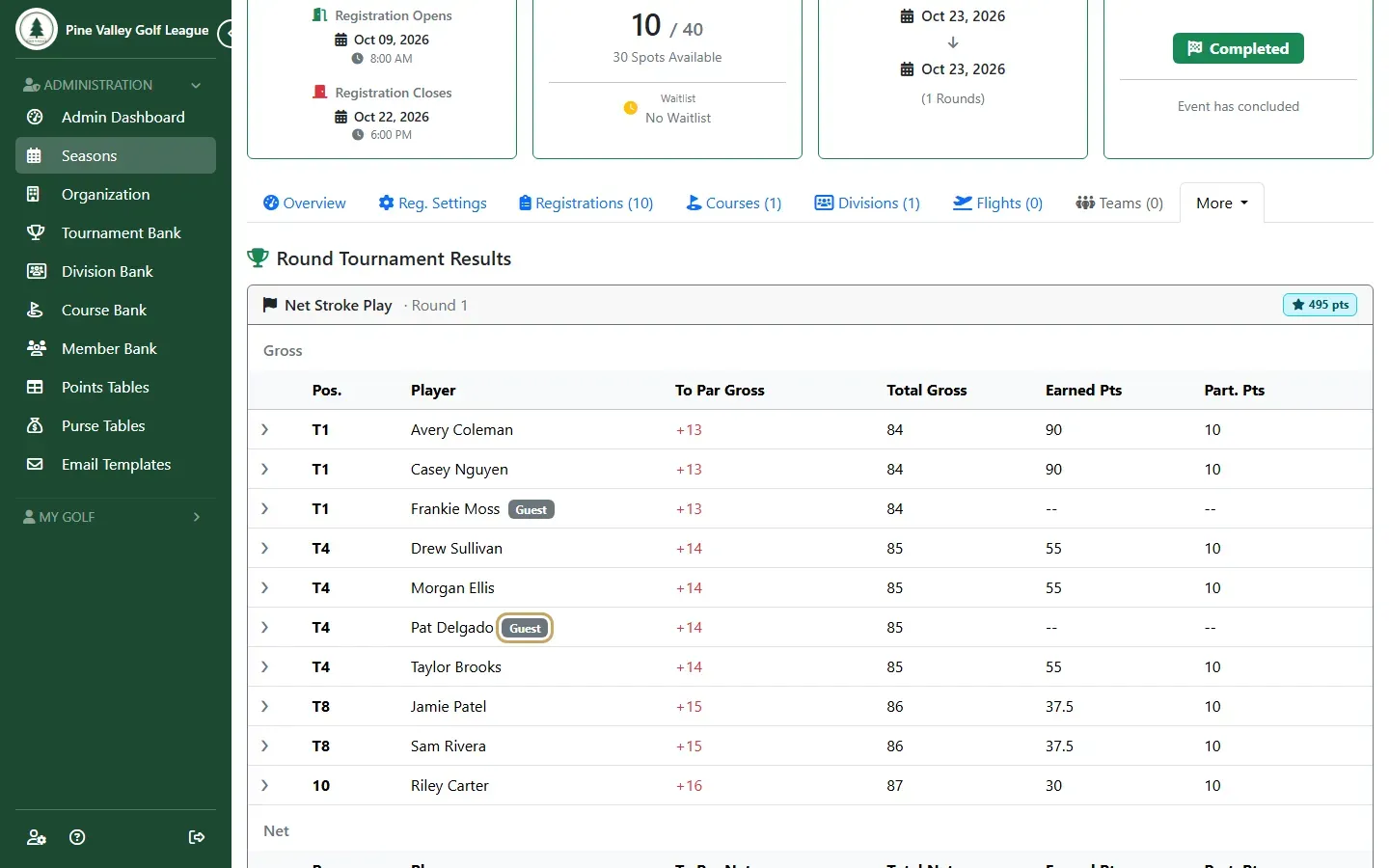
Complete the event. On its Results page, a guest keeps their score and place, marked Guest. A guest who can’t win shows a dash for points and money, and the members around them share the points and money as if the guest hadn’t played.