Register for an event
When your league publishes an event, you can sign up for it yourself from the player portal while its registration is open. It takes one tap.
Before you start: sign in to your league’s player portal. You can only register while the event’s registration window is open. The dates are shown on the event.
-
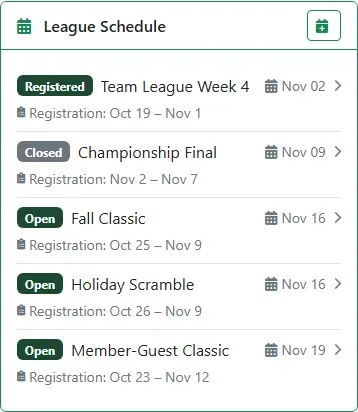
Your dashboard’s League Schedule lists the season’s events. Open means you can register now, and the dates below each event show when registration opens and closes.
-
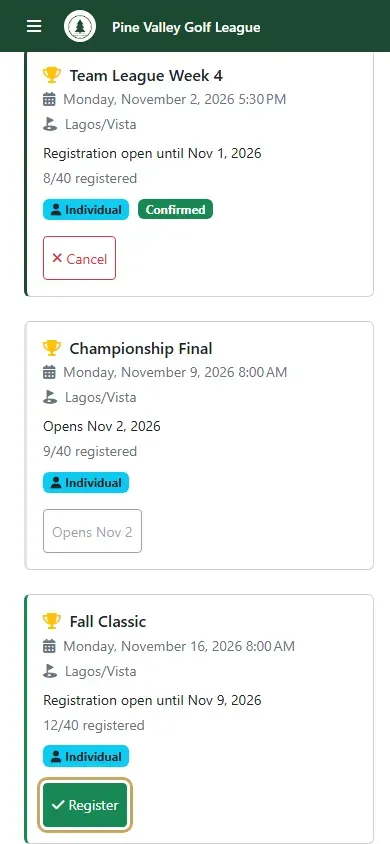
Open the menu and choose My Events. Each event you can sign up for shows its date, course, how many places are taken, and a Register button. Tap Register.
-
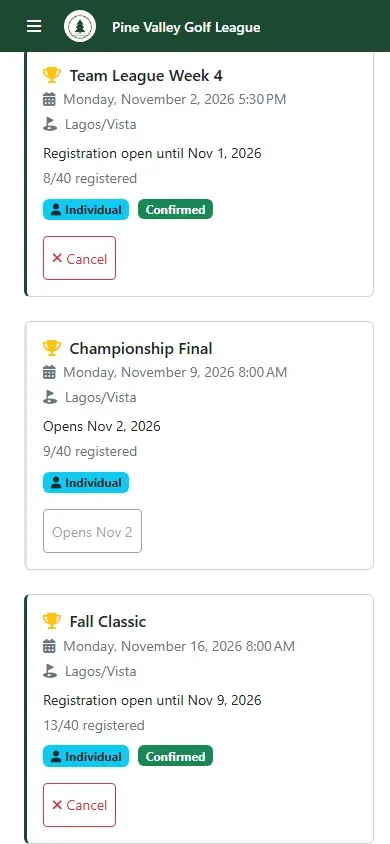
You’re in: the event now shows Confirmed, and the count includes you. If the event was already full and it has a wait list, you’re added to the wait list instead, and you move up automatically if a place opens.
-
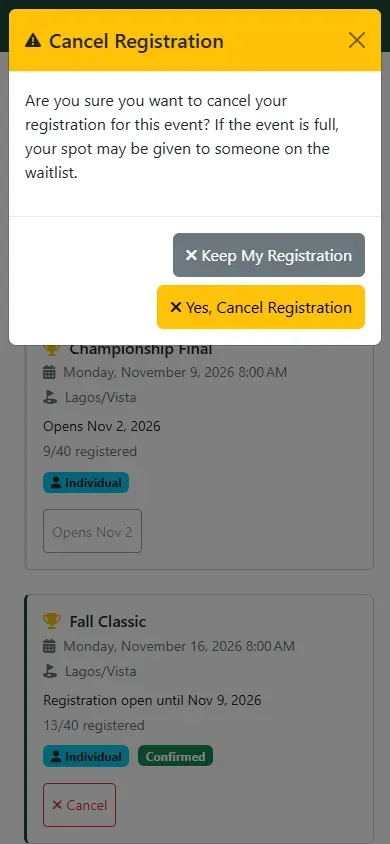
Can’t make it after all? Tap Cancel on the event, then Yes, Cancel Registration. Your place may go to someone on the wait list.