
Generate a season schedule
A weekly league plays the same game on the same day all season. Instead of creating each event by hand, generate the schedule: pick the first date, the day, how many weeks and the game, and RELM Golf creates one event per week.
Before you start:
- The season is Active or a draft (Create and start a season).
- You have a published tournament template for the weekly game. The Weekly stroke play preset’s Net Stroke Play is one.
-
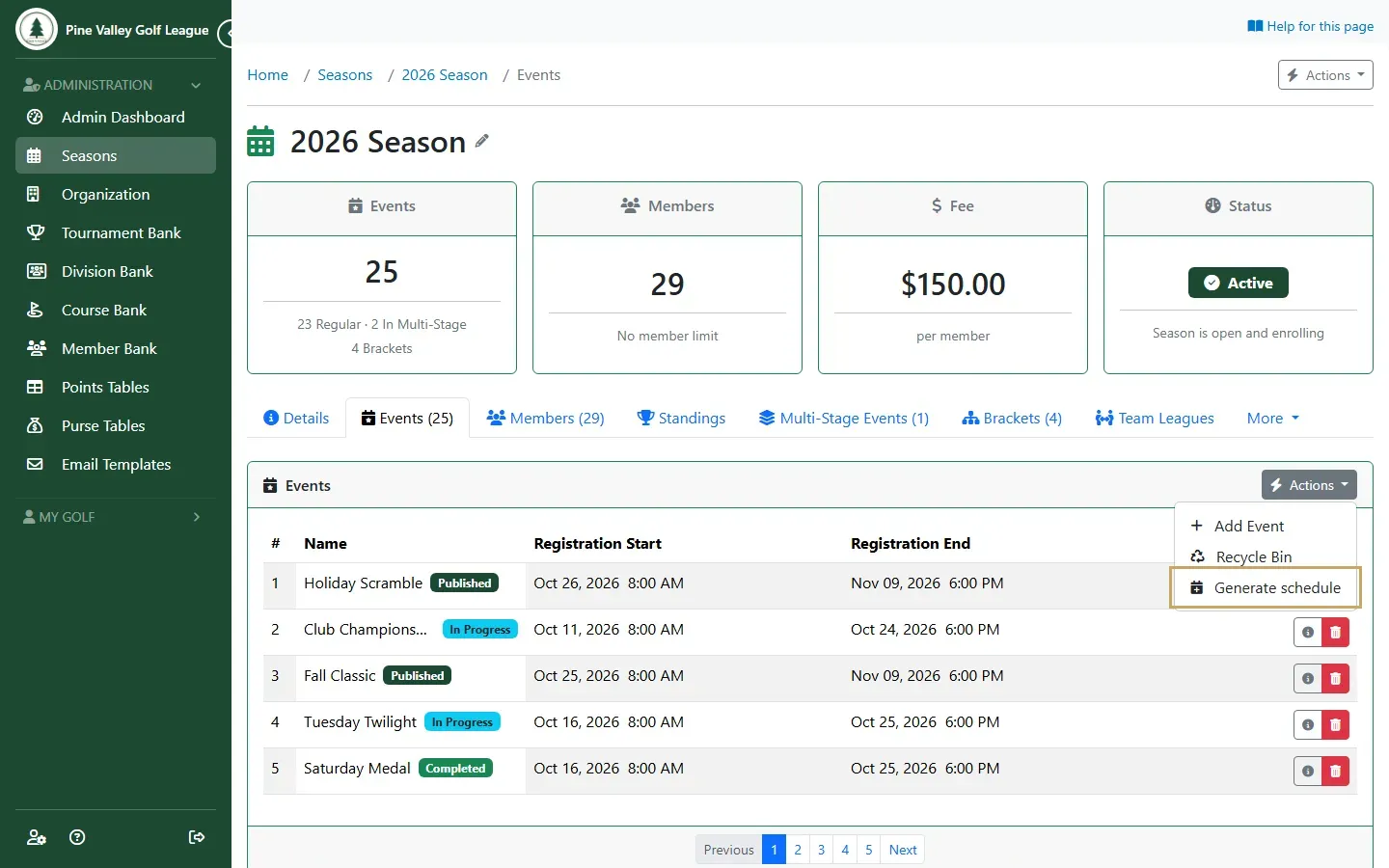
Open the season’s Events tab. In the Events card’s Actions menu, choose Generate schedule.
-
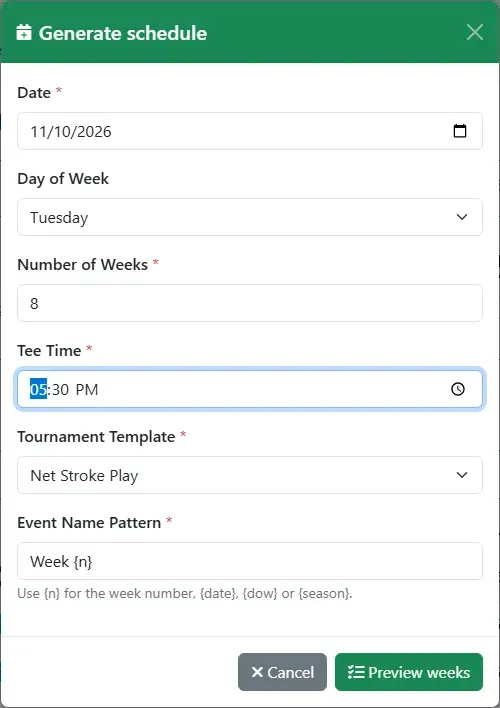
Fill in the settings and select Preview weeks:
- Date: the first week. A date on another day moves forward to the Day of Week you choose.
- Number of Weeks: up to 52.
- Tee Time: when each week’s round starts.
- Tournament Template: the game every week plays.
- Event Name Pattern: how each event is named.
{n}is the week number; you can also use{date},{dow}(the day) and{season}. The default isWeek {n}.
-
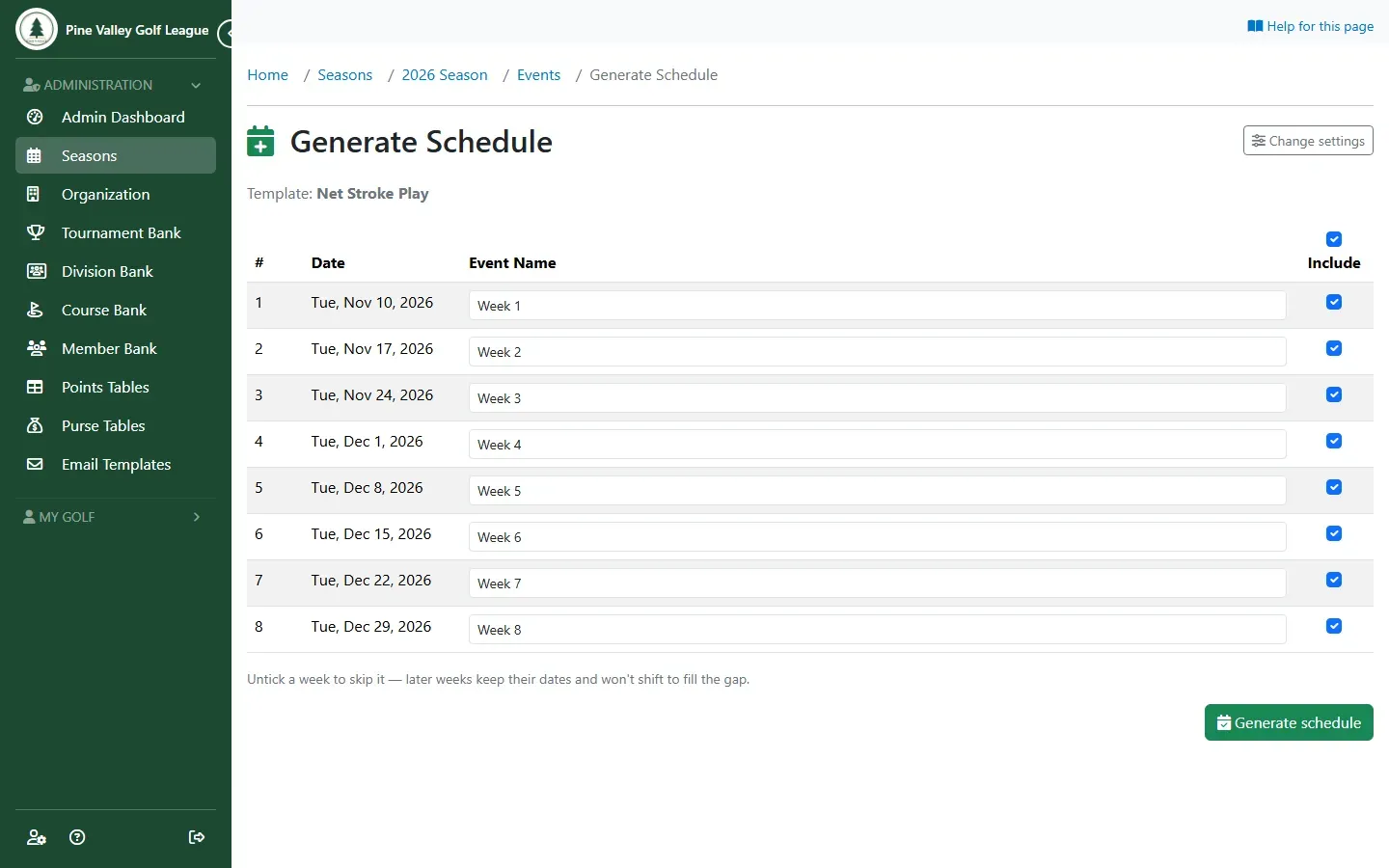
The preview lists every week with its date and name. You can change any name here.
-
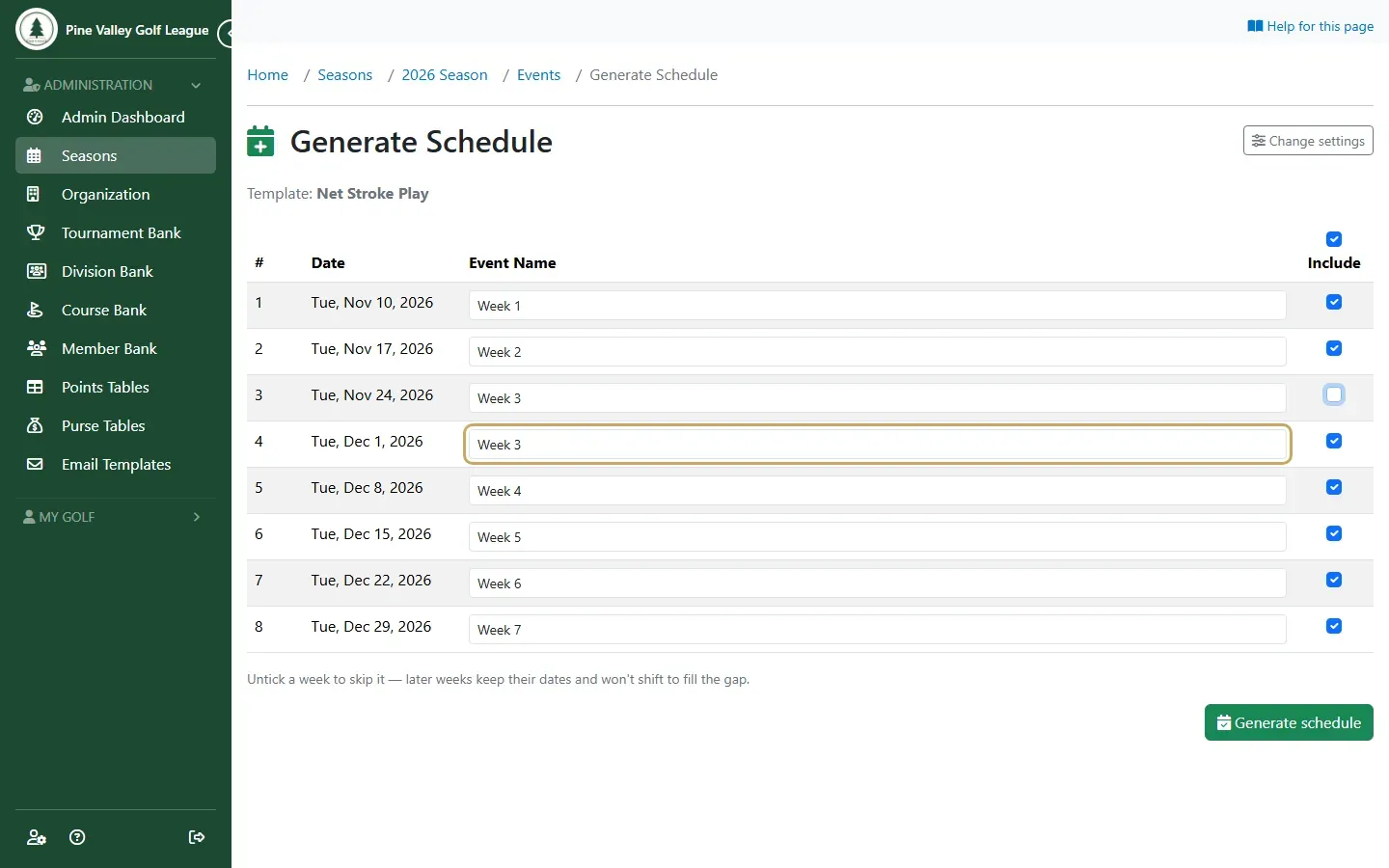
To skip a week, for a holiday or a club event, untick it under Include. The later weeks keep their dates, and the numbering closes up: the week after a skipped Week 3 becomes the new Week 3. A name you typed yourself stays as you wrote it.
-
Select Generate schedule. RELM Golf creates the events as drafts and takes you back to the Events tab.
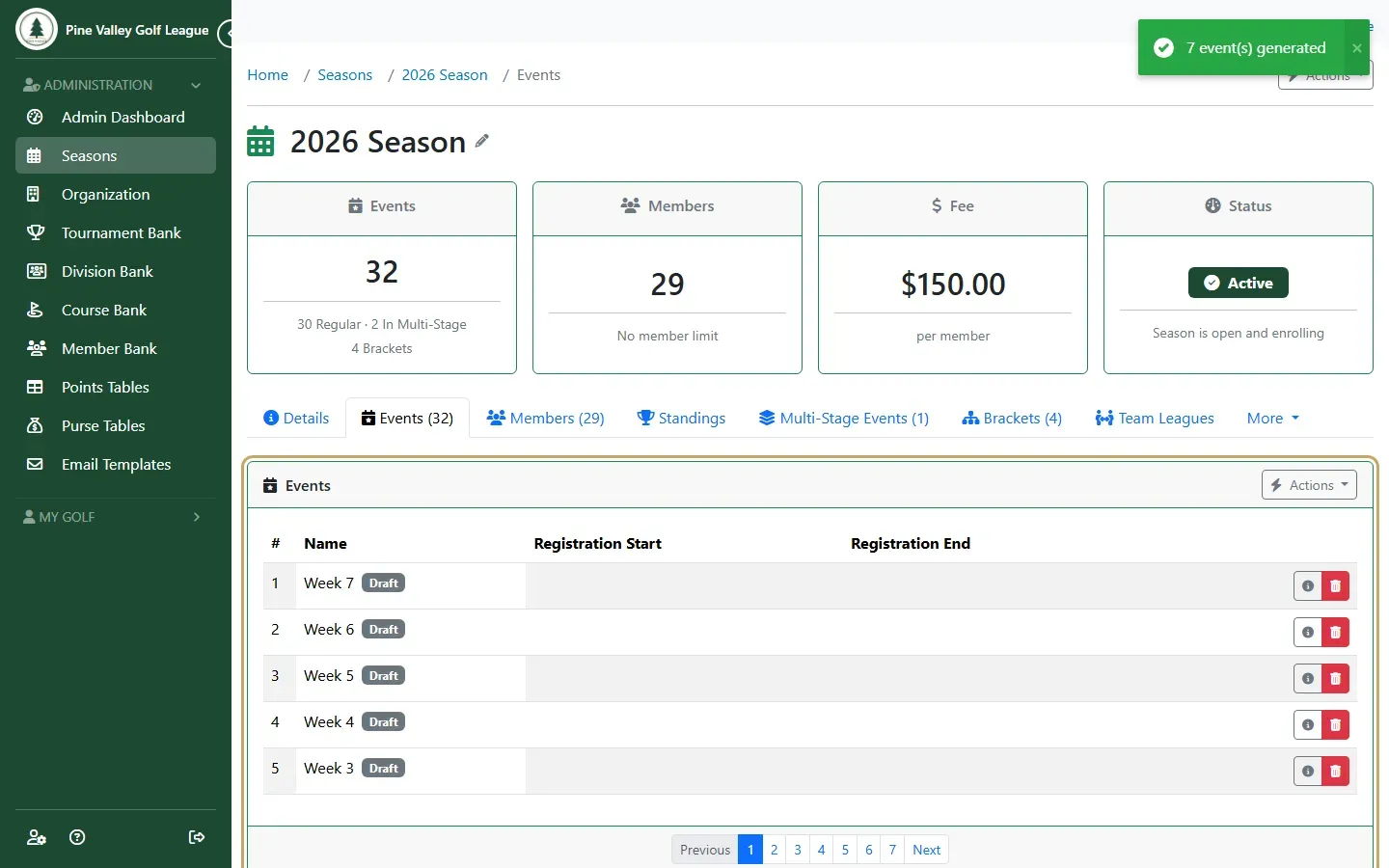
Each generated event has its round and its game, but not yet its registration window, player limit or course. Set those on each event (Create an event, from step 5), then publish it when you’re ready for players to register.