
Set up a multi-round event
A multi-round event, such as a two-day club championship, has one standing across all its rounds. You turn on multi-round scoring for the event and add one multi-round tournament that covers its rounds. Each round can keep its own daily tournament as well.
Before you start:
- The event has at least two rounds (Add rounds and tournaments).
- Set this up before any round you want included is completed: a completed round can’t be added.
- Multi-round events are on the Birdie plan and up.
-
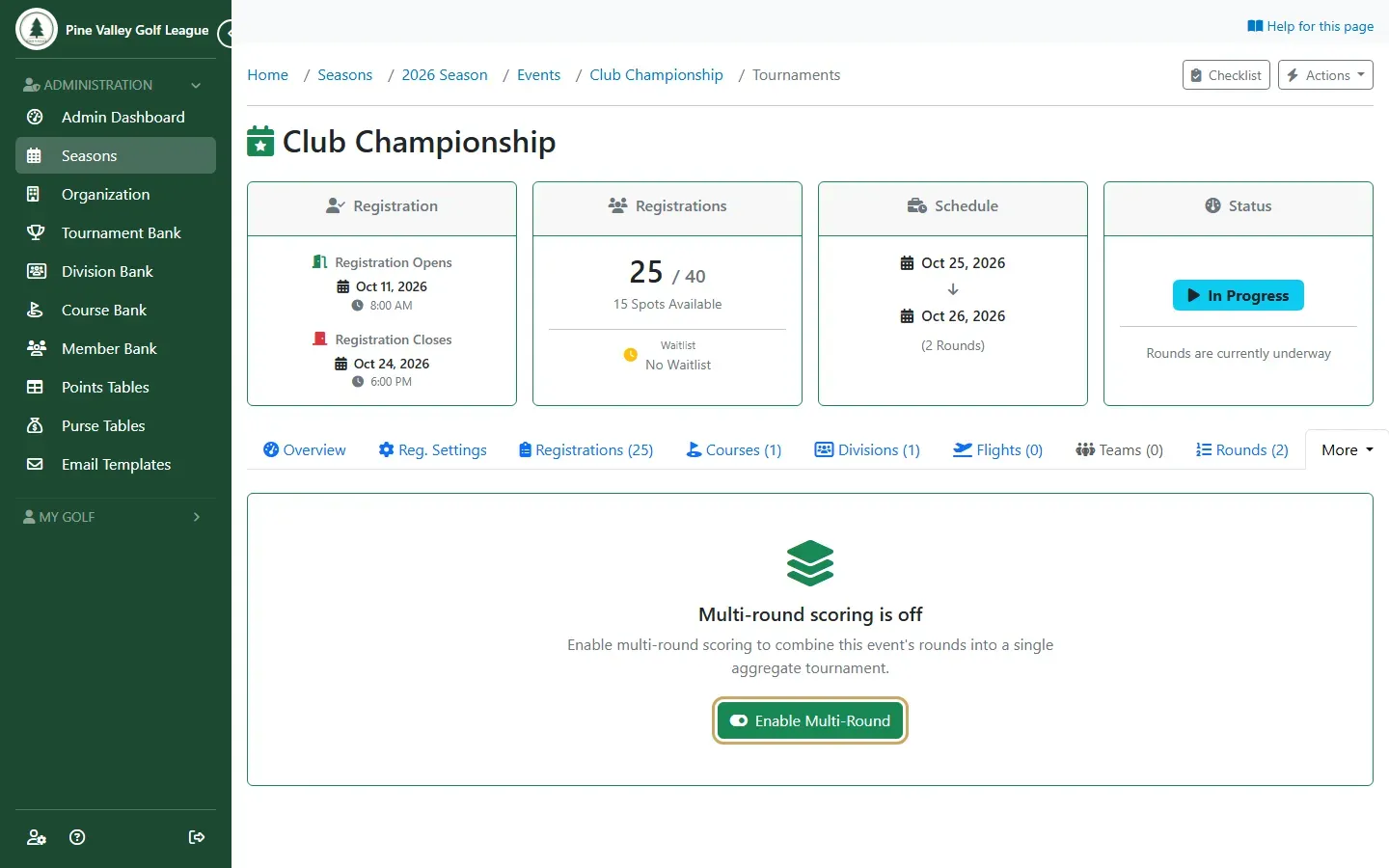
Open the event, open More and select Multi-Round, then select Enable Multi-Round.
-
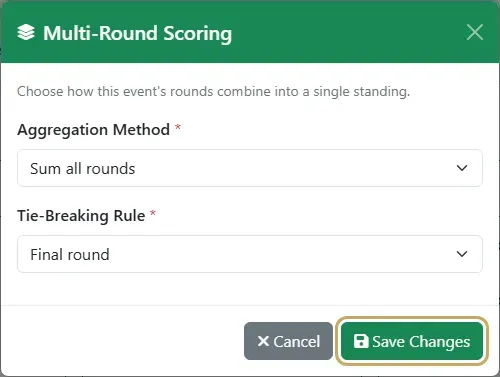
Choose how the rounds combine and select Save Changes:
- Sum all rounds: every round counts.
- Best N of M rounds: only each player’s best rounds count. Enter how many in Rounds to Count (Best N).
- Drop worst round: every round but each player’s worst.
Tie-Breaking Rule is required, but today players on the same total share the position (T2) whichever rule you pick.
-
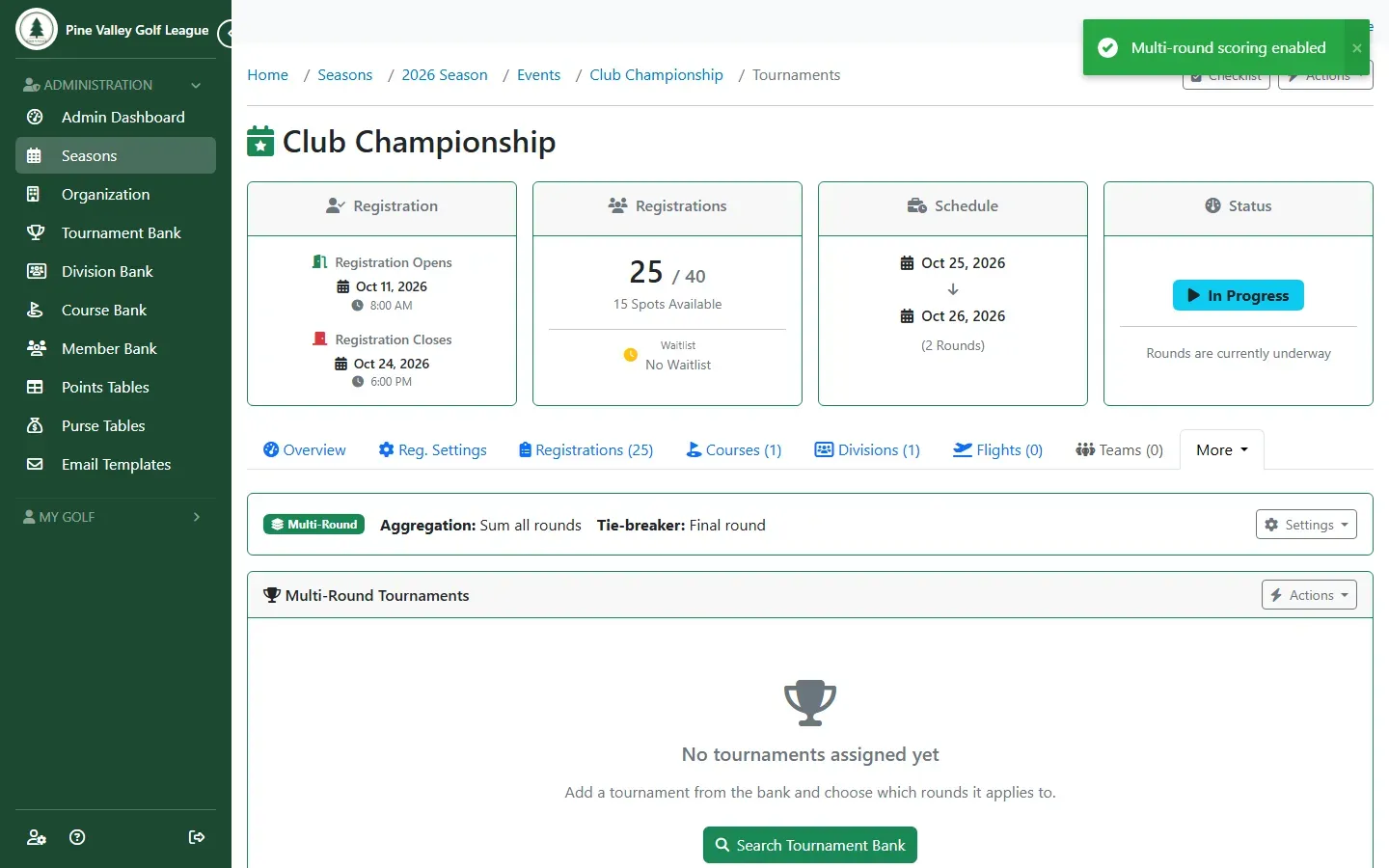
The tab now shows the event’s multi-round settings. To change them later, open Settings and choose Edit Configuration.
-
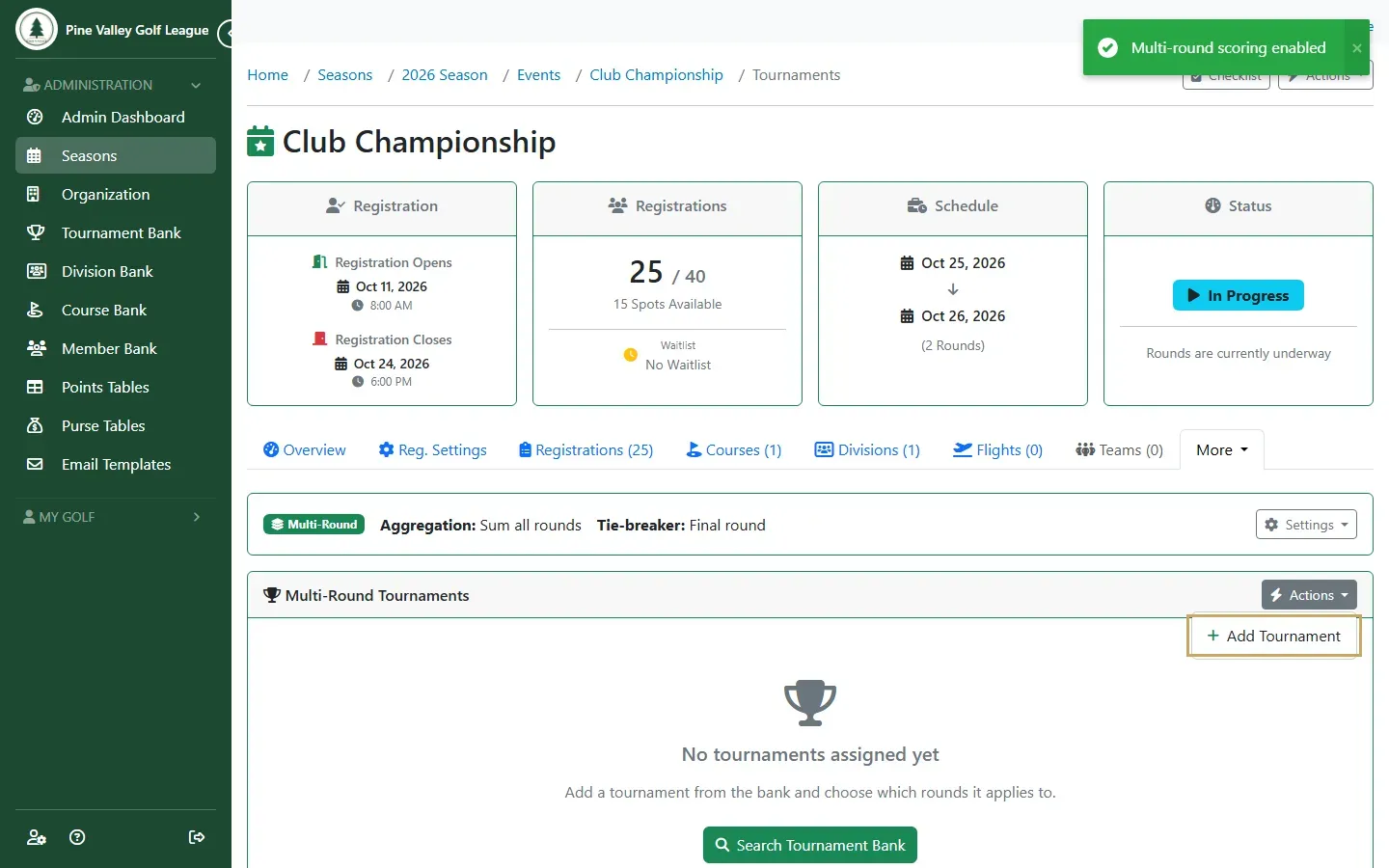
In Multi-Round Tournaments, open Actions and choose Add Tournament.
-
Select Search to list your Tournament Bank, and select Import on the tournament to play over the rounds.
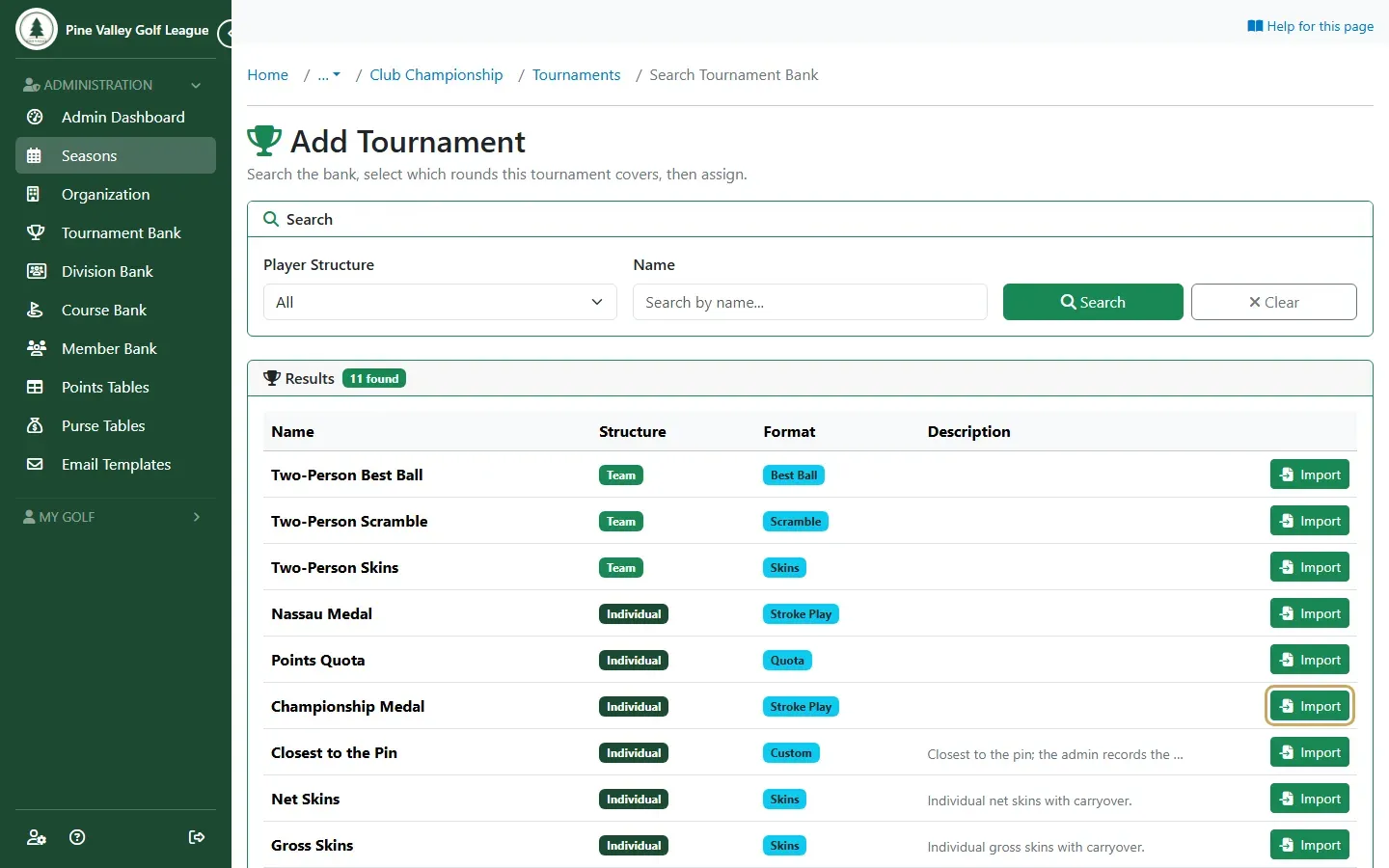
-
Tick every Round it covers and the Divisions that play it, then select Import.
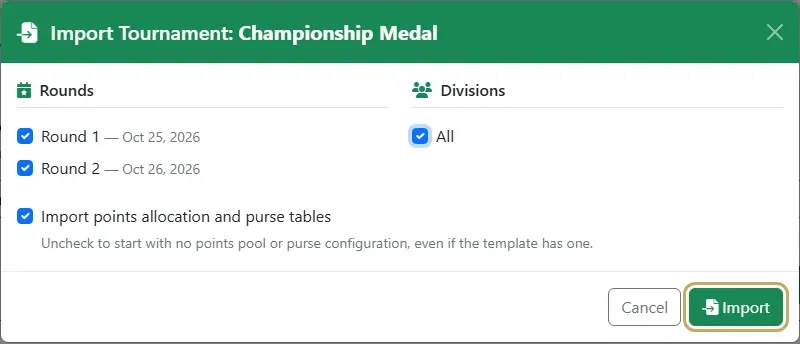
-
The tournament’s settings open. Change anything that differs from the template, such as the points and purse on Points & Purse, and add a cut here if you want one (Add a cut).
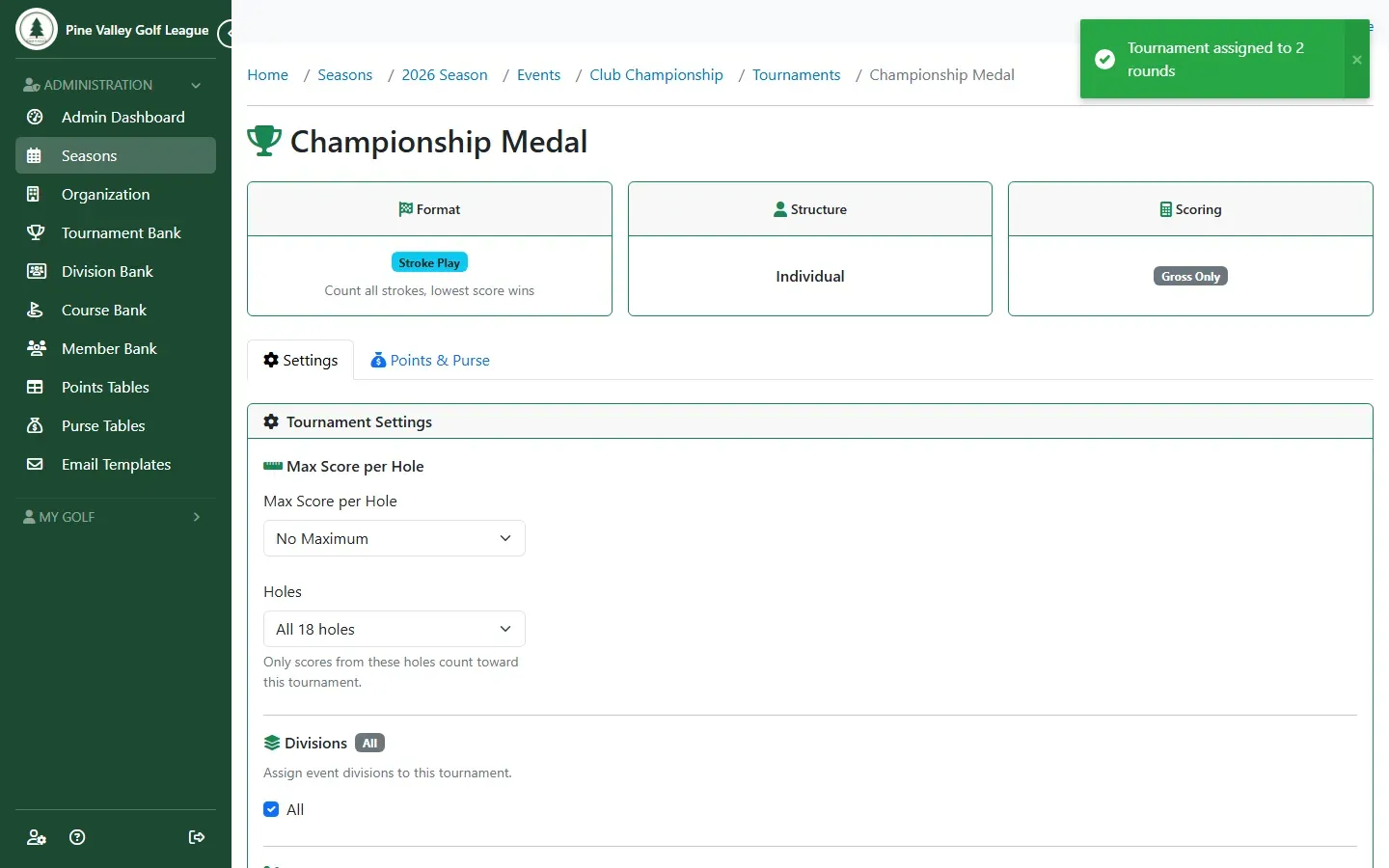
The combined standing is at the top of the event’s Results tab, under Aggregate Tournament Results, with a column for each round. A player needs a score in every round to be ranked; until then they show a partial total.
To play qualifying events that feed a final, see Qualifiers and a final.