Post scores to GHIN
Once a round is completed, RELM Golf can post each player’s score to their record with the USGA (GHIN), so you don’t have to type them in again. Only players with a GHIN number linked in the Member Bank can be posted (Add your members).
Before you start: complete the round, and make sure your league has USGA GHIN turned on in Organization → Integrations (Set up your league).
Post a round’s scores
Section titled “Post a round’s scores”-
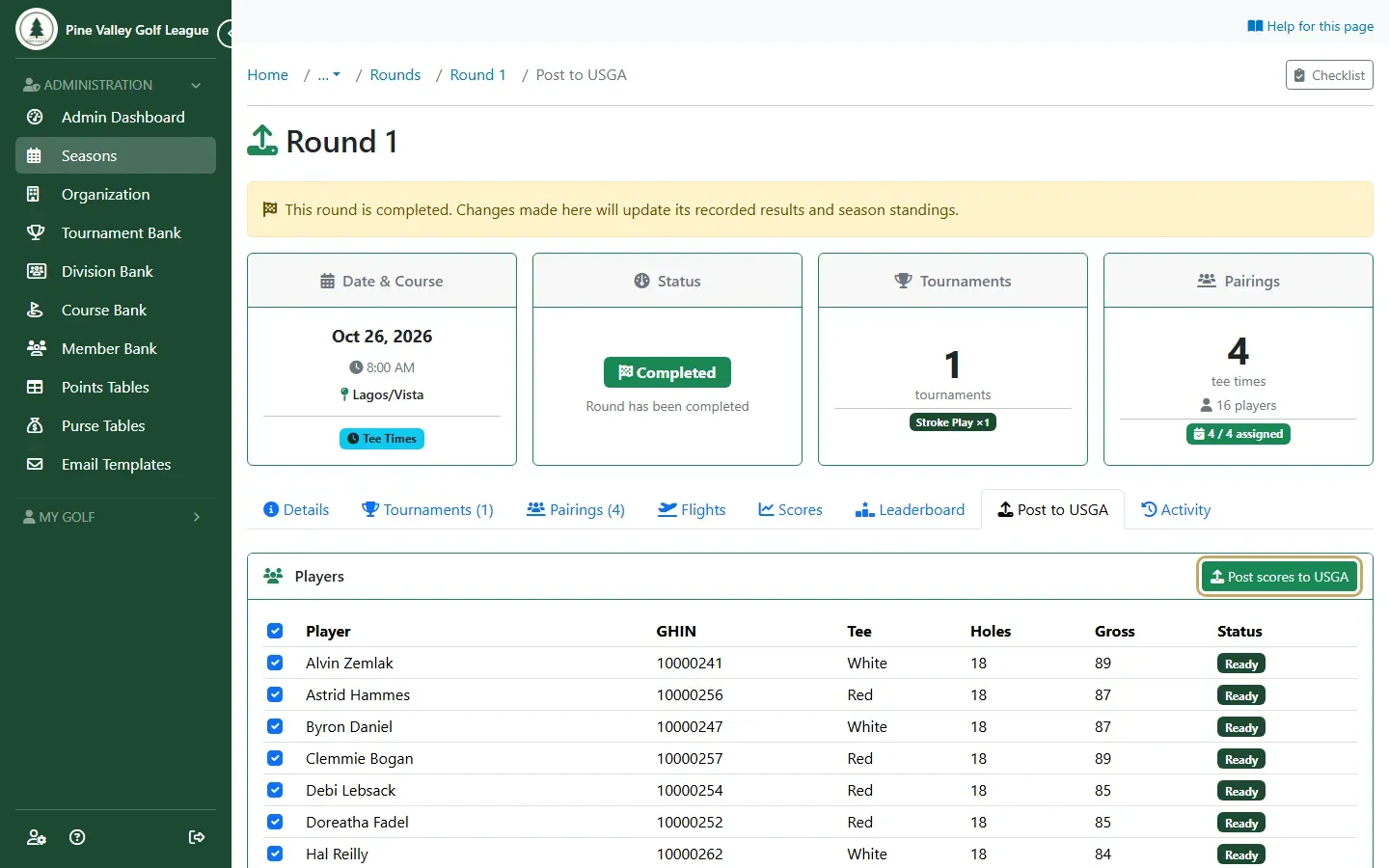
Open the round and go to its Post to USGA tab. Every player is listed with their GHIN number, tee, holes played and gross score:
- Ready players are ticked to be posted. Untick anyone you don’t want to post.
- Skipped players can’t be posted, and the reason is shown: no GHIN number, no scorecard, not enough holes played, or they played alone.
Select Post scores to USGA.
-
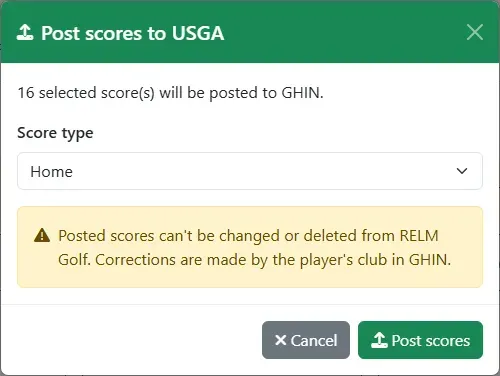
Choose the Score type (Home, Away or Tournament) and select Post scores. The tab then shows each player’s result as it comes back from the USGA, and Print report gives you a copy.
Golfer consent
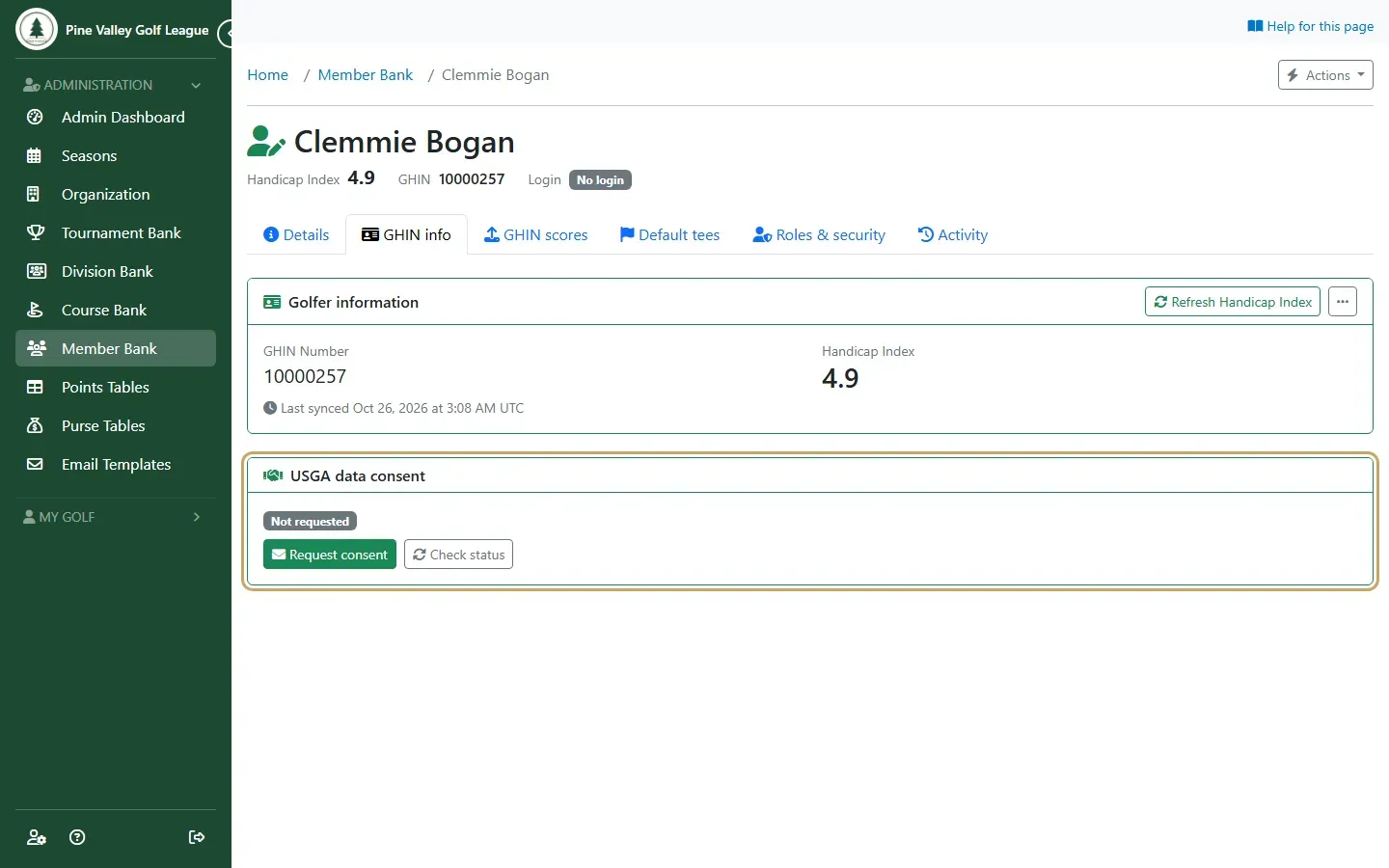
Section titled “Golfer consent”The USGA asks for each golfer’s own consent before a league uses their full handicap record. You request it in RELM Golf, and the USGA emails the golfer to approve it. A golfer is only ever asked once.
-
Open the member in the Member Bank and go to the GHIN info tab. The USGA data consent card shows where their consent stands. Select Request consent to have the USGA email them, and Check status later to see whether they’ve answered.