
Add rounds and tournaments
A round is the day of golf: its date and start time. A tournament is the competition scored in that round, such as individual stroke play, a scramble or skins. A round can hold several tournaments at once. In this guide you add the round and give it a tournament from your league’s Tournament Bank, the set of competition templates your league reuses all season.
Before you start: create the event. Its registration window must be set, because a round can only start after registration closes.
-
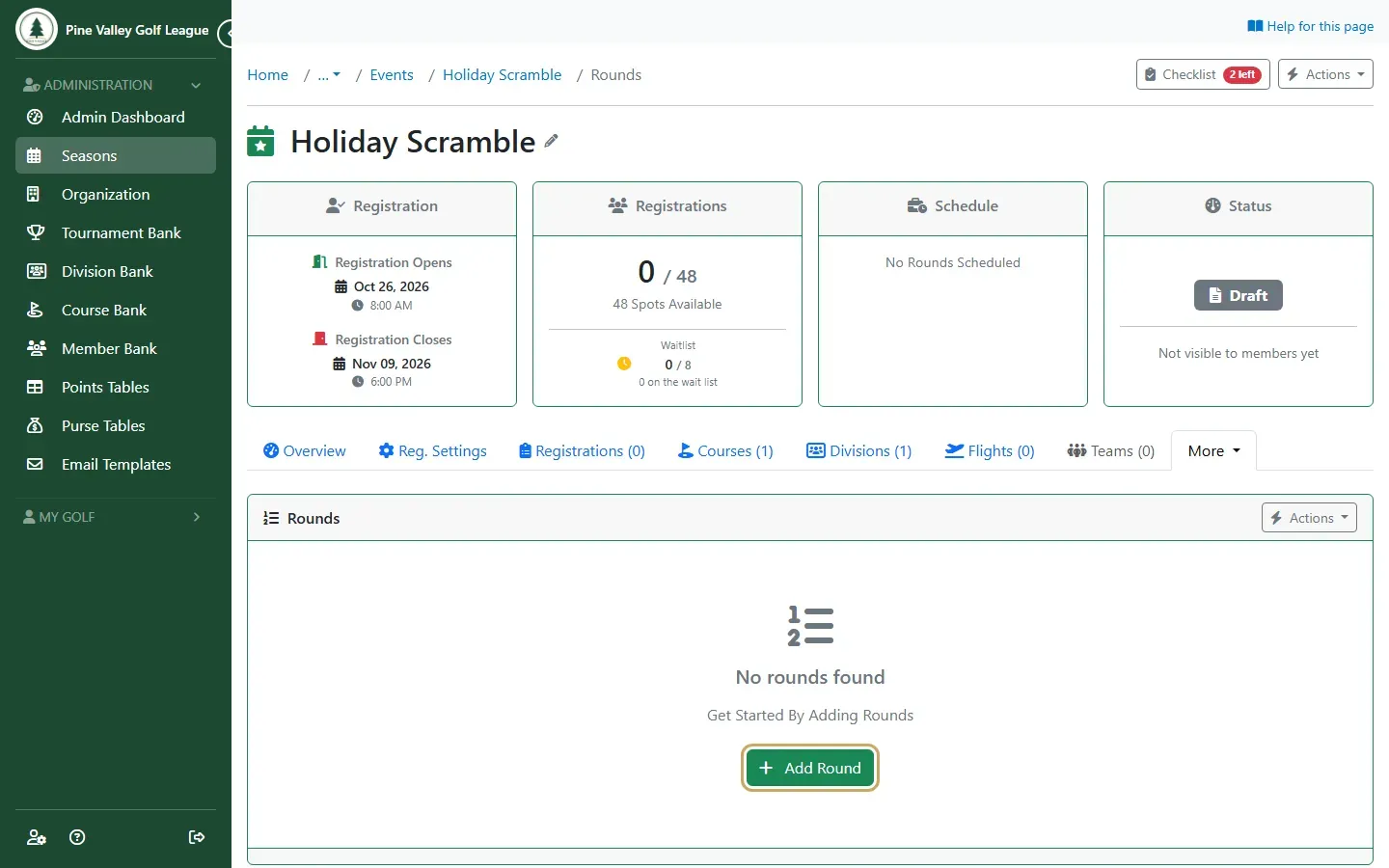
Open the event and select the Rounds tab, then Add Round.
-
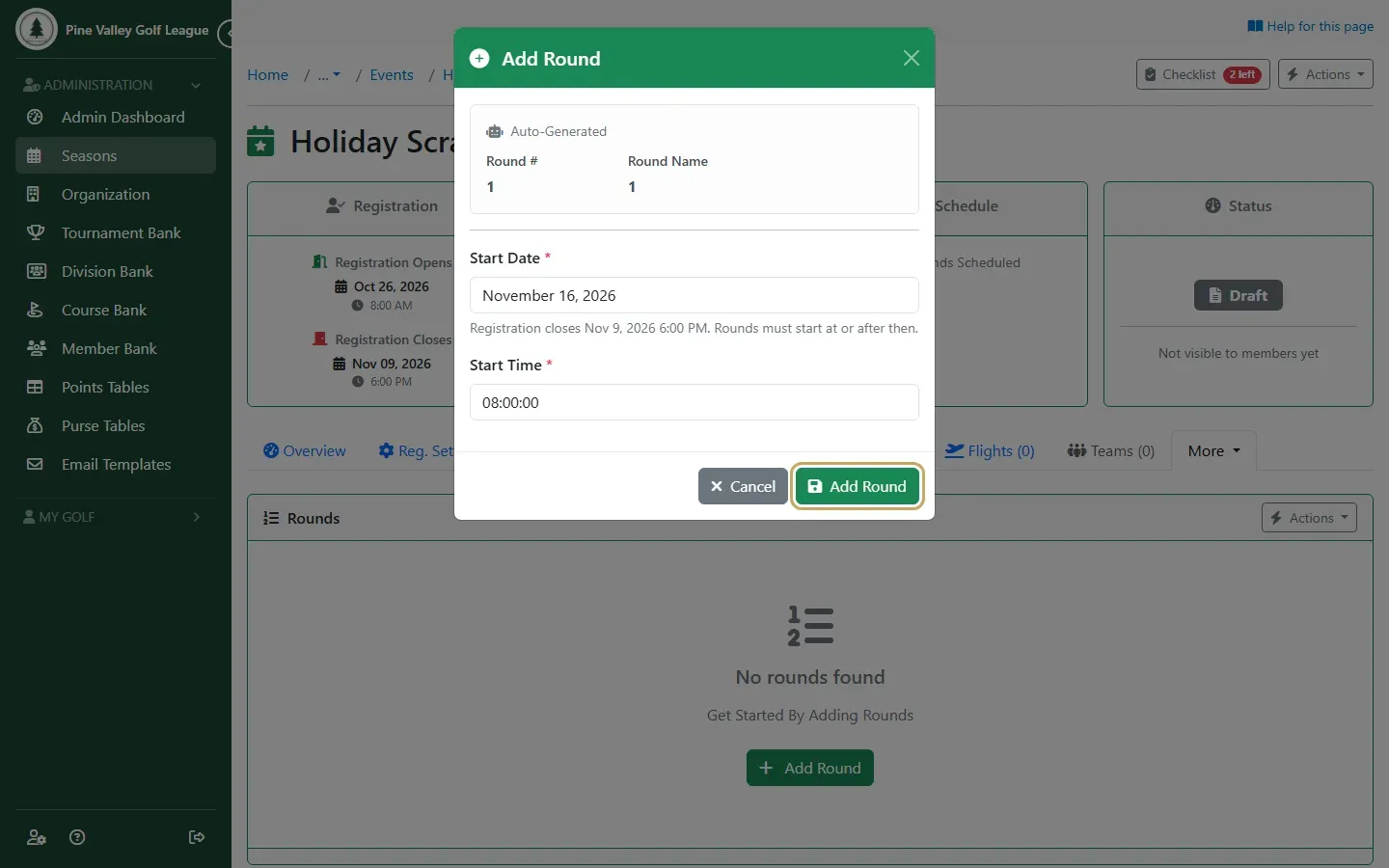
Choose the round’s Start Date and Start Time and select Add Round. The round is numbered for you.
-
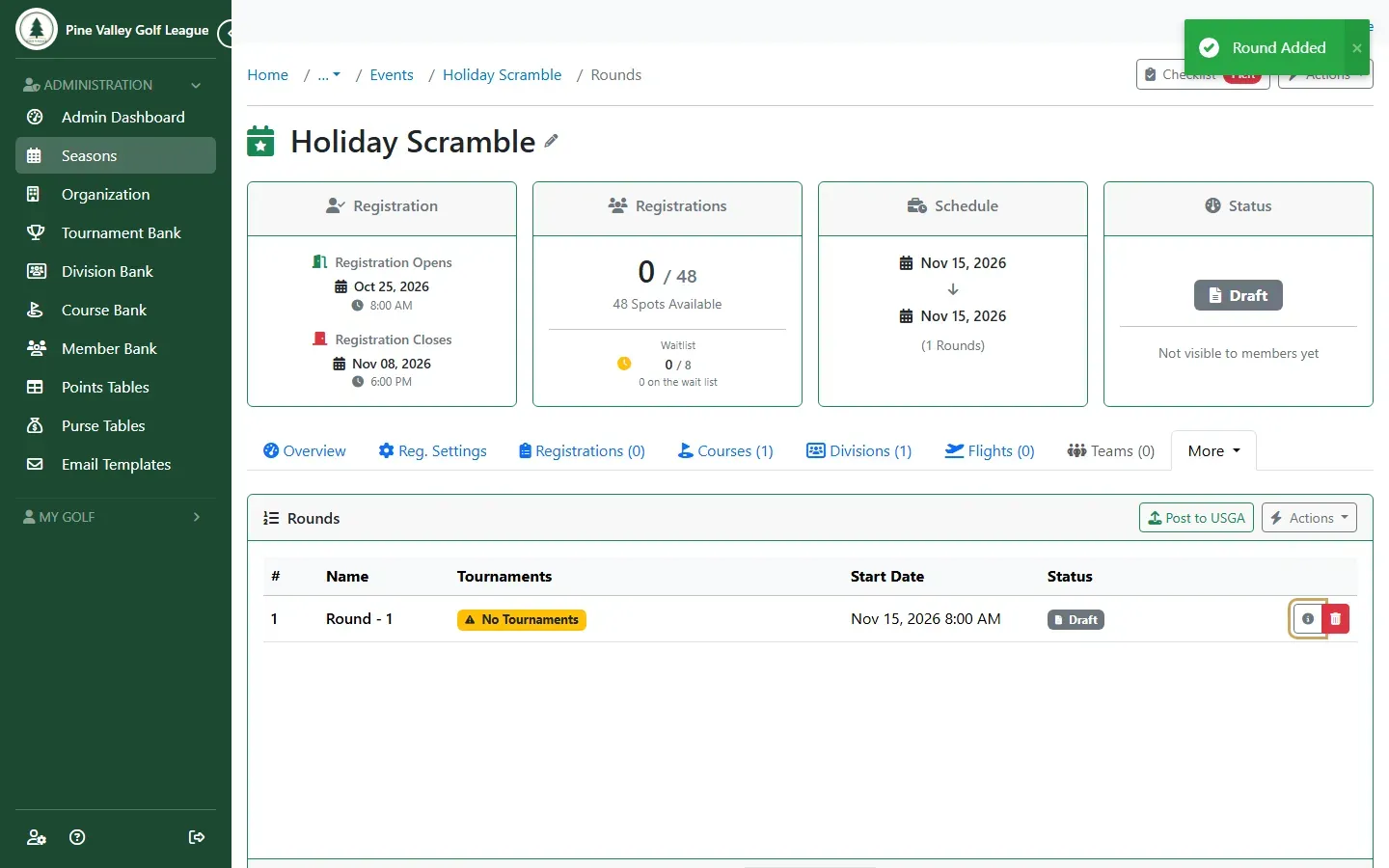
The round is added. Select it to open it.
-
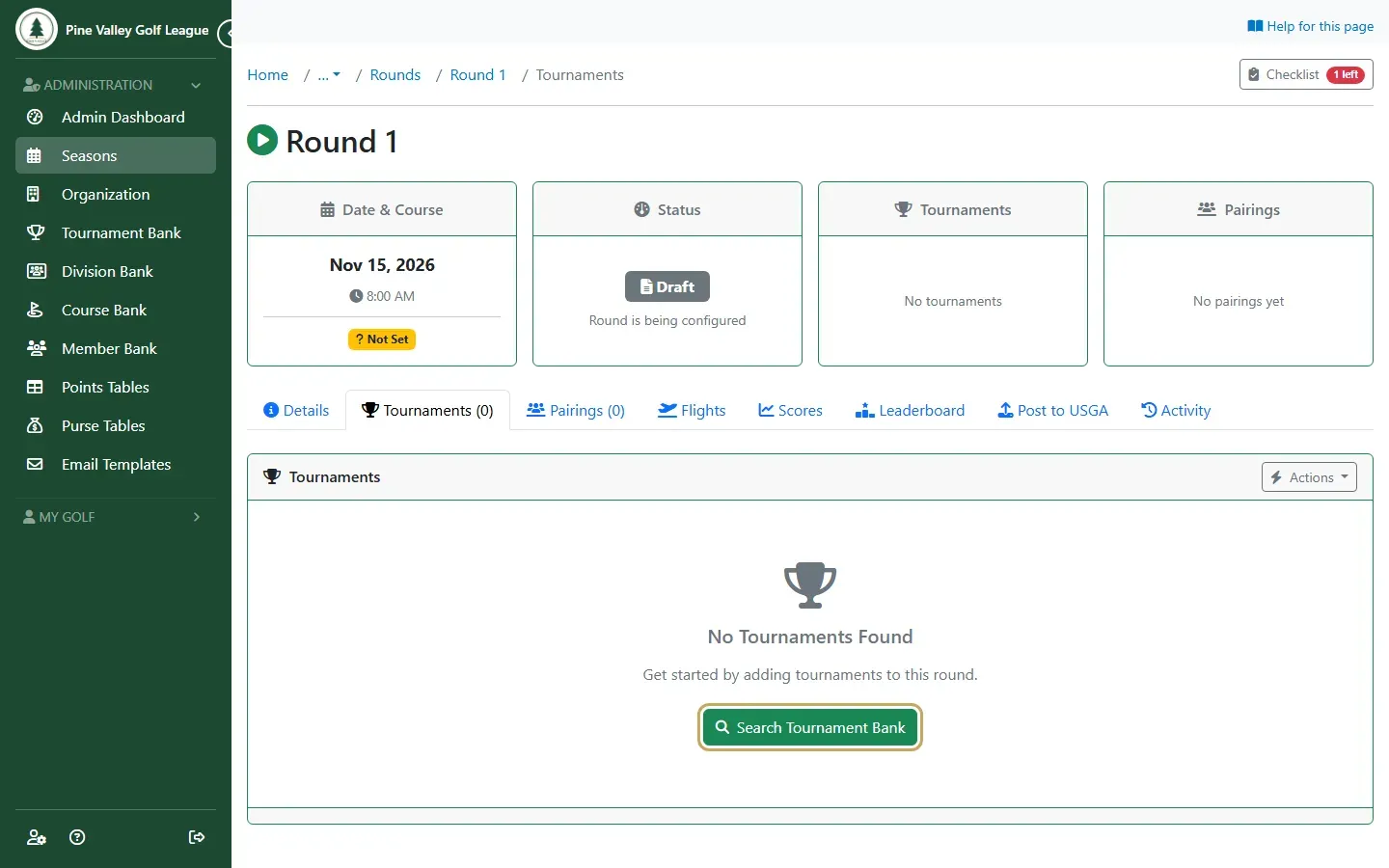
Open the round’s Tournaments tab and select Search Tournament Bank.
-
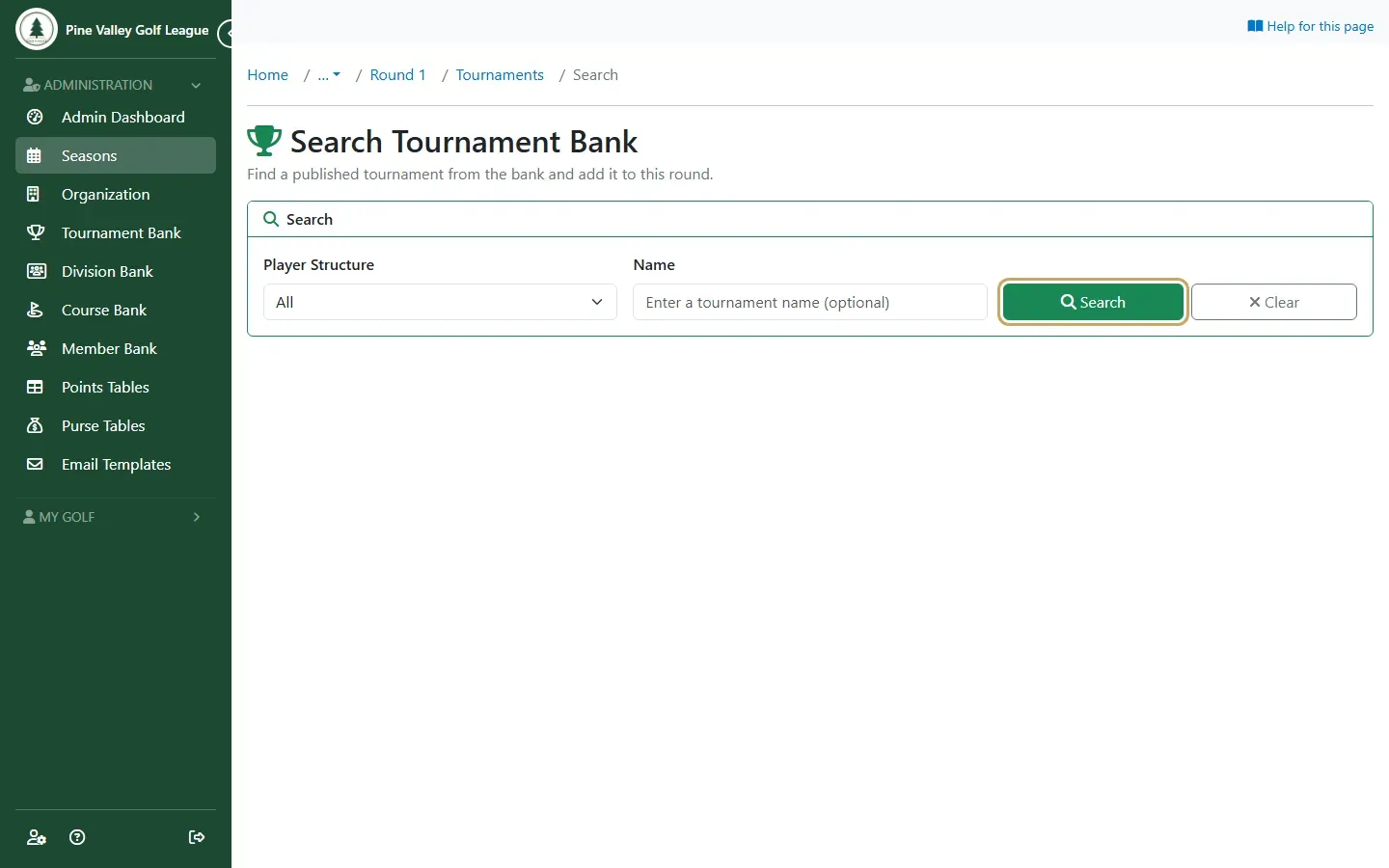
Select Search. Leave the filters empty to see every published tournament, or narrow them by player structure or name.
-
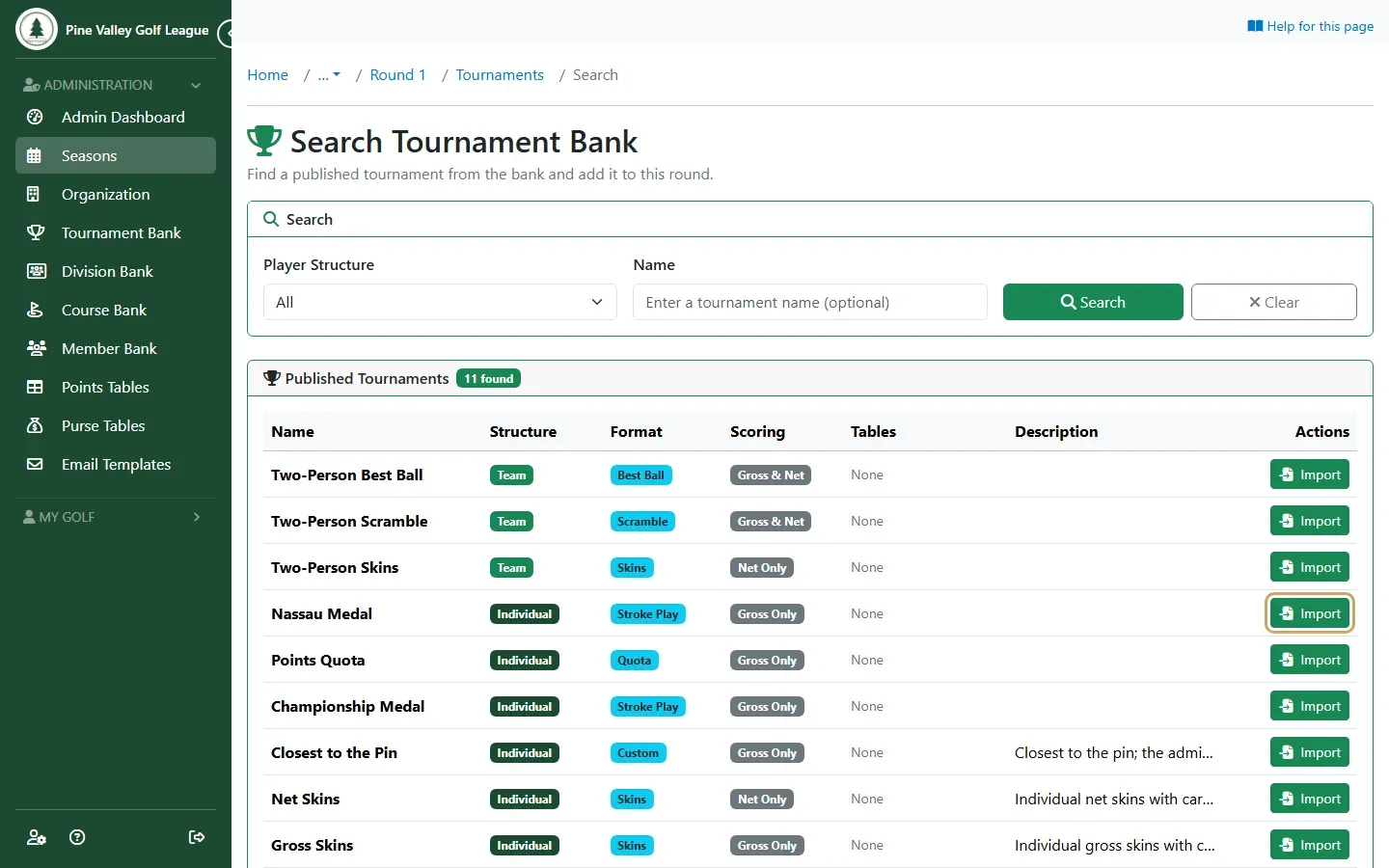
Find the tournament you want and select Import.
-
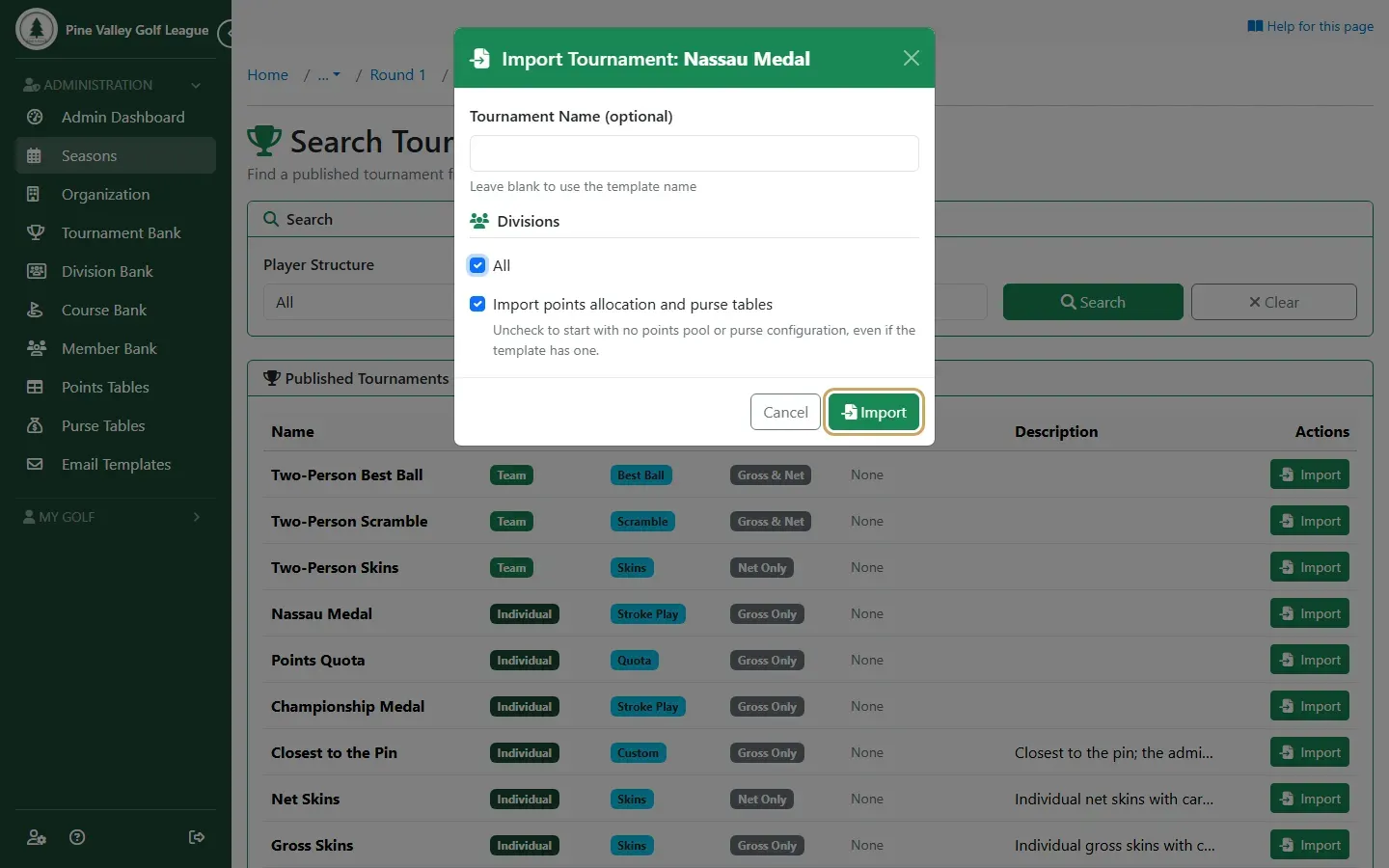
Choose the Divisions that compete in it. All includes everyone. Give it a different name only if you want one for this round. Select Import.
-
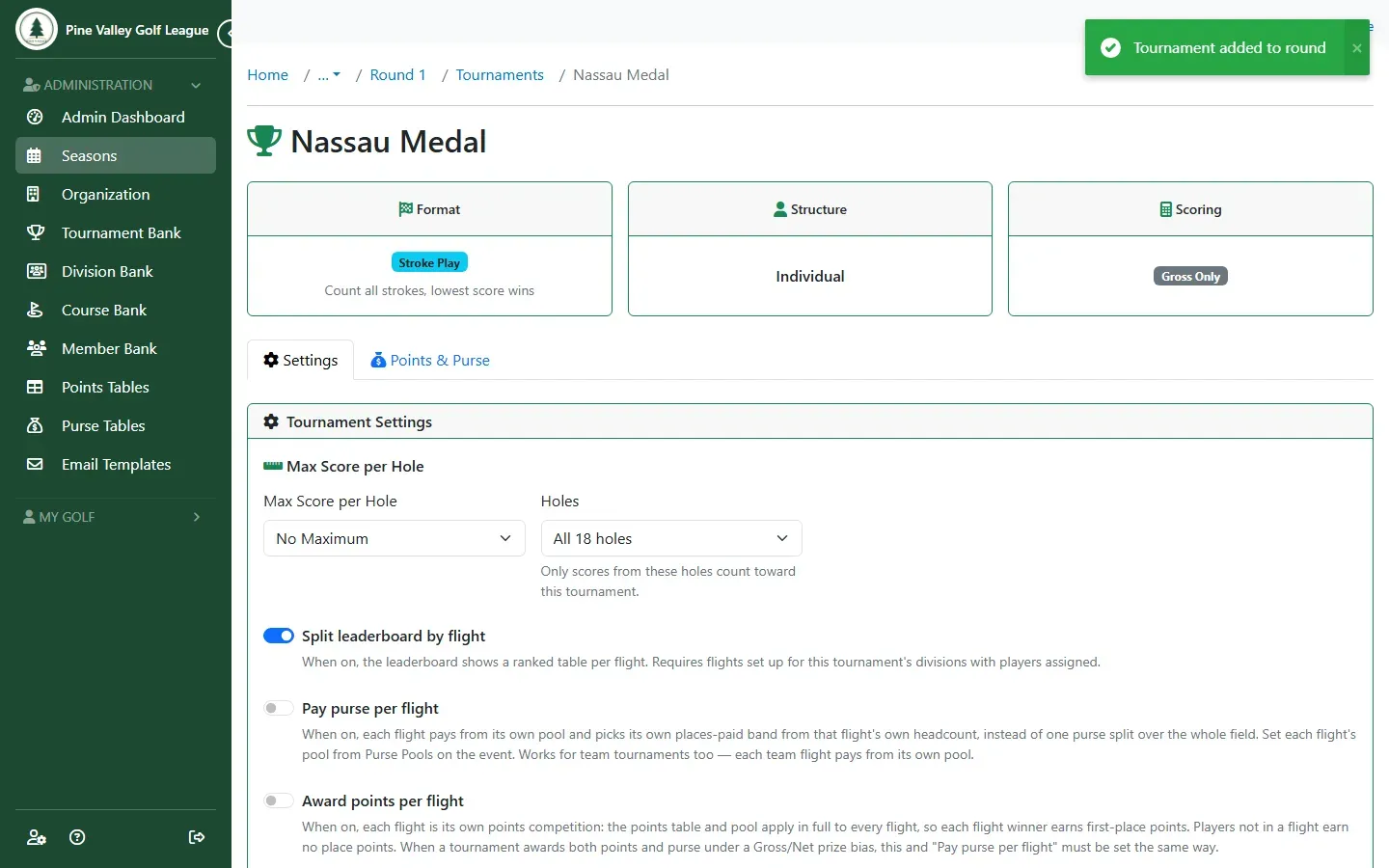
The tournament is added to the round and its settings open. They come from the template, so you only change them if this round is different: the handicap allowance, a maximum score per hole, which holes count, and the points and purse on the Points & Purse tab.
Repeat the steps for each round of a multi-day event; to rank players across all its rounds, see Set up a multi-round event. To add two tournaments up into one result, such as a front-nine scramble and a back-nine best ball, see Link tournaments. When every round has a tournament, the event is ready to publish.
Gross and Net in the same round
Section titled “Gross and Net in the same round”A Gross and Net tournament keeps both leaderboards in one tournament. Its Prize Bias setting decides what happens when a player finishes in the money on both: with Gross Wins, the default, they’re paid once on the Gross side and the next player moves up on Net. You can also choose Net Wins, Best Payout Wins, or None — pay both to pay each side on its own. Participation points are counted once either way.
If you’d rather run Gross and Net as two separate tournaments in the round, pair them so they work the same way:
- Open either tournament’s Points & Purse tab and select Gross/Net Pairing.
- Choose the other tournament as the Partner Tournament, pick a Prize Bias (Gross Wins is already chosen) and select Save Changes.