Bring a guest
When your league takes guests, you can ask to bring one to an event. You’re the guest’s sponsor: your league’s admin approves the request, and the guest’s emails come to you, since guests don’t sign in.
Before you start: sign in to your league’s player portal. My Guests only appears when your league takes guests, and you can only ask for events that are open to guests.
-
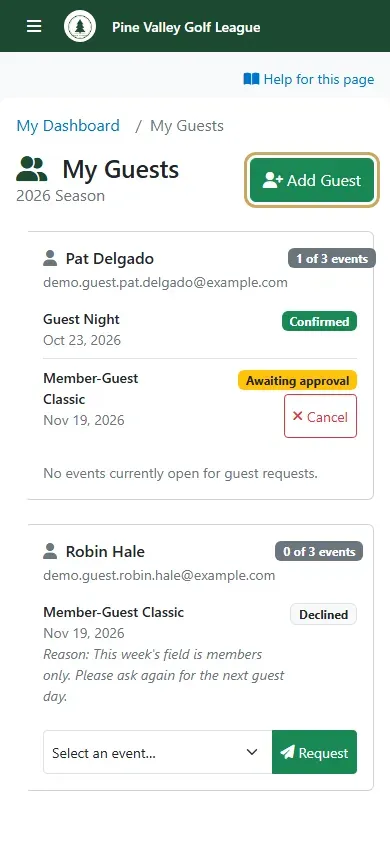
Open the menu and choose My Guests. It lists the guests you’ve brought this season. Tap Add Guest to bring someone new.
-
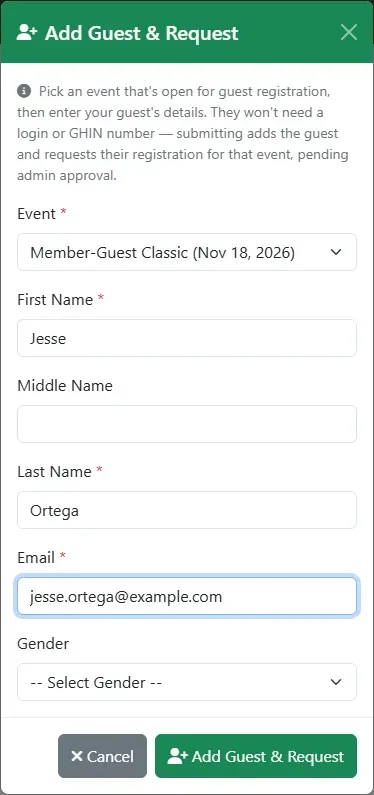
Pick the Event, then enter your guest’s name and email. They don’t need a login or a GHIN number. Tap Add Guest & Request.
-
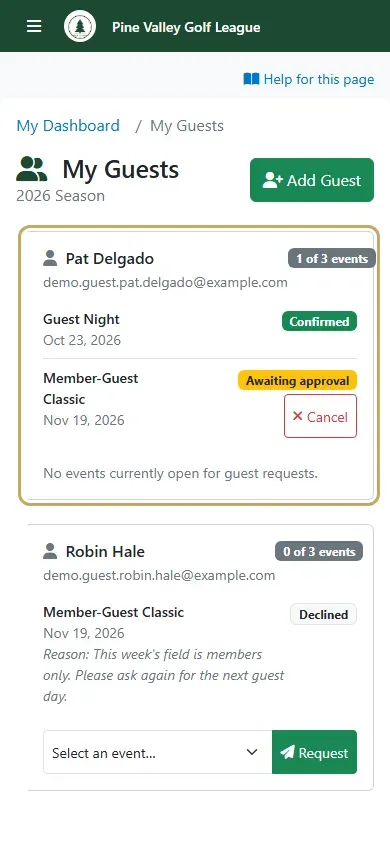
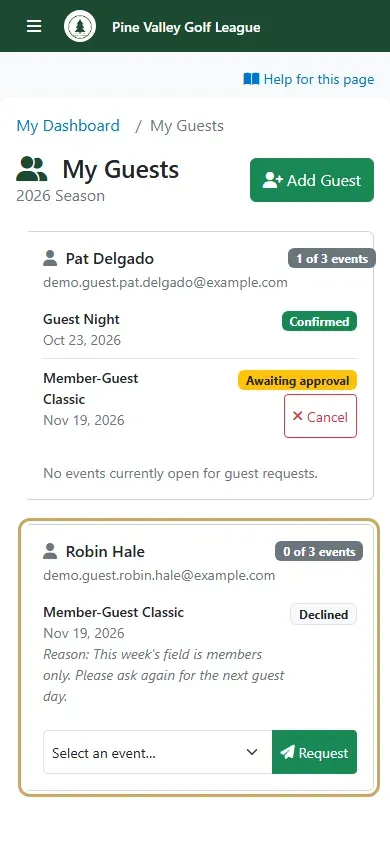
Your guest’s card shows each event with its status. Awaiting approval means the admin hasn’t decided yet. Confirmed means your guest is in. Waitlisted means the event was full and your guest is on its wait list. The badge at the top shows how many of the season’s guest events they’ve used, such as 1 of 3 events.
-
If the admin declines, the card shows Declined with their reason. To ask for another event for the same guest, choose it under the card and tap Request.
-
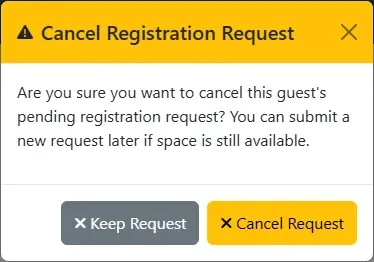
Plans changed? Tap Cancel next to a request that’s still waiting, then Cancel Request. You can ask again later if there’s still room.