
Manage registrations
Once an event is published, your players register themselves while its registration window is open (see Register for an event). The event’s Registrations tab shows who’s in. You can also add players yourself, at any time before the event starts. On the day, the same tab is where you check players in, mark anyone who didn’t turn up, and record who has paid their buy-in.
Before you start: publish the event.
Add players yourself
Section titled “Add players yourself”-
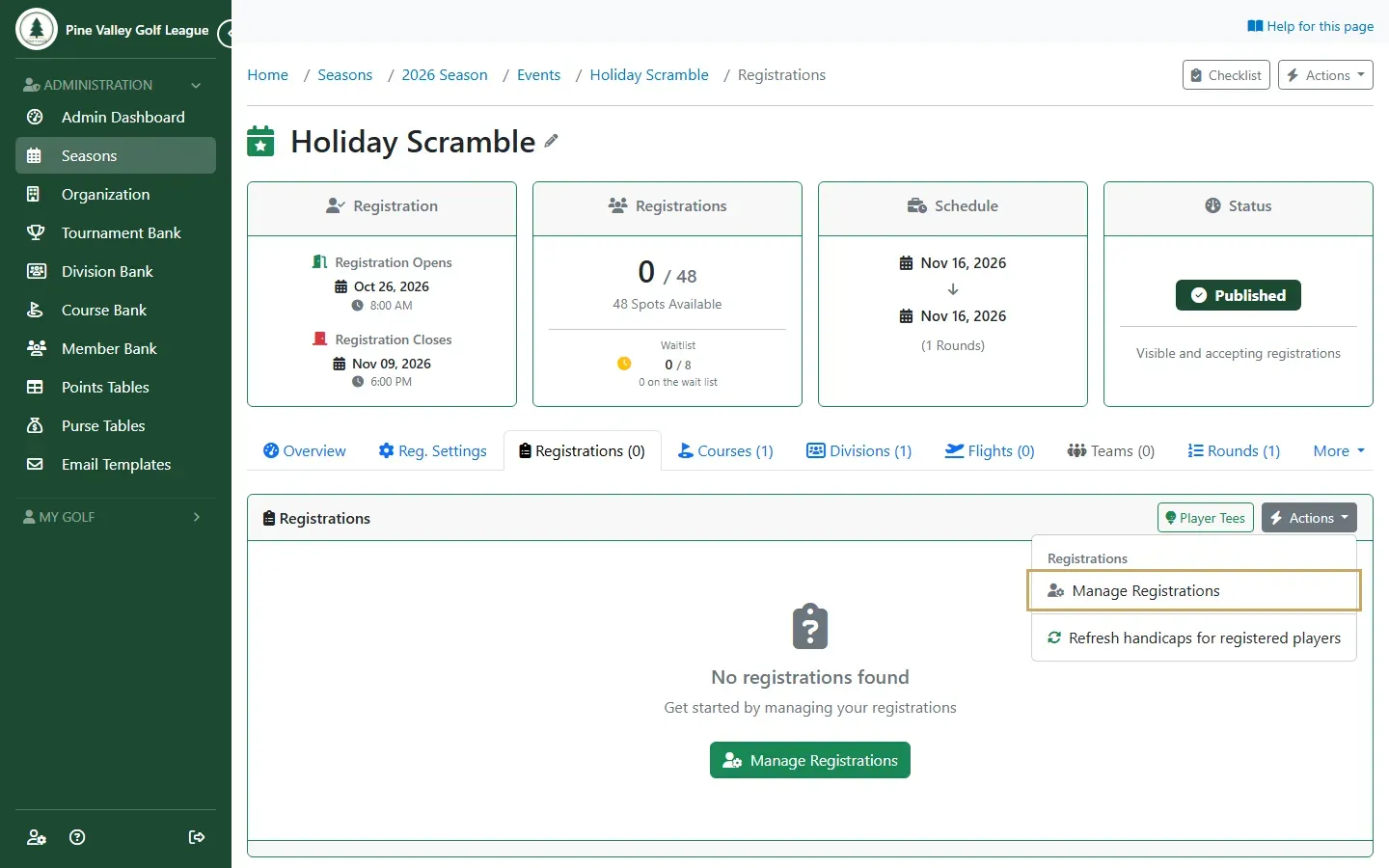
Open the event and go to its Registrations tab. Open Actions on the list and choose Manage Registrations.
-
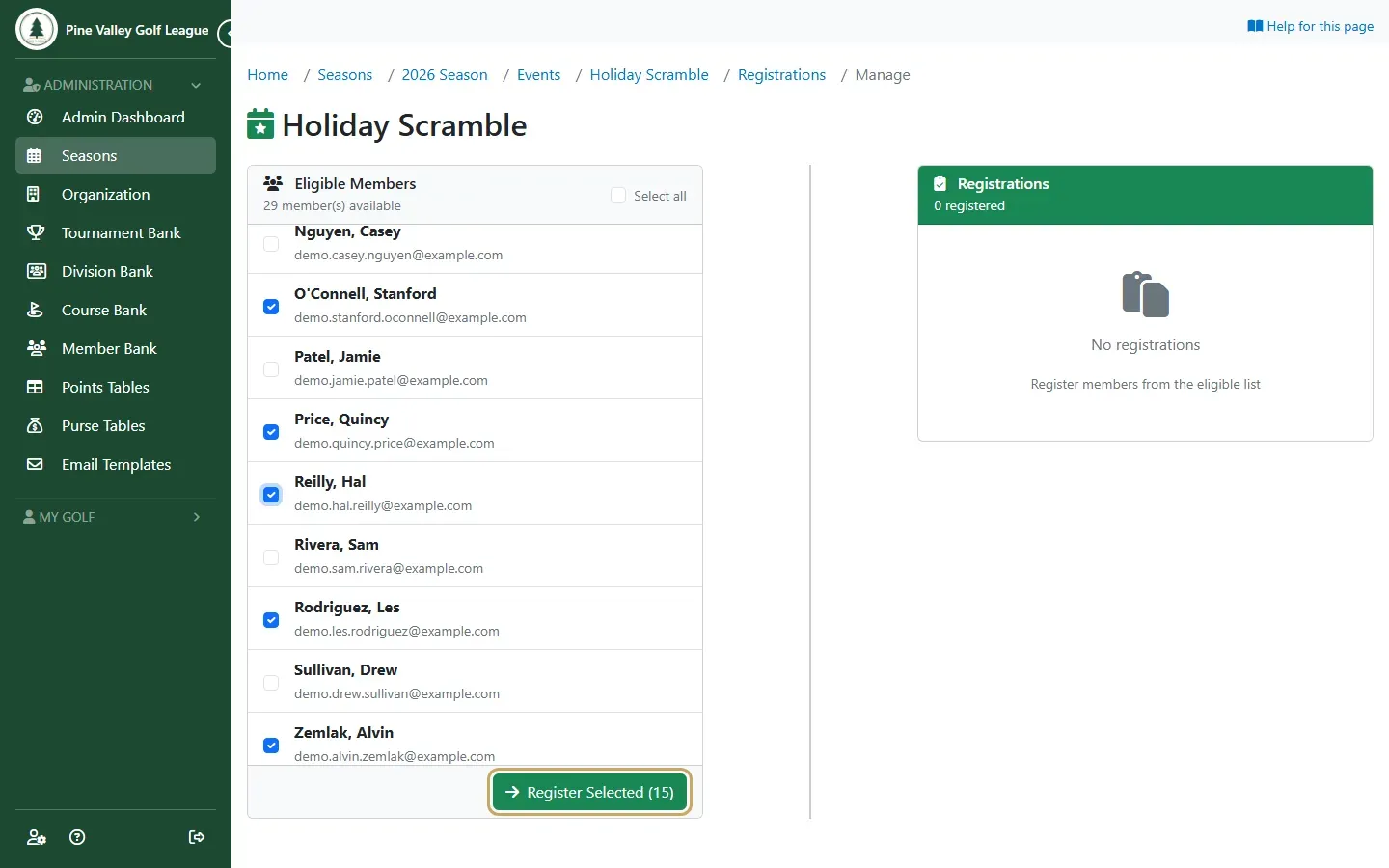
Eligible Members lists your season’s members who aren’t registered yet. Tick the players to add, or Select all, and select Register Selected.
-
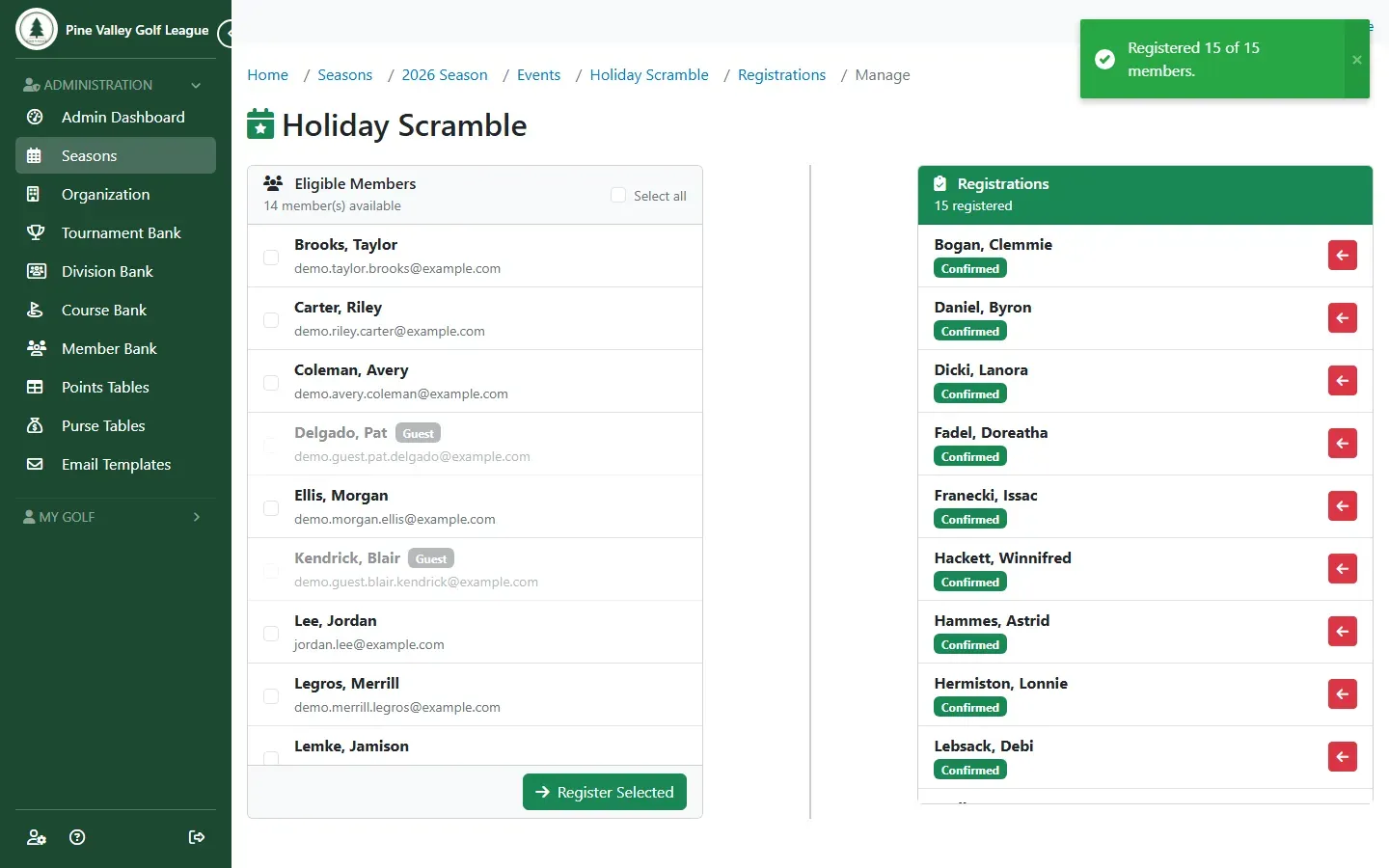
The players move to Registrations on the right. They get the same confirmation email as players who register themselves. To take someone out, use the red button next to their name.
On the day: attendance and buy-ins
Section titled “On the day: attendance and buy-ins”Attendance records what happened on the day. It never changes how many spots are taken: checked-in and no-show players keep theirs, so nobody else can register into them.
-
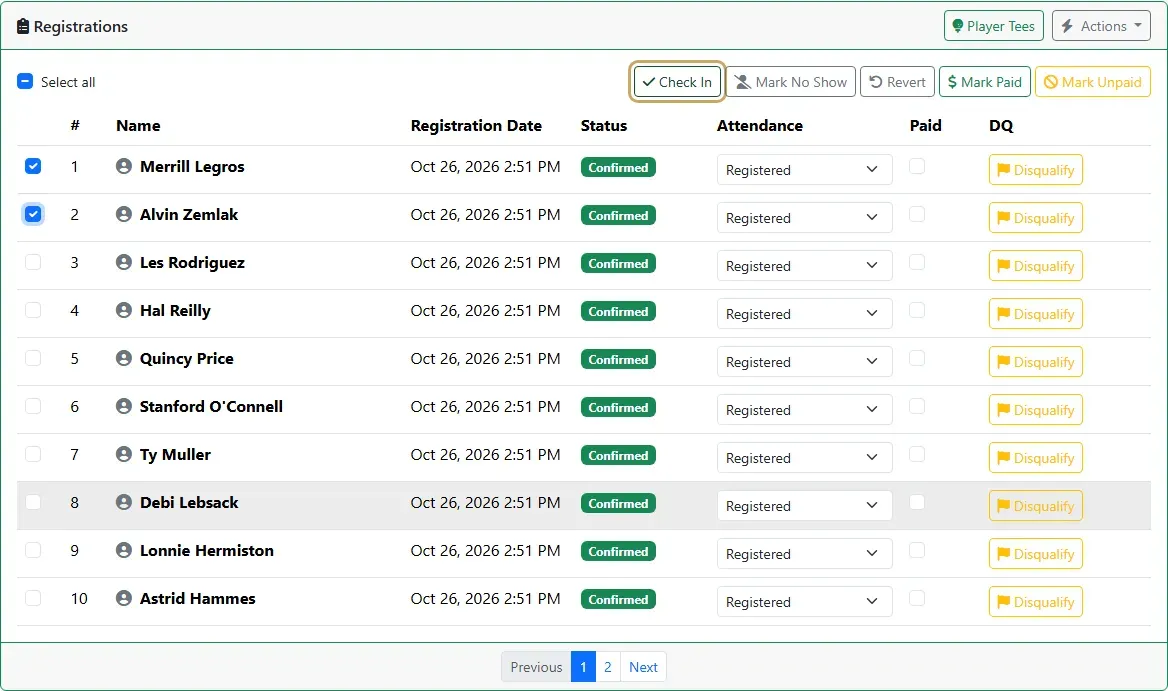
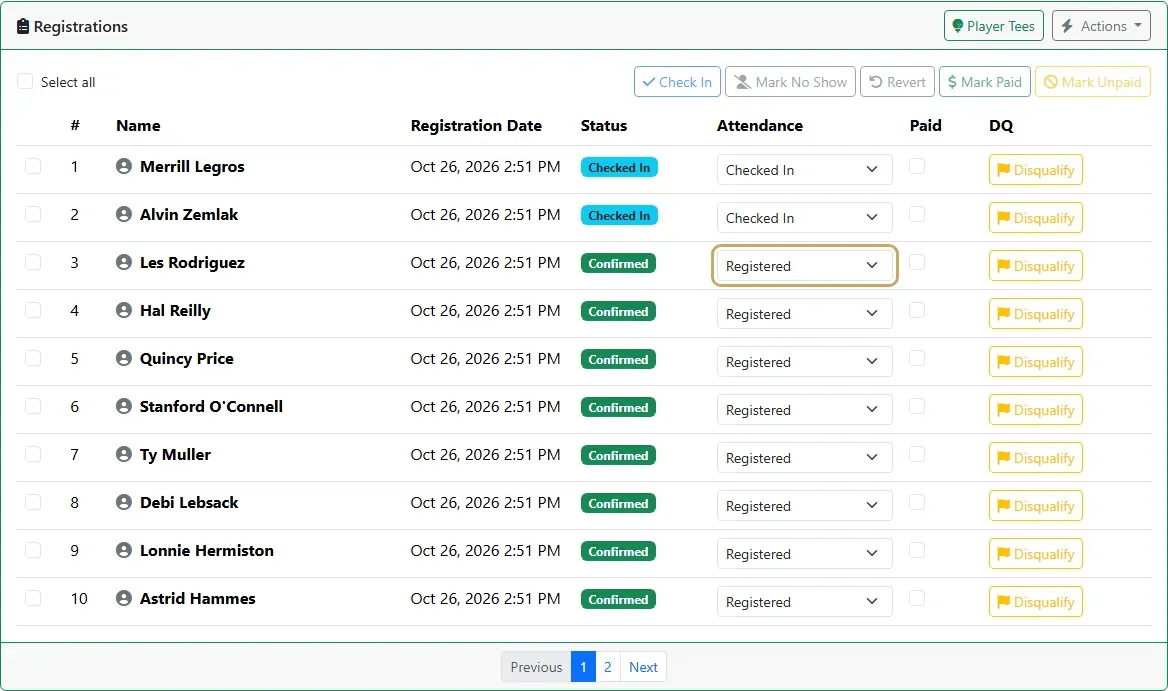
On the Registrations tab, tick the players who have arrived and select Check In.
-
You can also set one player at a time with the Attendance list on their row: Registered, Checked In or No Show. Revert puts ticked players back to Registered.
-
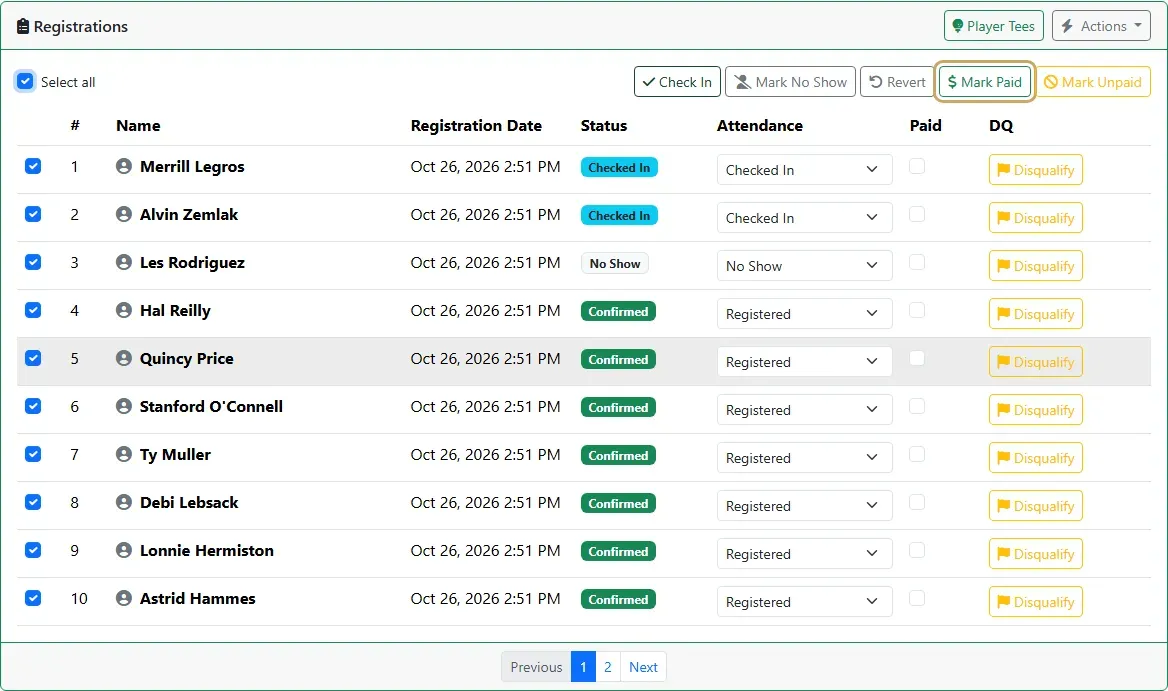
To record buy-ins, tick the players who have paid, or Select all, and select Mark Paid. Mark Unpaid undoes it.
-
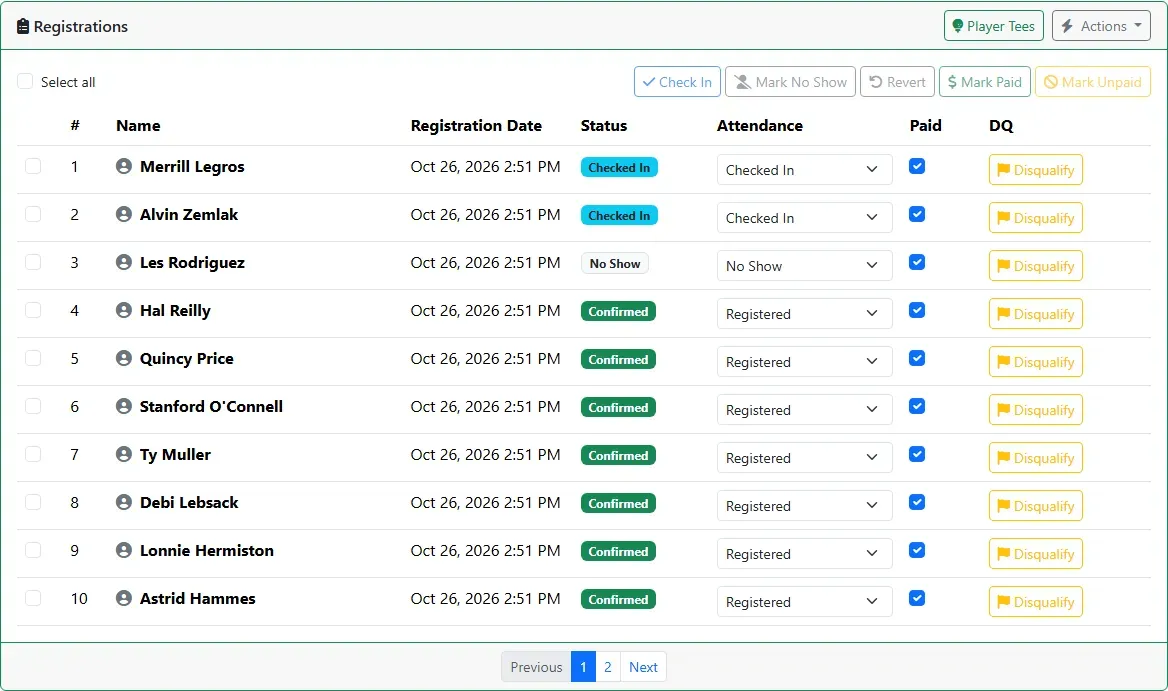
The list now shows each player’s status, attendance and buy-in at a glance.
Guests are registered here too, and the requests members send to bring one wait on the same tab: see Open an event to guests.