Results and leaderboards
As scores come in, RELM Golf keeps every leaderboard up to date: the round’s, the event’s results with points, a live board you can put on a TV, and your season standings. Nothing needs refreshing by hand. This guide shows where to find each one.
Before you start: the round is being scored (Scoring a round).
-
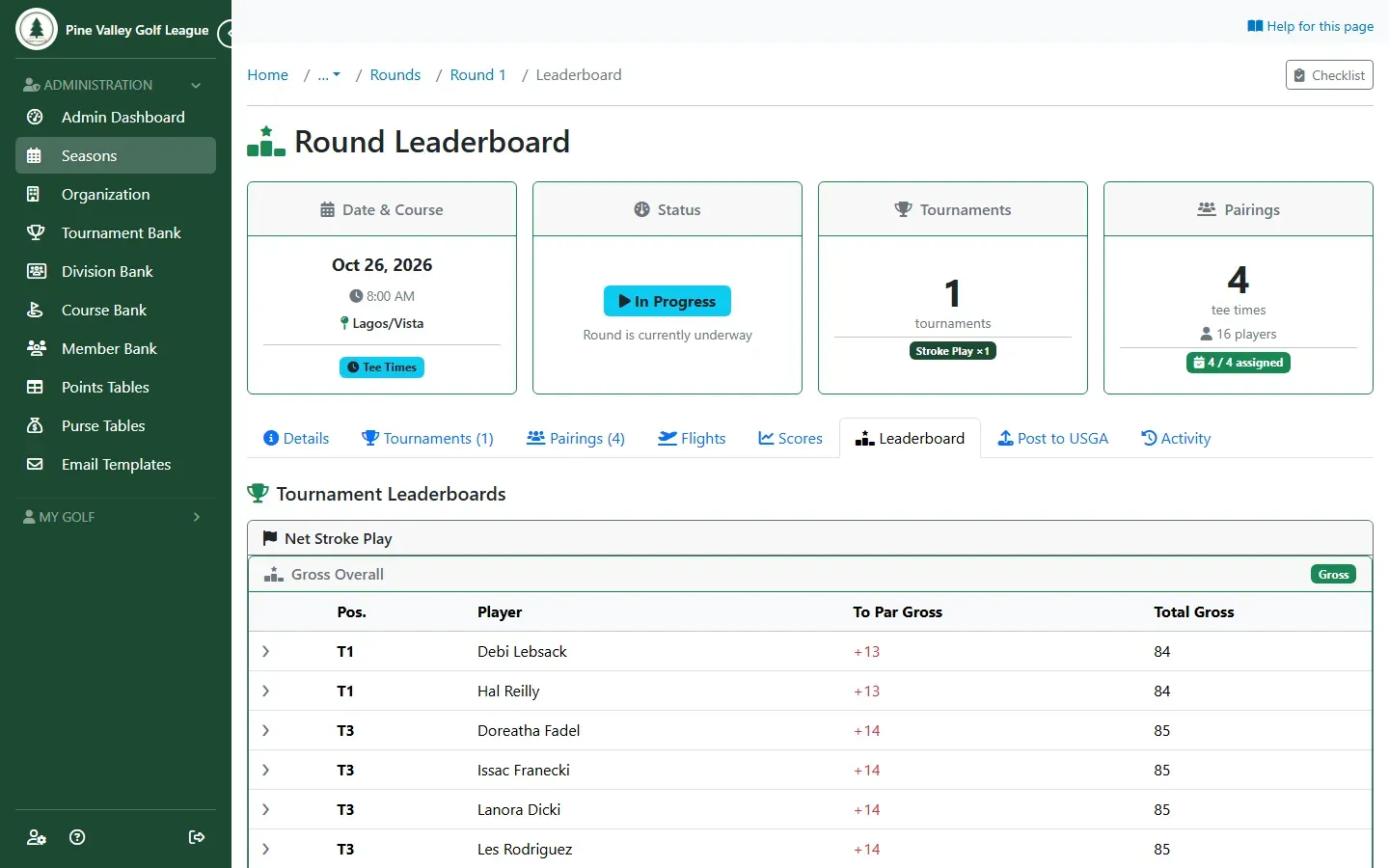
Open the round and go to its Leaderboard tab. Each tournament in the round has its leaderboard, with every player’s position, score to par and total. Select a row’s arrow to see that player’s card hole by hole.
-
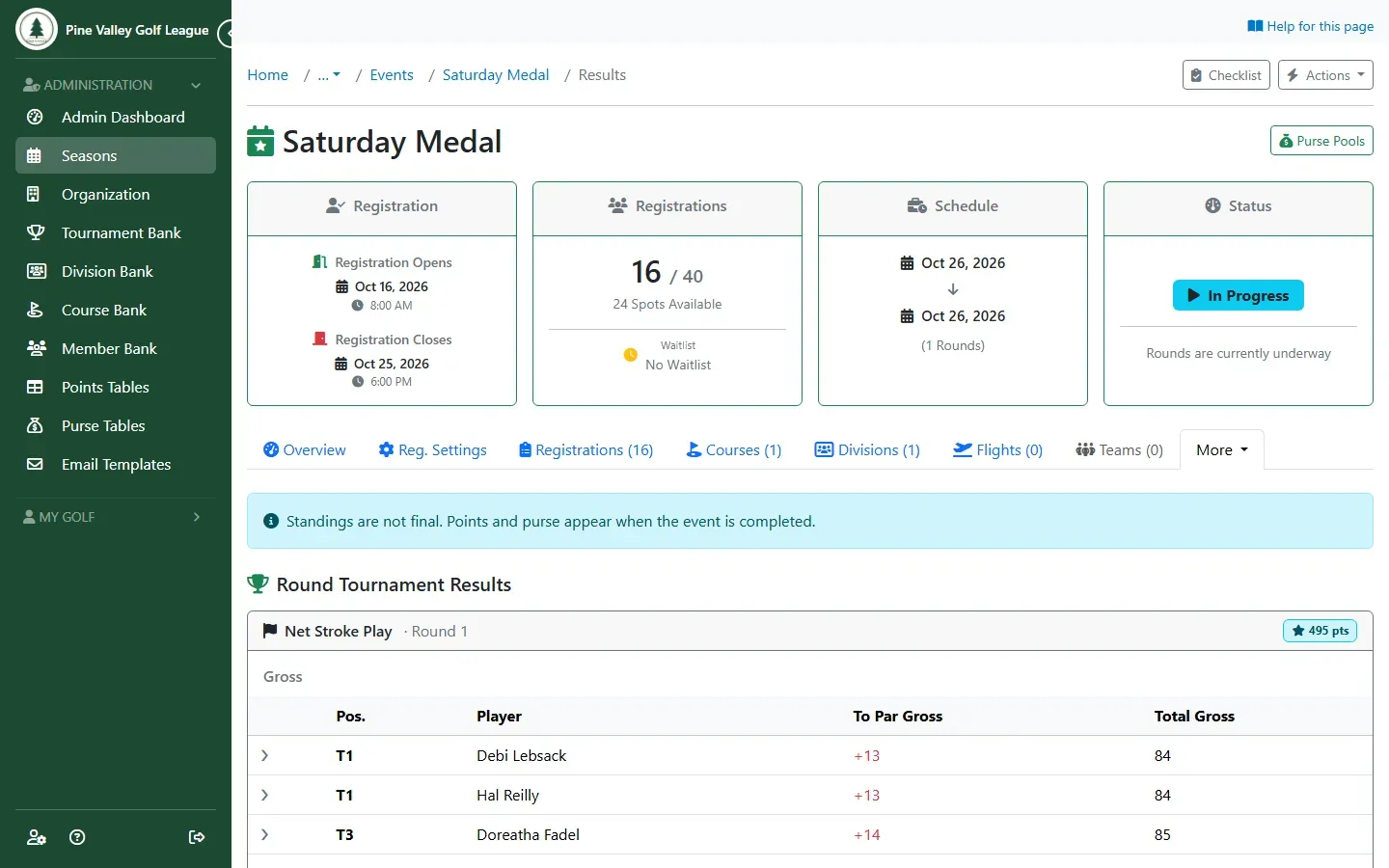
For the whole event, open the event’s More menu and choose Results. Each tournament shows its positions and totals. Once the event is completed, it also shows the points each player earned (Earned Pts for their finish, Part. Pts for taking part) and the purse. While the event is being played, a note says the standings aren’t final yet; points and purse appear when you complete the event.
-
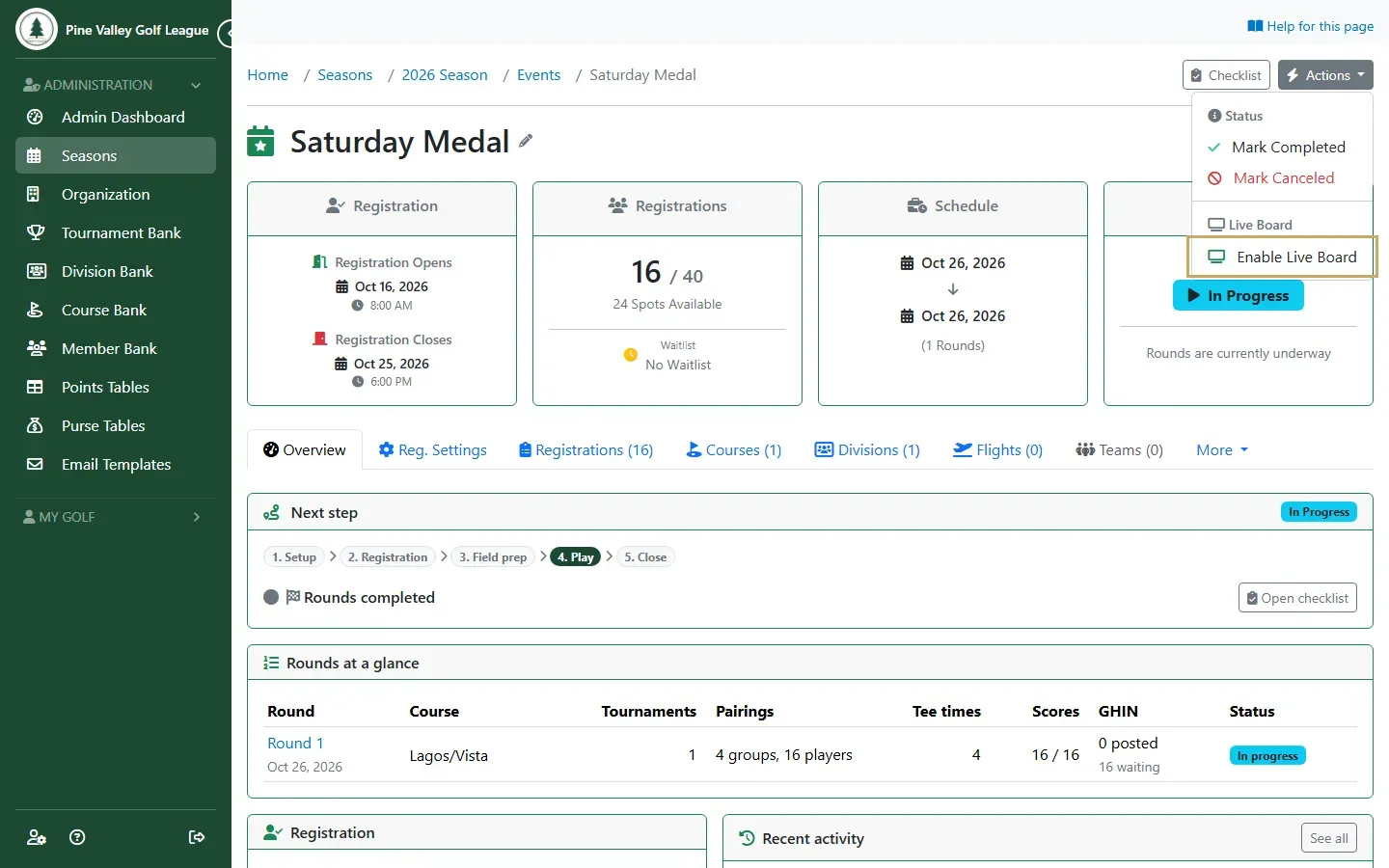
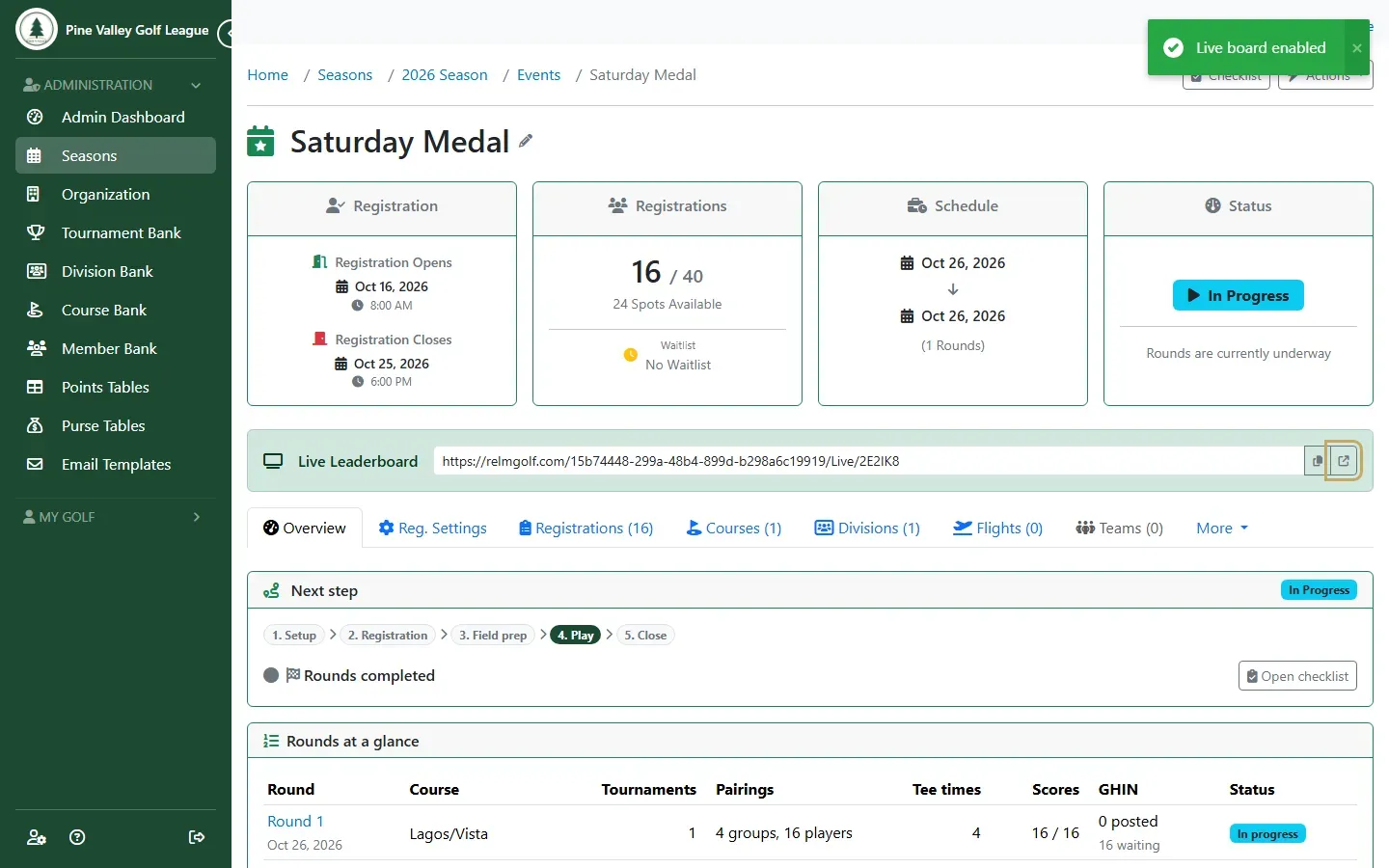
To put a leaderboard on a screen in the clubhouse, open the event’s Actions and choose Enable Live Board.
-
The event’s page now shows the Live Leaderboard address. Copy it, or open it with the button next to it. Anyone with the address can watch, without signing in.
-
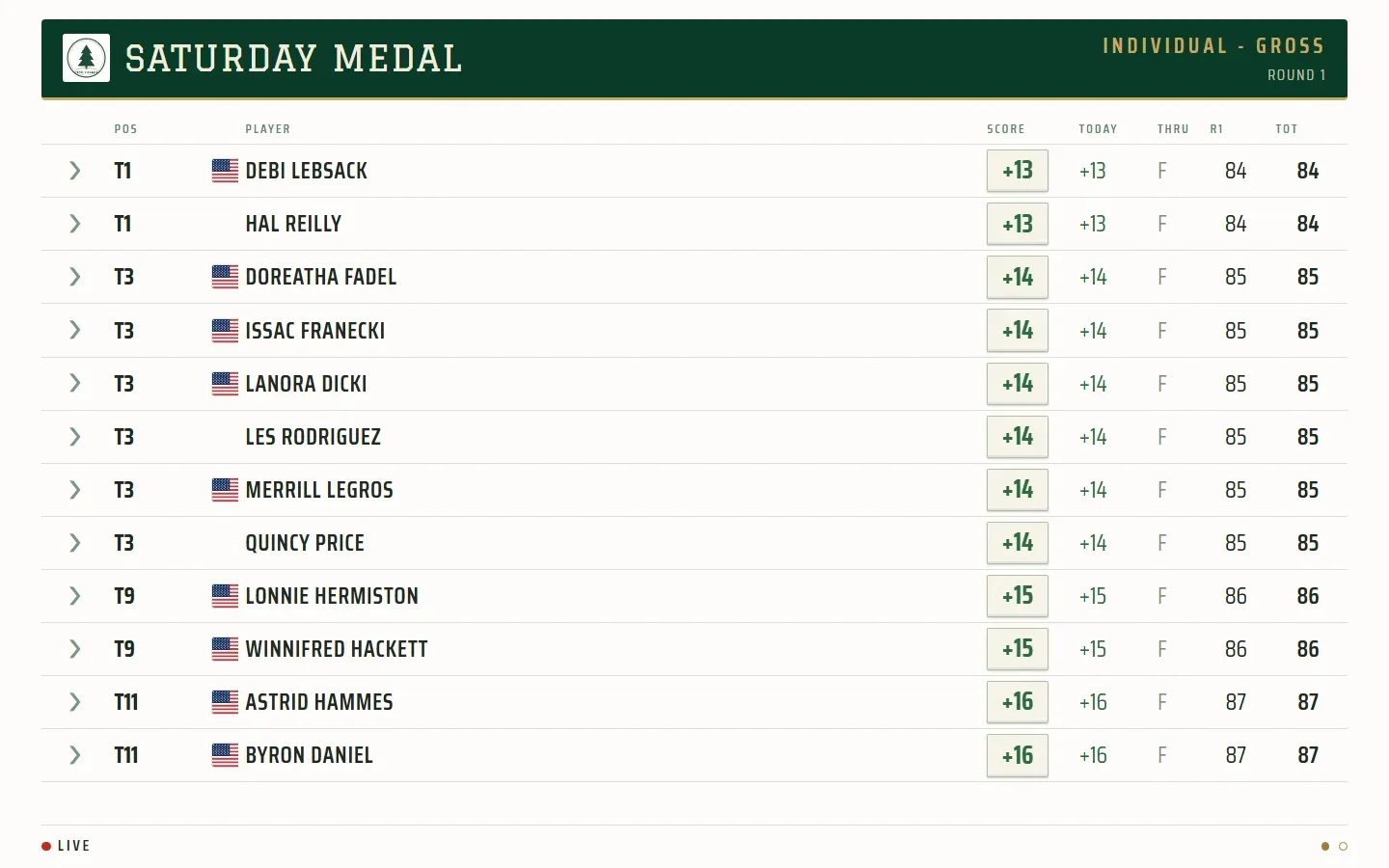
The live board fills the screen and updates by itself as scores are entered, cycling through the event’s leaderboards. Open it in a browser on the clubhouse TV.
-
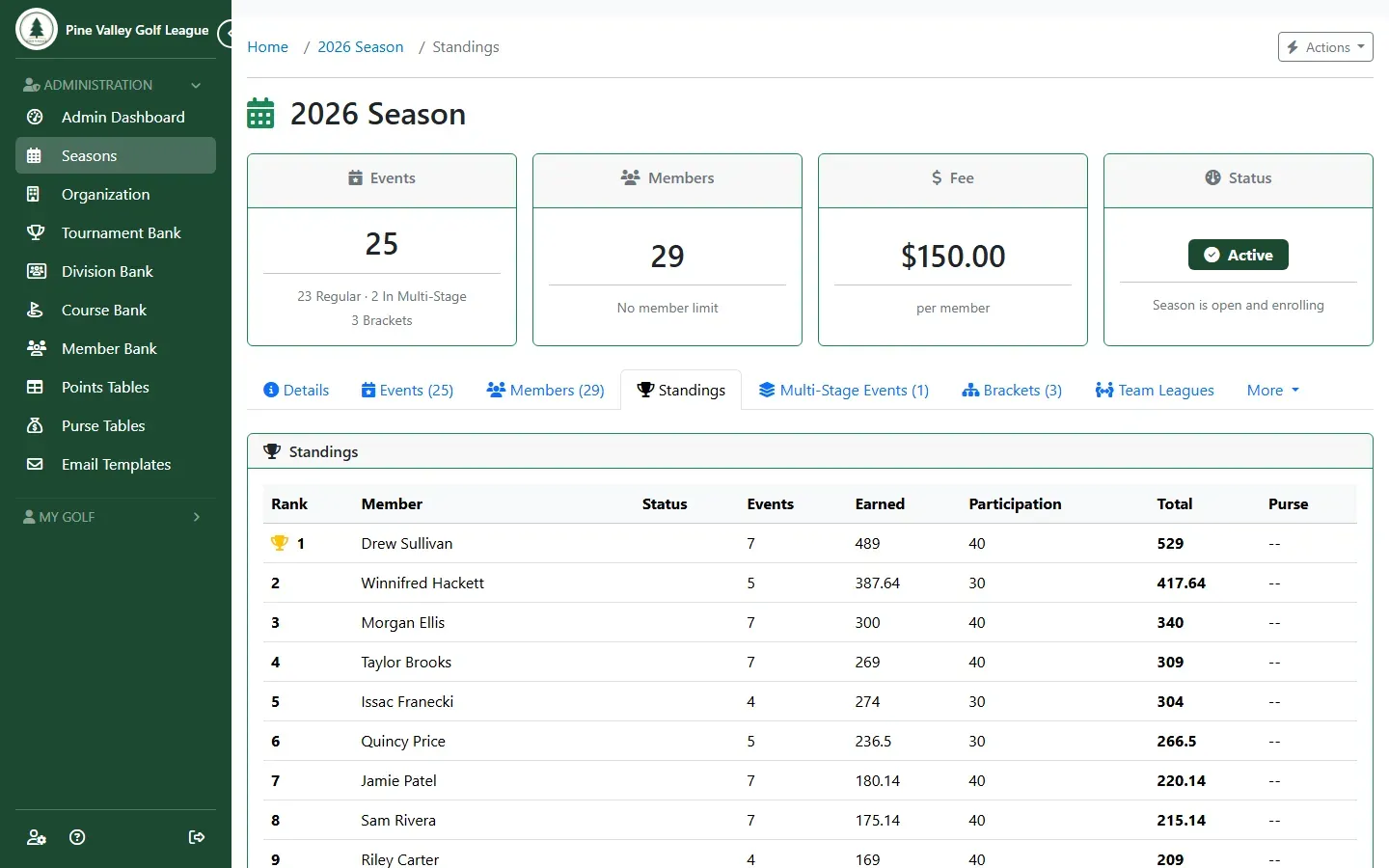
For the season, open the season and go to its Standings tab: every member’s events played, points earned, participation points and total, highest first. Only completed events count: an event’s points can still change while it’s played, so they join the season standings when you complete it. Until then, follow the event on its live board and the round leaderboards.