Brackets
Your league may run brackets: match play knockouts over the season. My Brackets lists them, lets you sign up when sign-up is open, and shows the draw and your next match.
Before you start: you’re enrolled in the season. If you aren’t, My Brackets says so: ask your league admin.
-
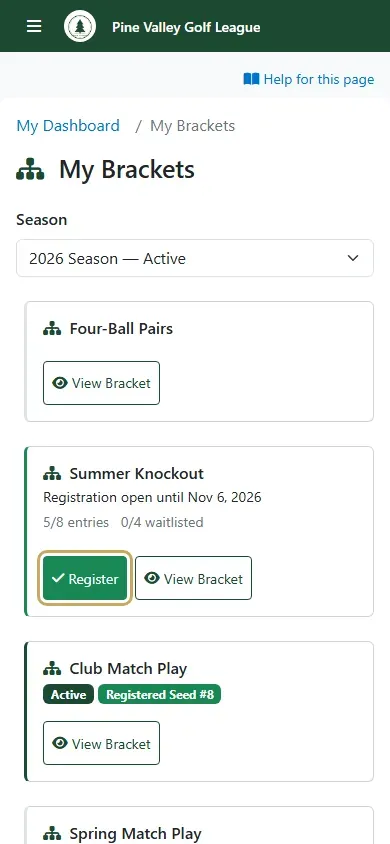
Open My Brackets from the menu. Each bracket shows whether sign-up is open, how many have entered and how many are on the wait list. Select Register to sign up. If the bracket is full you’ll see Join Waitlist instead: you move into the bracket in turn if someone drops out.
-
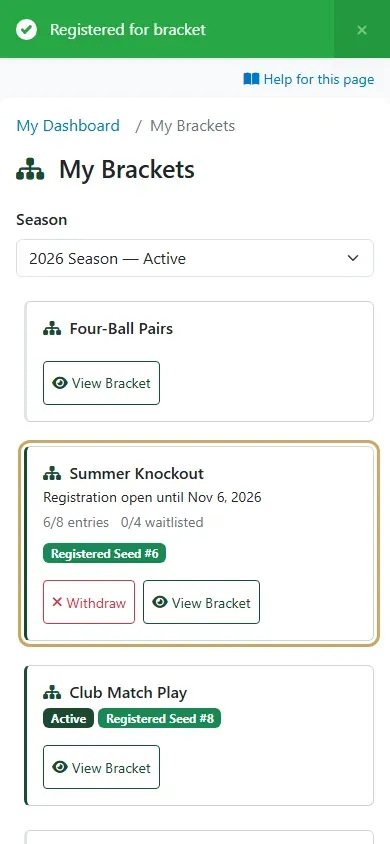
You’re in, with your seed. Until the bracket starts you can select Withdraw to drop out; the first player on the wait list then takes your place.
-
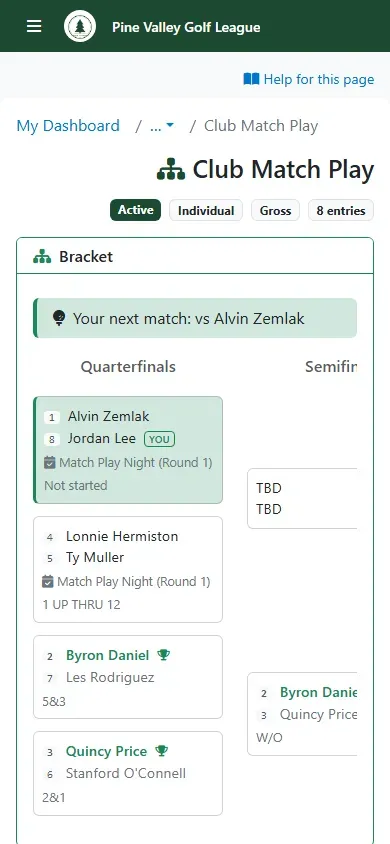
Once the bracket starts, select View Bracket to see the draw. Your matches are marked You, and the top shows Your next match and who you play. Your league admin schedules each match into a round: you’ll find it in that event like any other round, and you score it the usual way.