Qualifiers and a final
A multi-stage event is a championship played in stages. Members play one or more qualifiers; the best of each go through to the final, where the champion is decided. RELM Golf works out who advances, settles ties on the cut line and registers the qualifiers in the final for you.
Before you start:
- Multi-stage events are part of the Eagle plan and above.
- The events themselves are ordinary events: set up the qualifier and the final first (Create an event), or create a qualifier from the series and set it up afterwards.
- A qualifier needs exactly one individual tournament, or a multi-round total (Multi-round events).
-
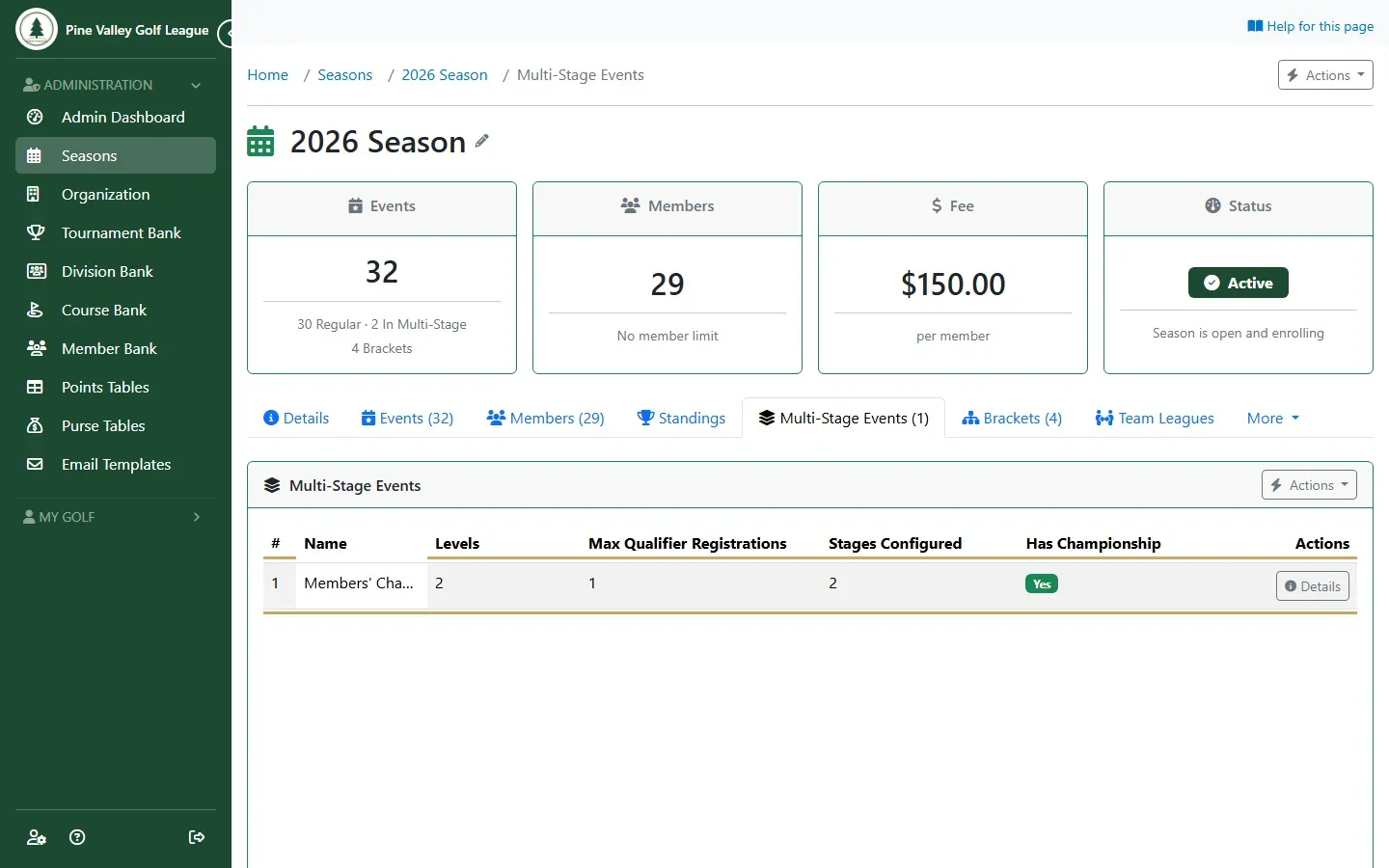
Open the season’s Multi-Stage Events tab. It lists the season’s championships. Open Actions and choose Add Multi-Stage Event to start one.
-
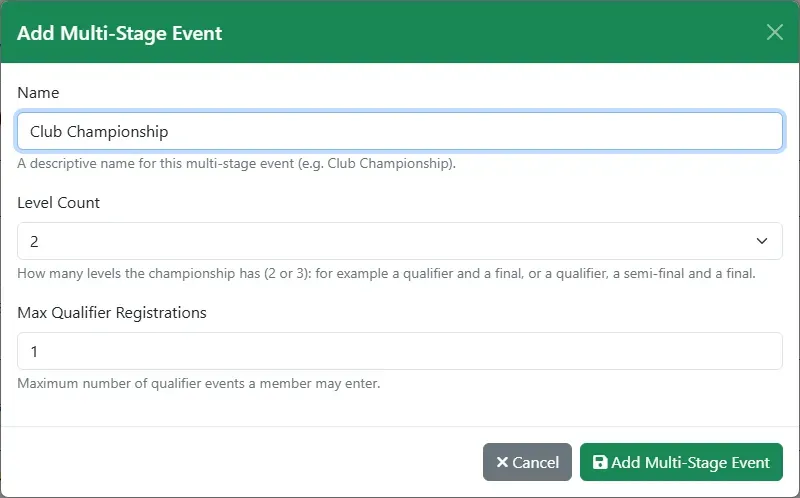
Give it a Name, choose the Level Count (2 for a qualifier and a final, 3 to add a semi-final) and how many qualifiers a member may enter (Max Qualifier Registrations). Select Add Multi-Stage Event.
-
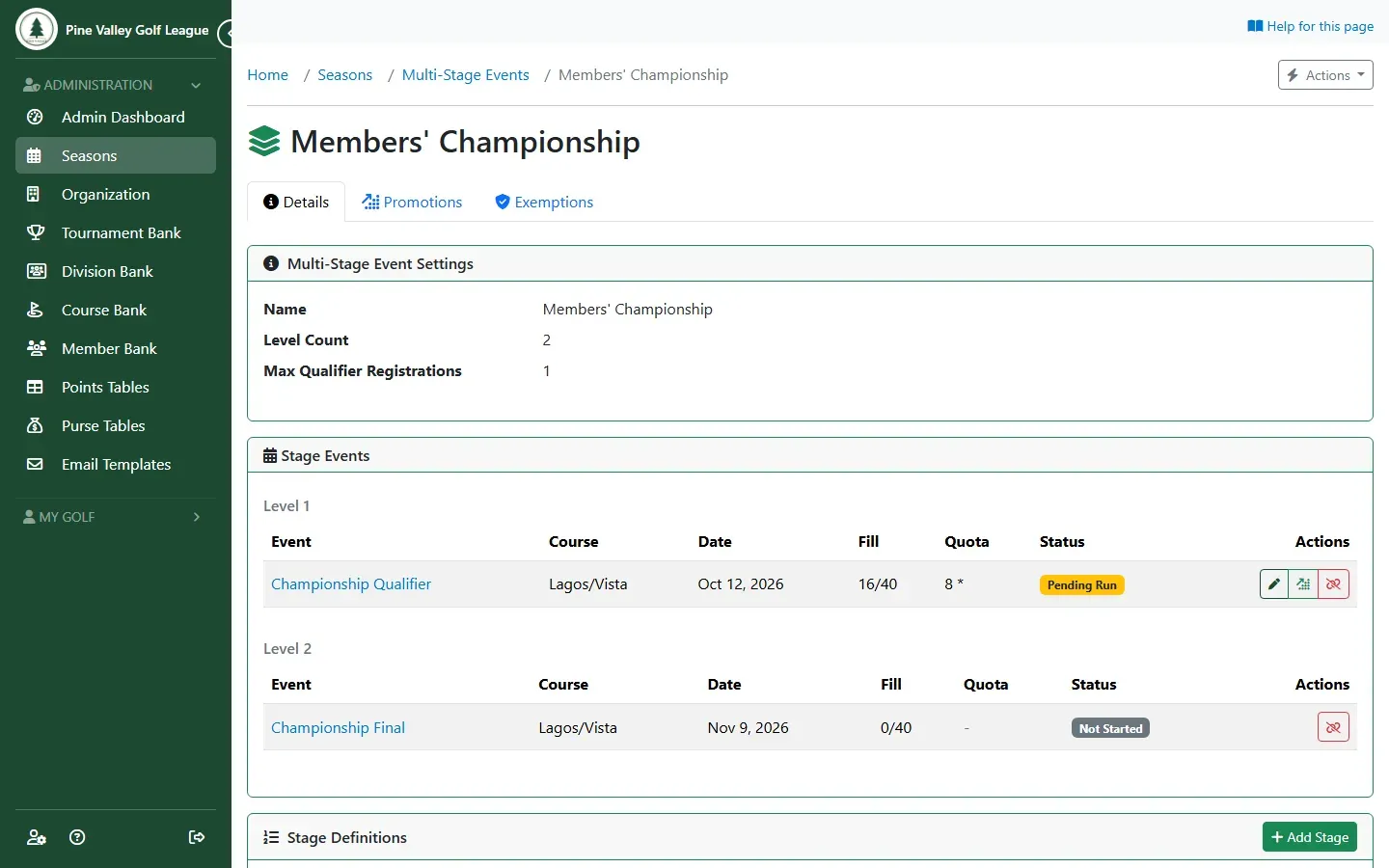
Open the championship. Stage Definitions lists one stage per level, and Stage Events lists the events on each level. Use Add Stage for each level: level 1 a Qualifier, the last level the Championship.
-
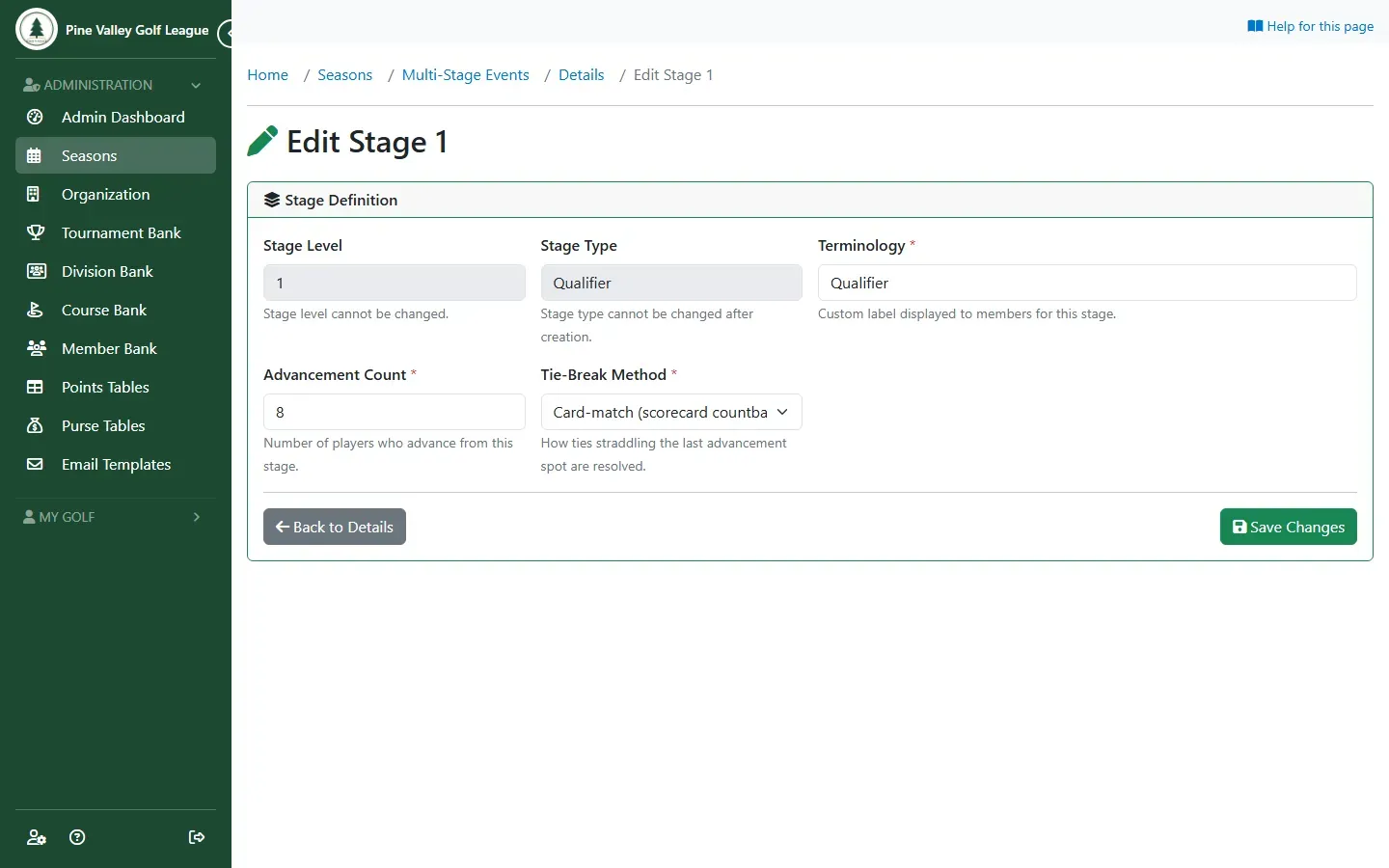
For a qualifier, set Advancement Count (how many go through) and the Tie-Break Method for a tie on the cut line: Card-match compares the tied players’ last 9, 6, 3 and final hole; Playoff lets you choose. The Terminology is the stage’s name players see. The final needs no count.
-
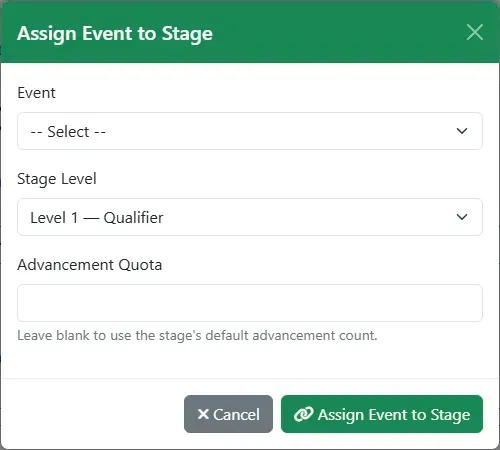
Put the events on their levels: Actions → Assign Event to Stage, or Create & Link Qualifier for a new, empty qualifier. A level can hold several qualifiers, each with its own Advancement Quota if you like, but only one final.
-
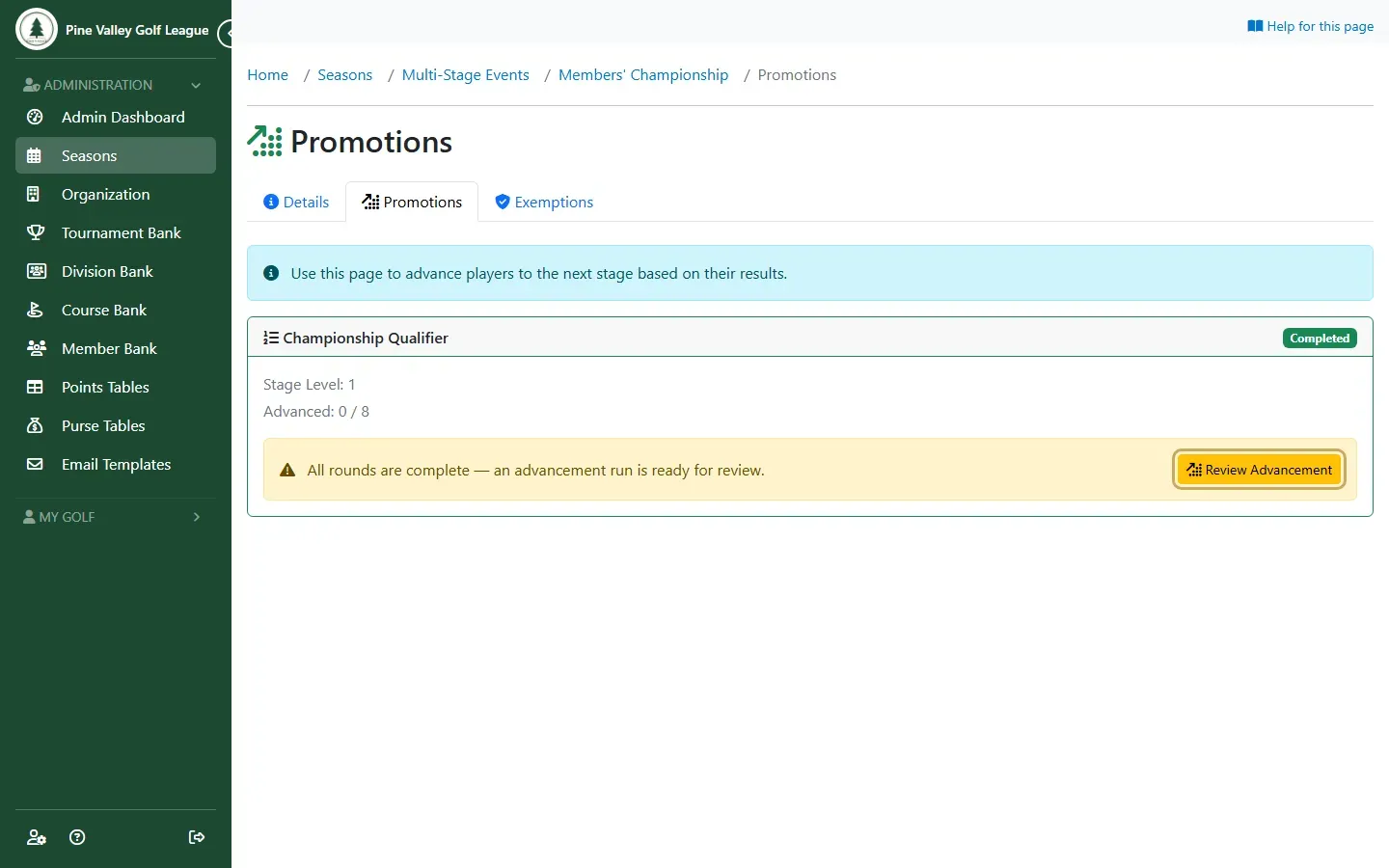
Play the qualifier as usual. Once its rounds are complete, the Promotions tab shows it ready: select Review Advancement.
-
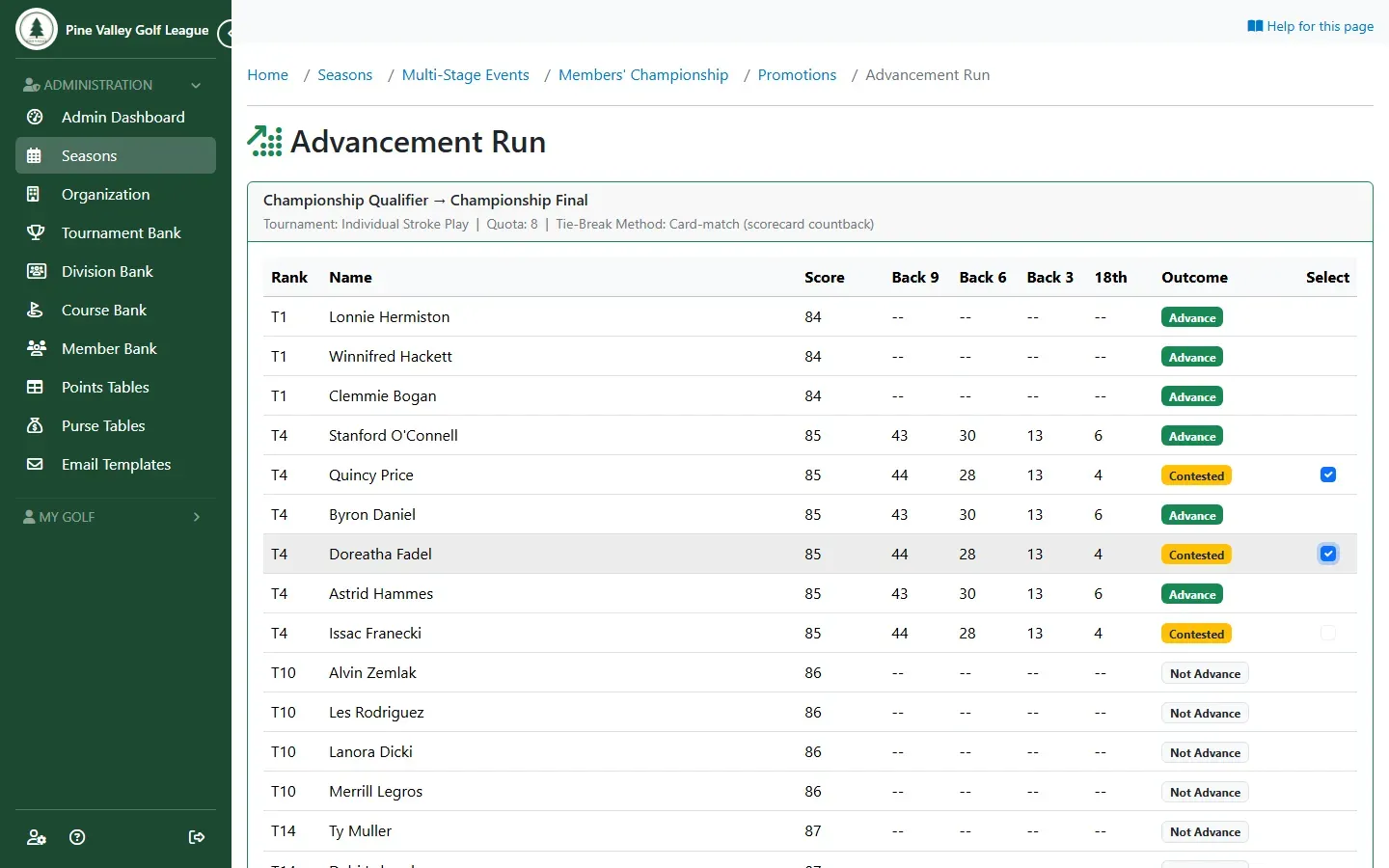
The run lists every player with who advances. A player who is already in the final (an exemption, say) shows Already in the Final, and their place goes to the next player. If players are tied on the cut line and card-match can’t separate them, tick the ones who go through. Select Confirm Advancement.
-
The qualifiers are now registered in the final, ready for its pairings, and each gets a “You’ve qualified” email.
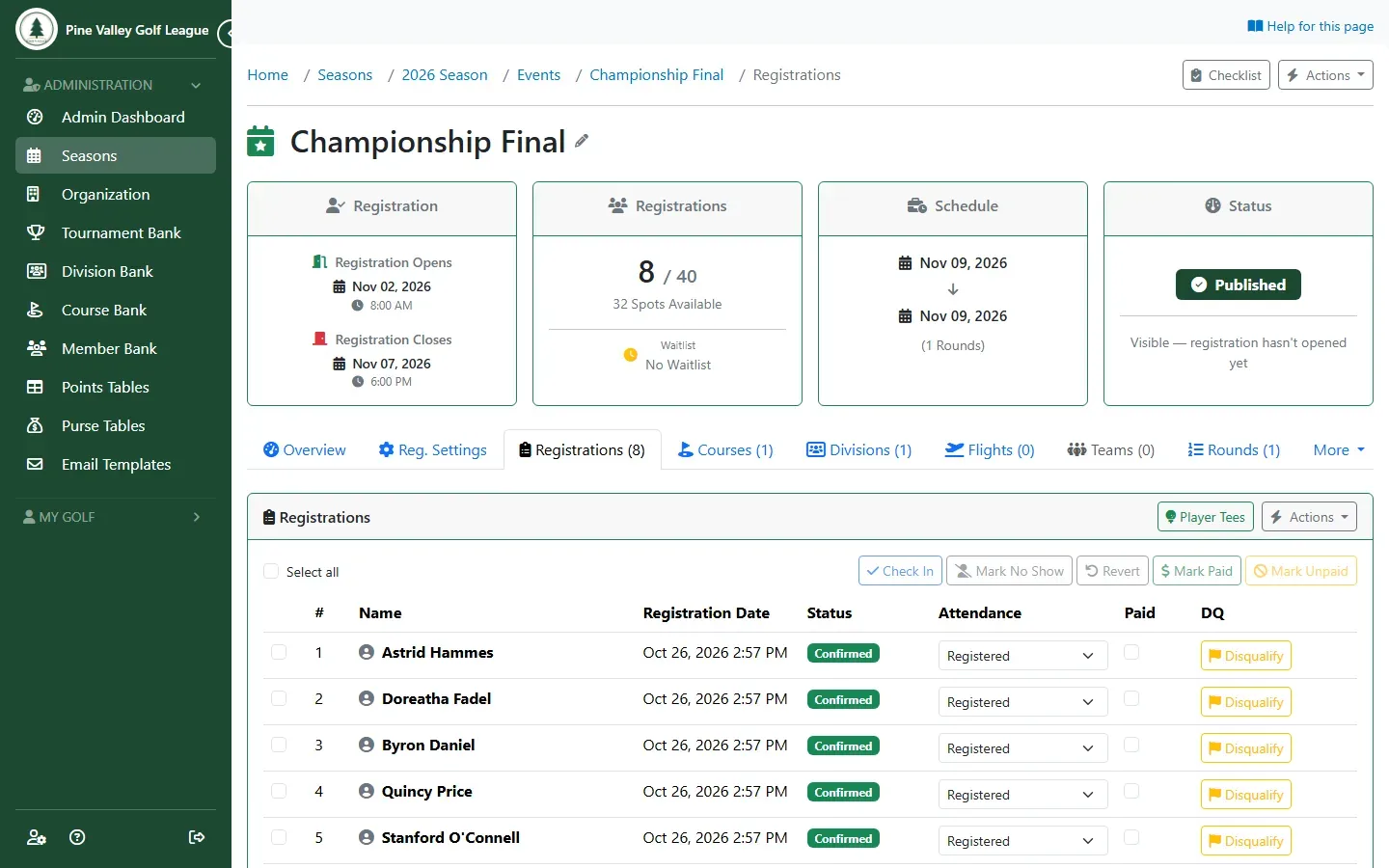
-
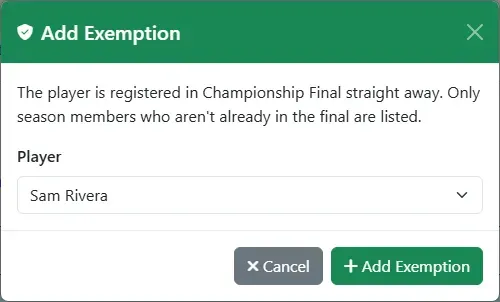
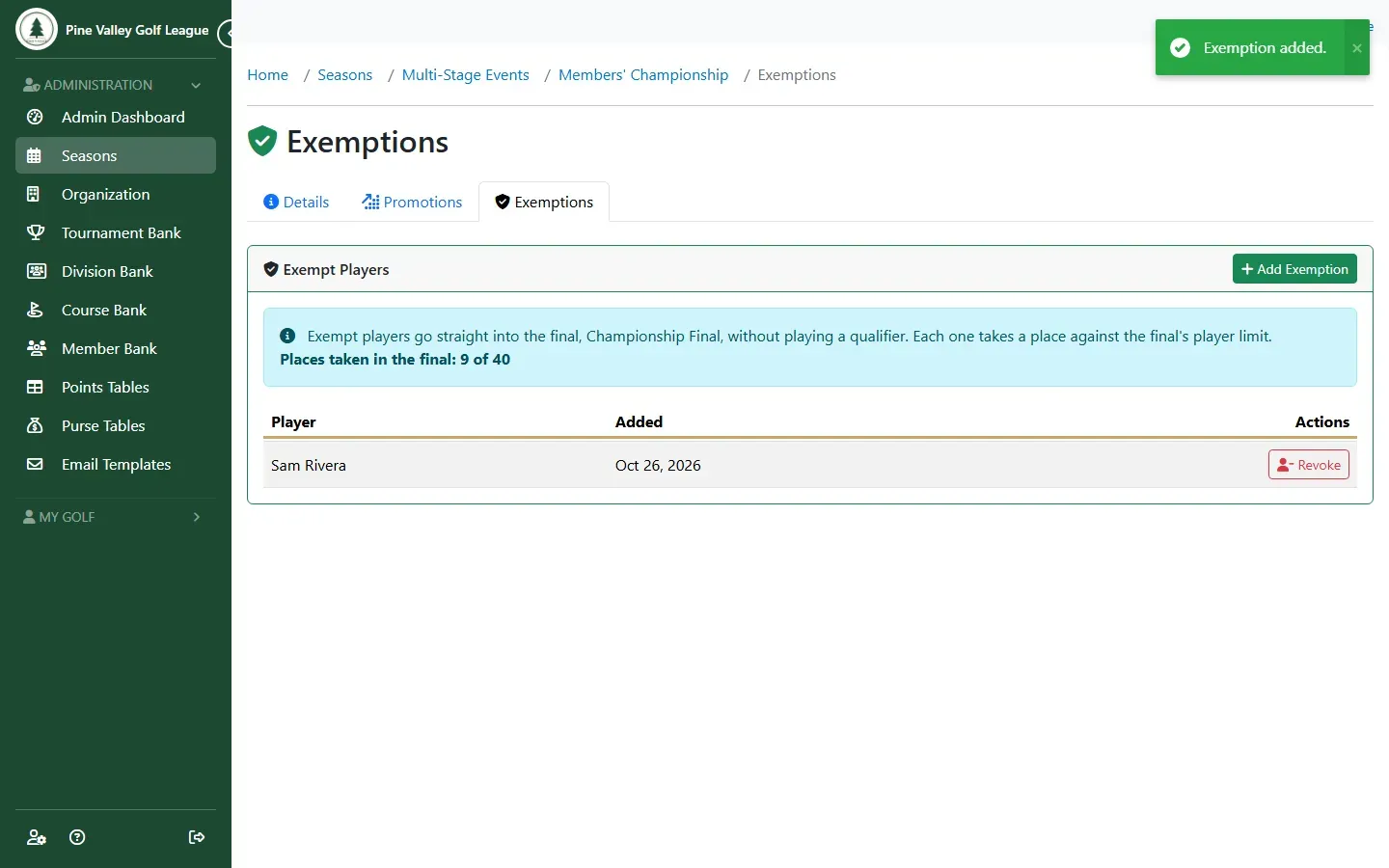
To put a player straight into the final without a qualifier (last year’s champion, say), open the Exemptions tab and select Add Exemption. Choose the player and select Add Exemption. They’re registered in the final at once and take one of its places.
The tab lists the exempt players. Revoke withdraws one from the final.
-
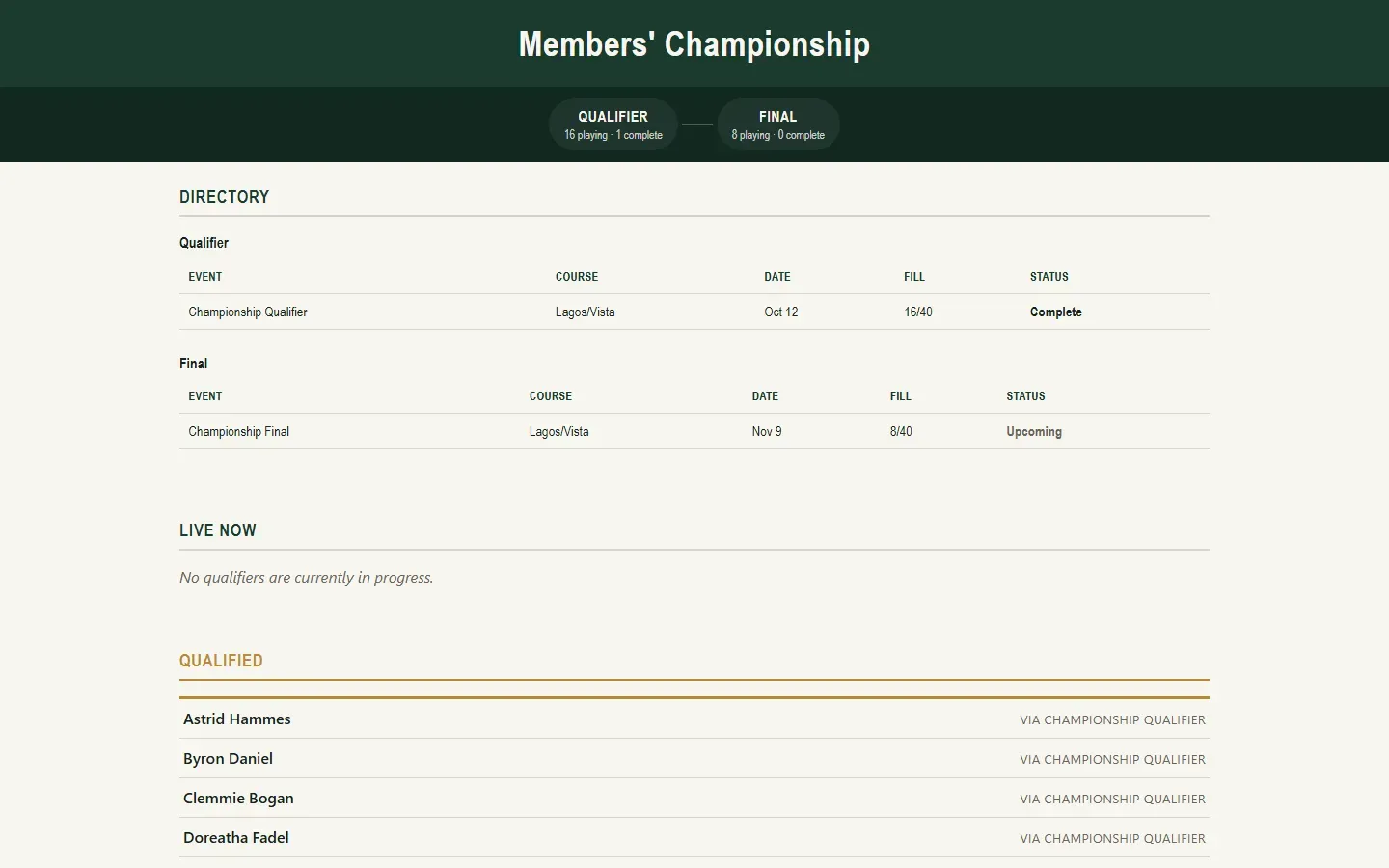
To share the championship with players and spectators, open Actions and choose Enable Public Hub. Copy the link from the banner.
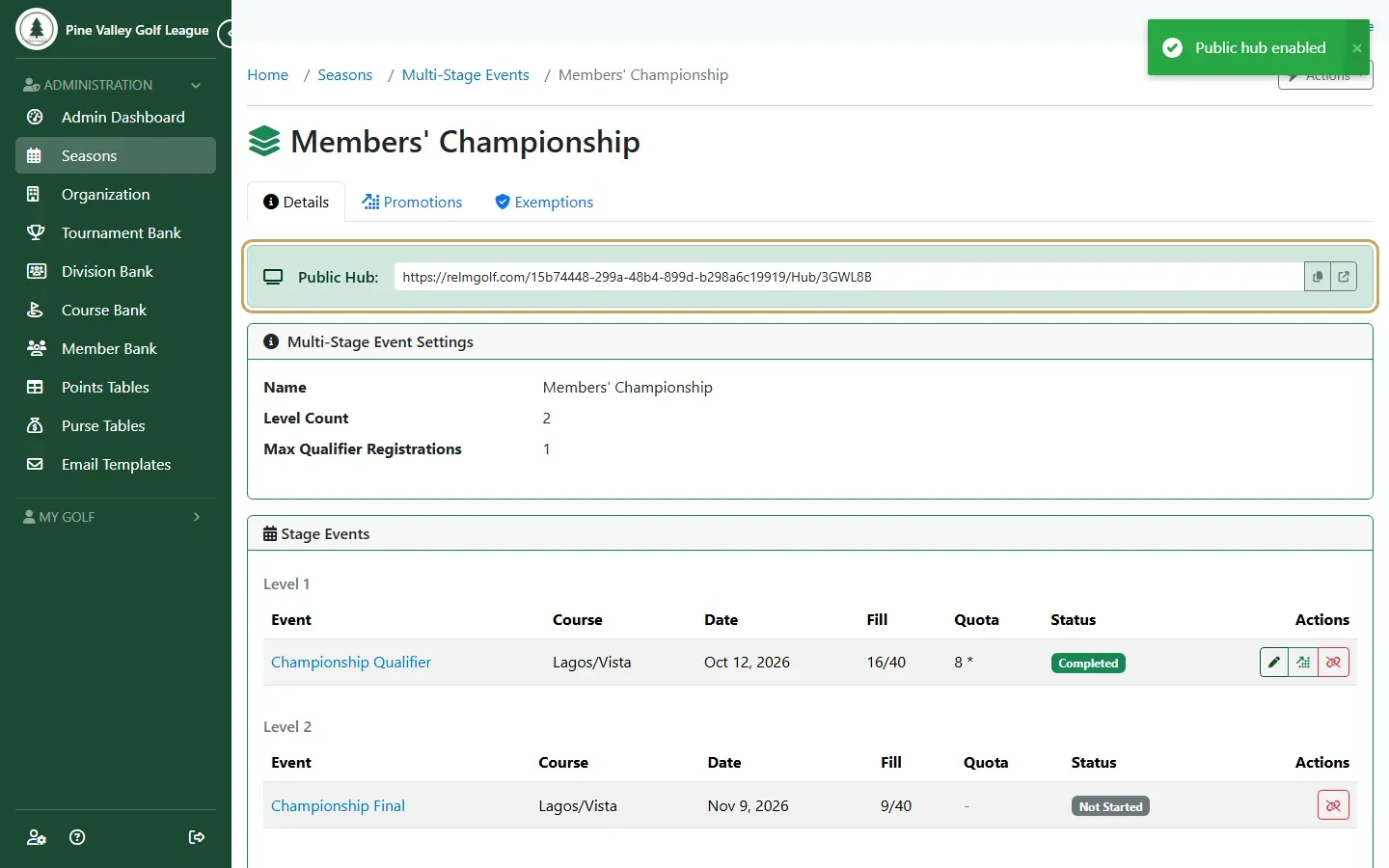
-
The hub shows the stages, live standings from qualifiers in play, and who has qualified. Anyone with the link can open it; no sign-in needed.