Publish your event
Publishing makes the event visible to your players and opens its registration window. Until then it’s a draft only admins can see. RELM Golf won’t let you publish an event that’s missing something players need, and the Event Setup Checklist shows exactly what that is.
Before you start: create the event and add its rounds and tournaments.
-
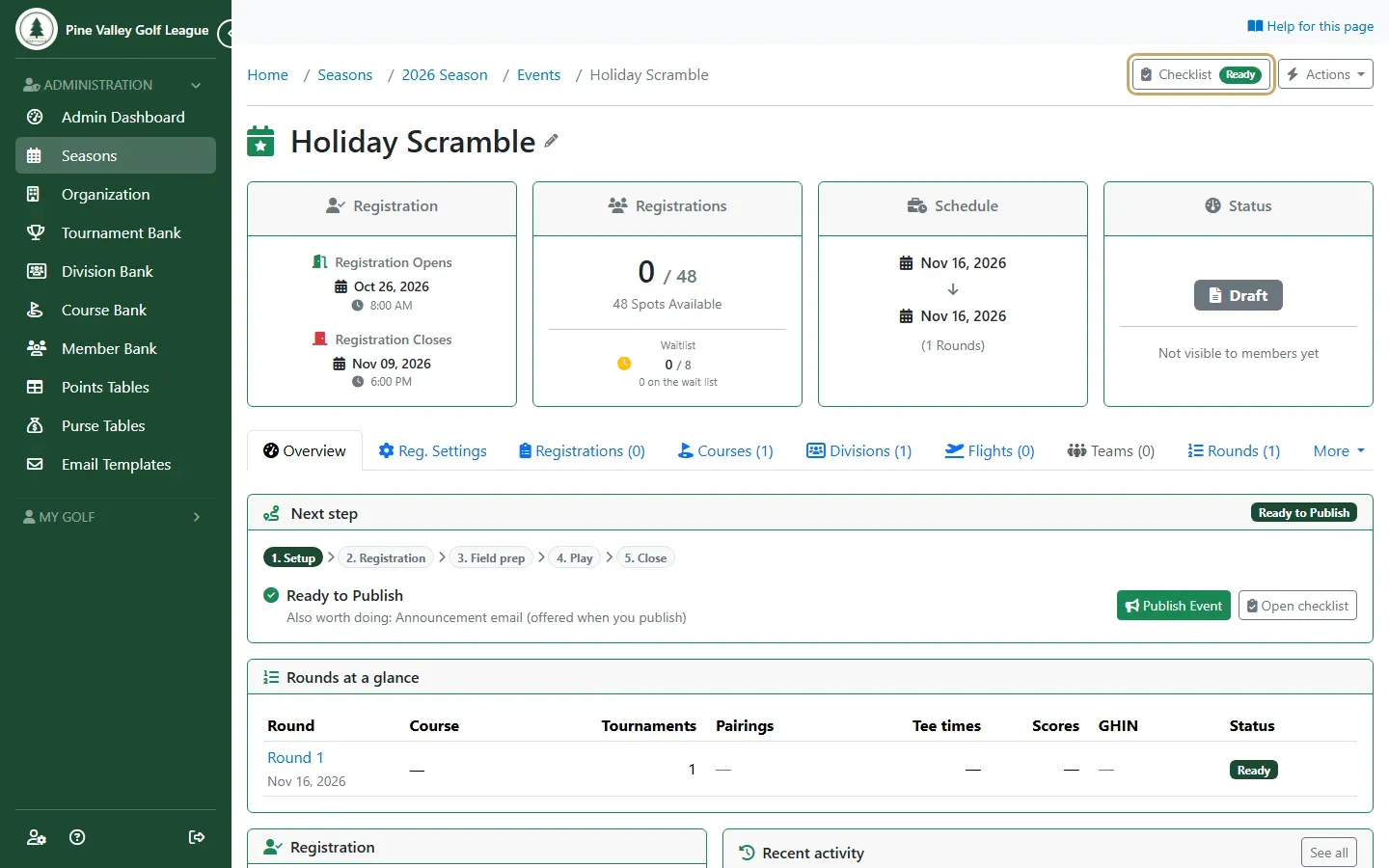
Open the event. The Checklist button at the top shows how many required items are left. When nothing is left, it says Ready. Select it to see the details.
-
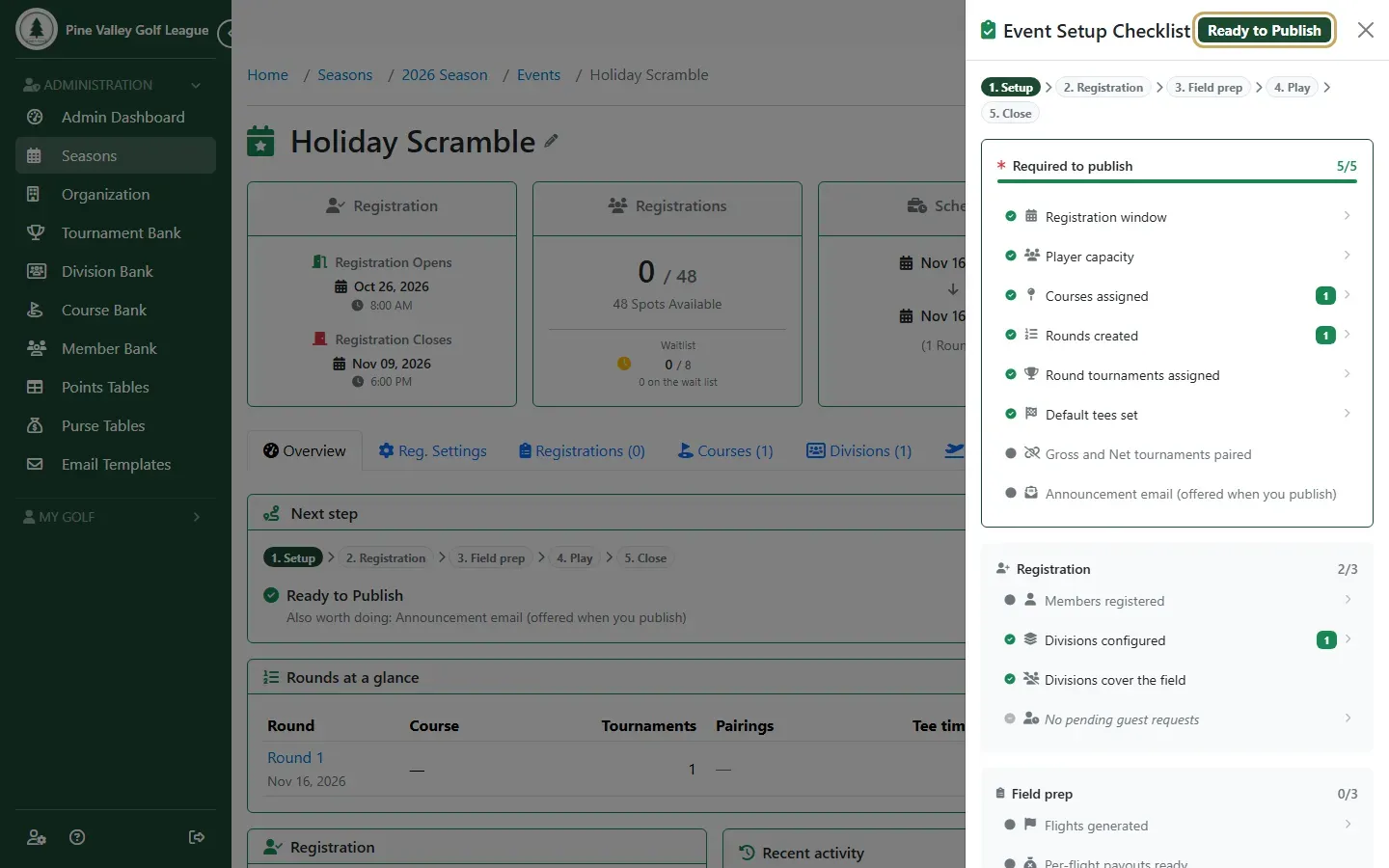
The checklist groups everything by stage. The Required to publish items must all be ticked:
- a registration window
- a player limit
- at least one course
- at least one round
- a tournament in every round
The rest are recommended, not required. Each line takes you to the page where it’s set.
-
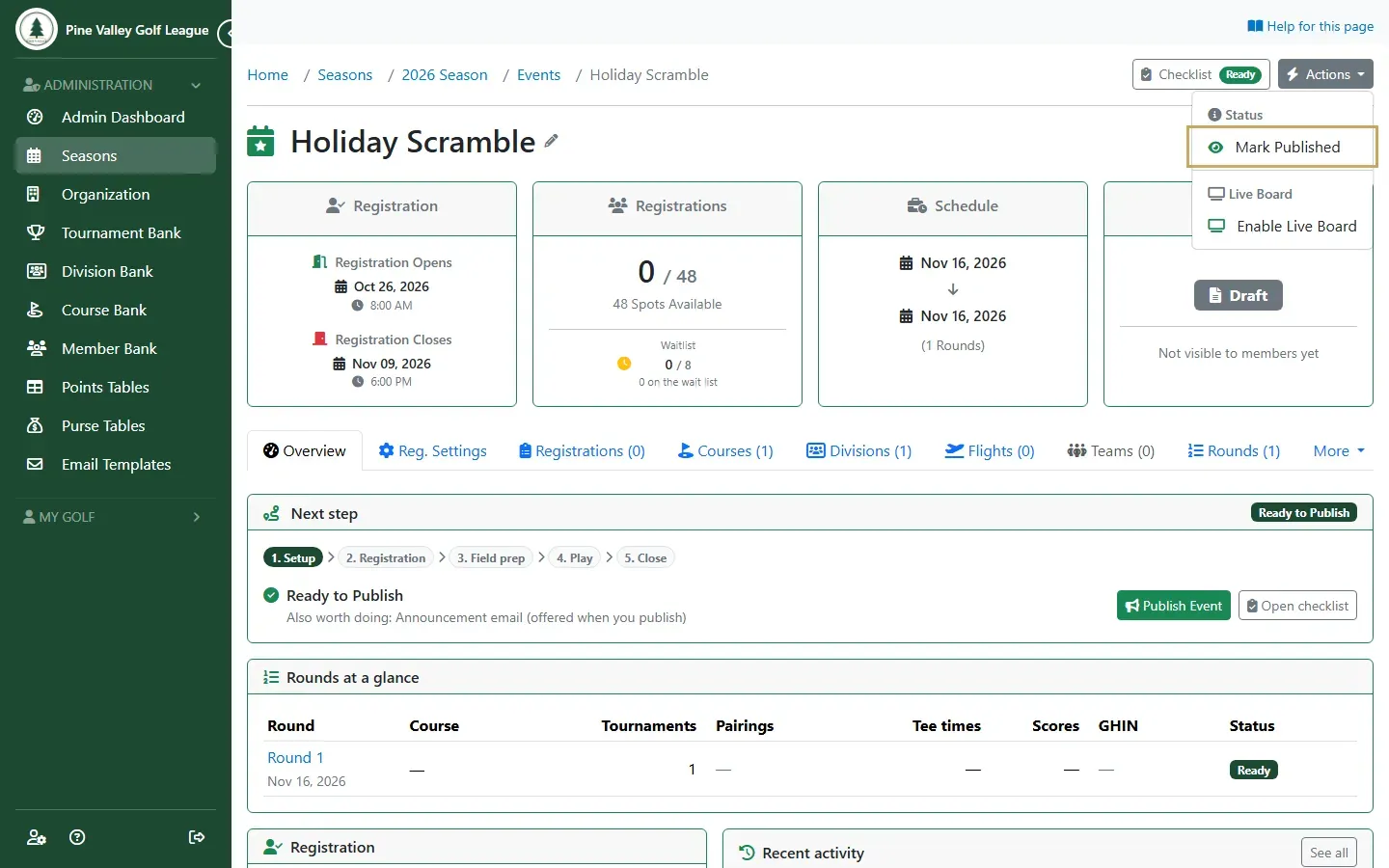
Close the checklist, open Actions at the top of the event and choose Publish Event. You can also select Publish Event in the Next step box on the event’s Overview.
-
Leave Notify season members by email ticked to send your season’s members an announcement with the dates and a link to register. Untick it if you’d rather announce the event yourself. Select Publish.
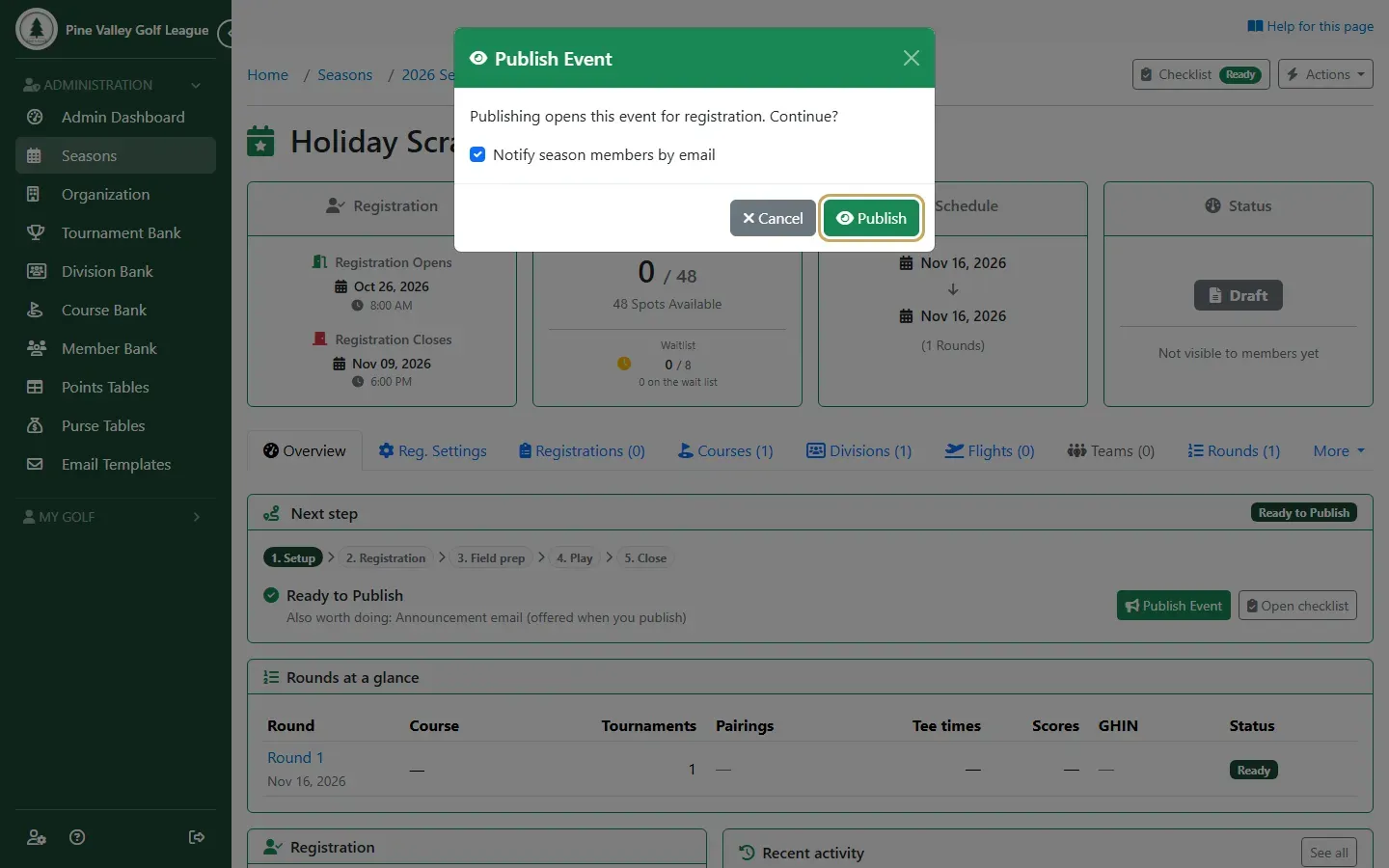
-
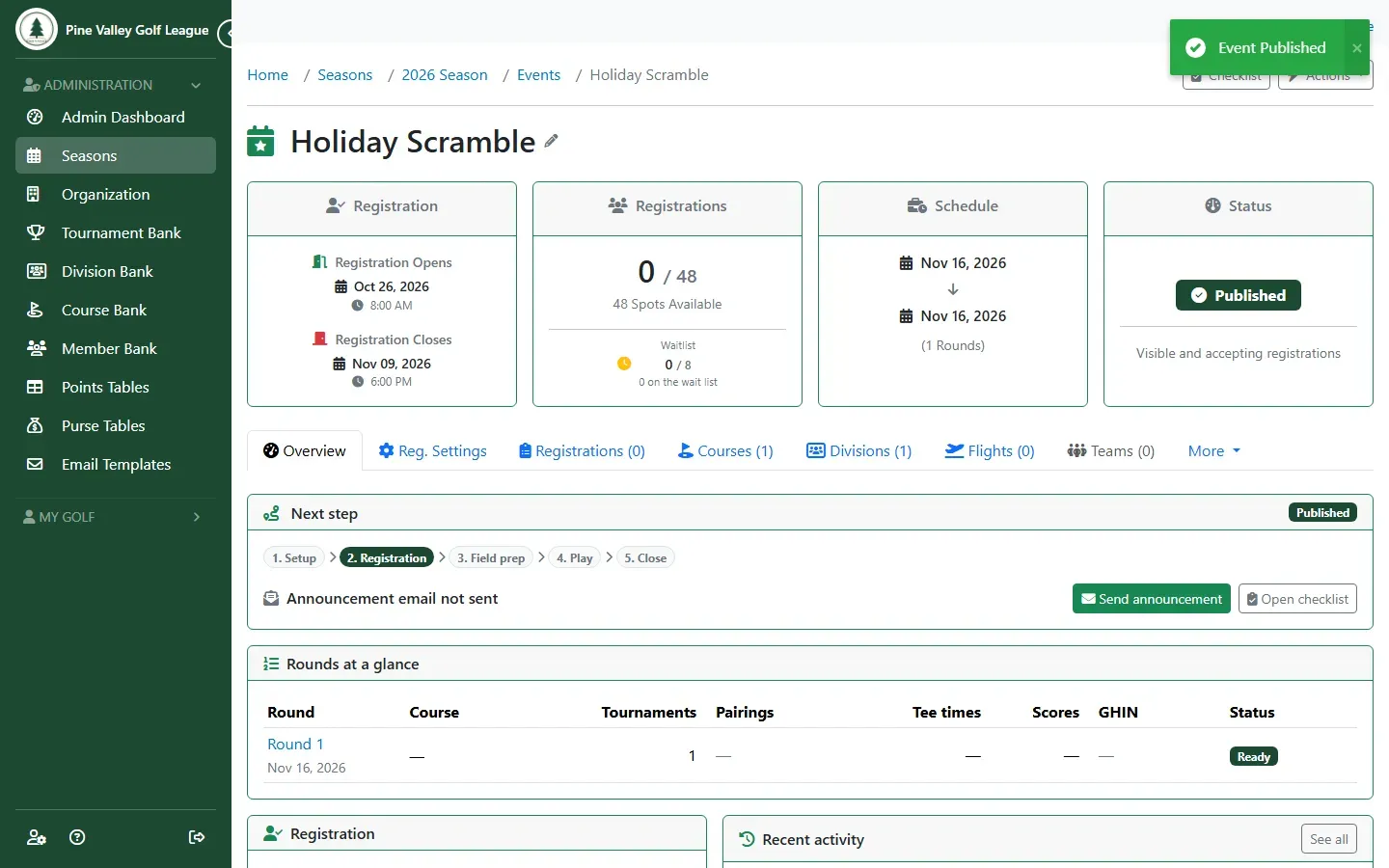
The event is now Published: it’s visible to your members, and they can register while the registration window is open. If you didn’t send the announcement, Send announcement in the Next step box sends it later.