
Skins
In a skins game every hole is worth a skin. A player who makes the lowest score on a hole, with nobody tying it, wins the skin. When two or more players tie, the skin carries over and the next hole is worth more. At the end the pot is split by skins won: a player who won 3 of 9 skins takes a third of it.
Before you start:
- You know how to add a tournament to a round (Add rounds and tournaments).
- To set the pot from what players paid, record buy-ins on the registrations (Manage registrations).
-
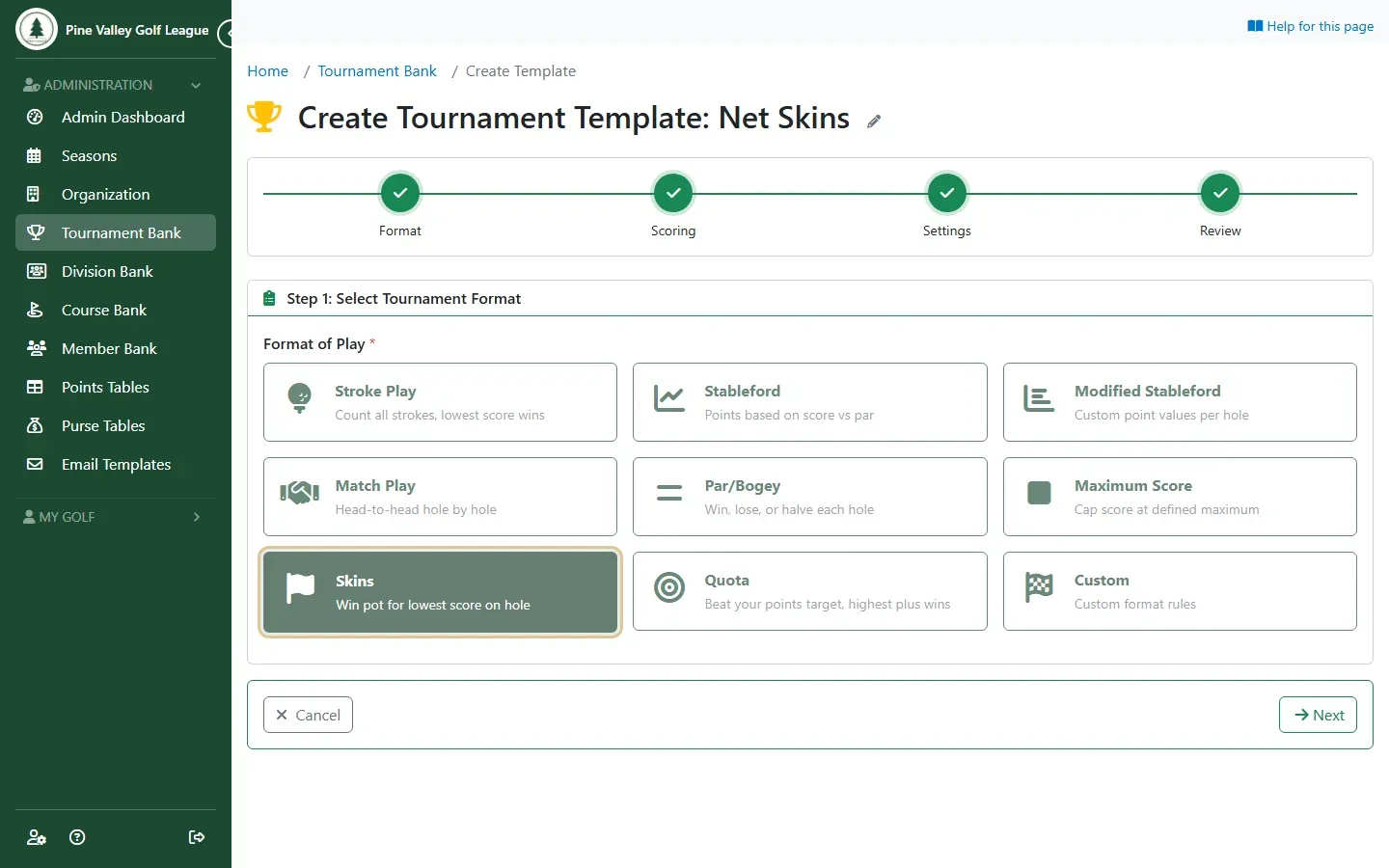
In your Tournament Bank, use a skins template. Start from a preset → Weekly stroke play adds two ready to use: Gross Skins and Net Skins. To make your own, add a template and choose Skins on the Format step, then Gross Only or Net Only scoring on the next step.
-
Add the template to the round, as with any tournament. Many leagues run both: a gross game and a net game, each with its own pot.
-
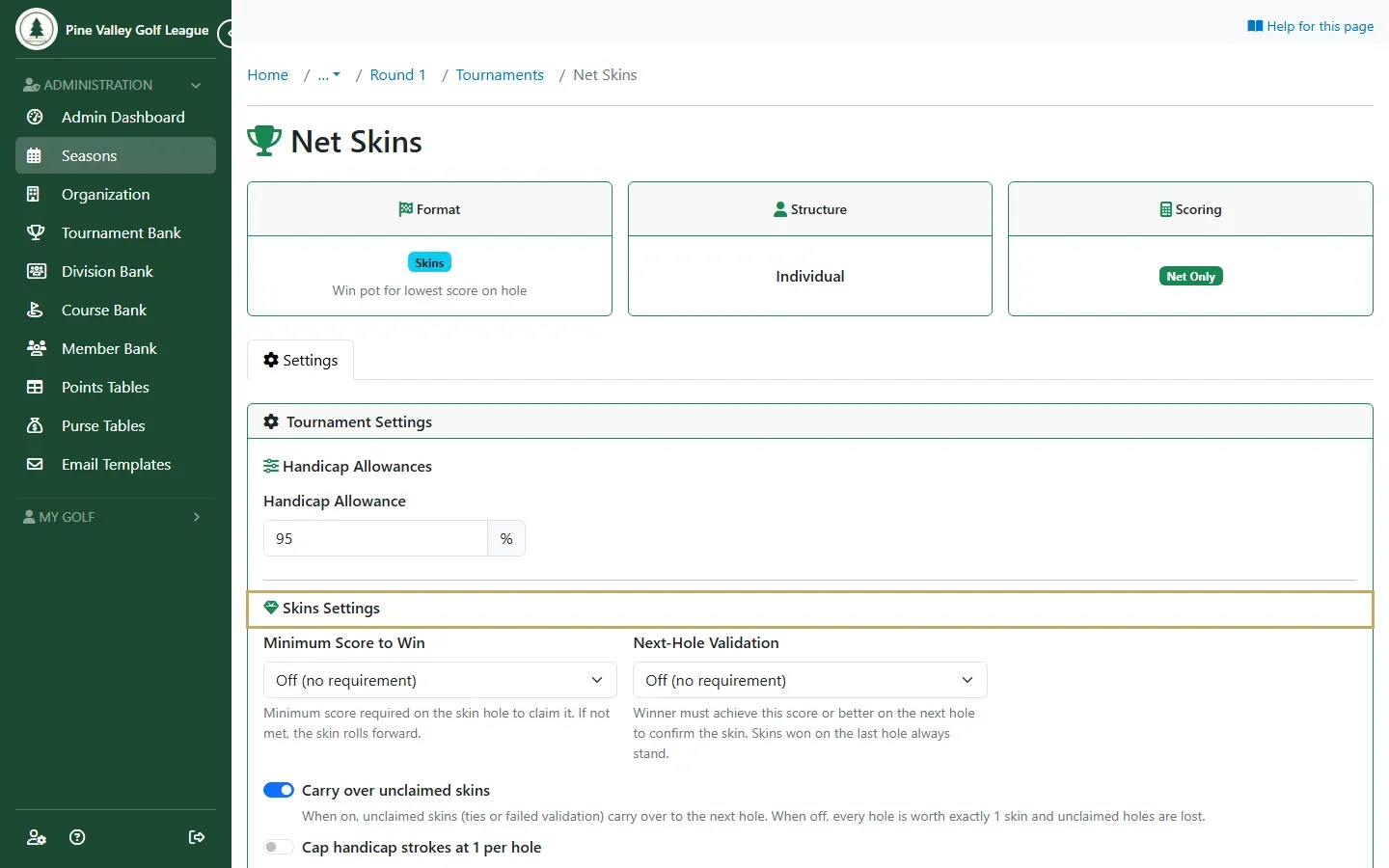
Open the tournament from the round’s Tournaments tab. Under Skins Settings:
- Carry over unclaimed skins: on, a tied hole’s skin moves to the next hole. Off, every hole is worth one skin and a tied hole’s skin is lost.
- Minimum Score to Win: a skin only counts if the score is par, birdie or eagle or better. Otherwise it carries.
- Next-Hole Validation: the winner must also make that score or better on the next hole. A skin won on the last hole always stands.
- Cap handicap strokes at 1 per hole: for net skins, no player gets more than one stroke on a hole.
- Require a handicap to play skins and Require a complete round to play skins: leave out players with no handicap, or who didn’t finish every hole.
-
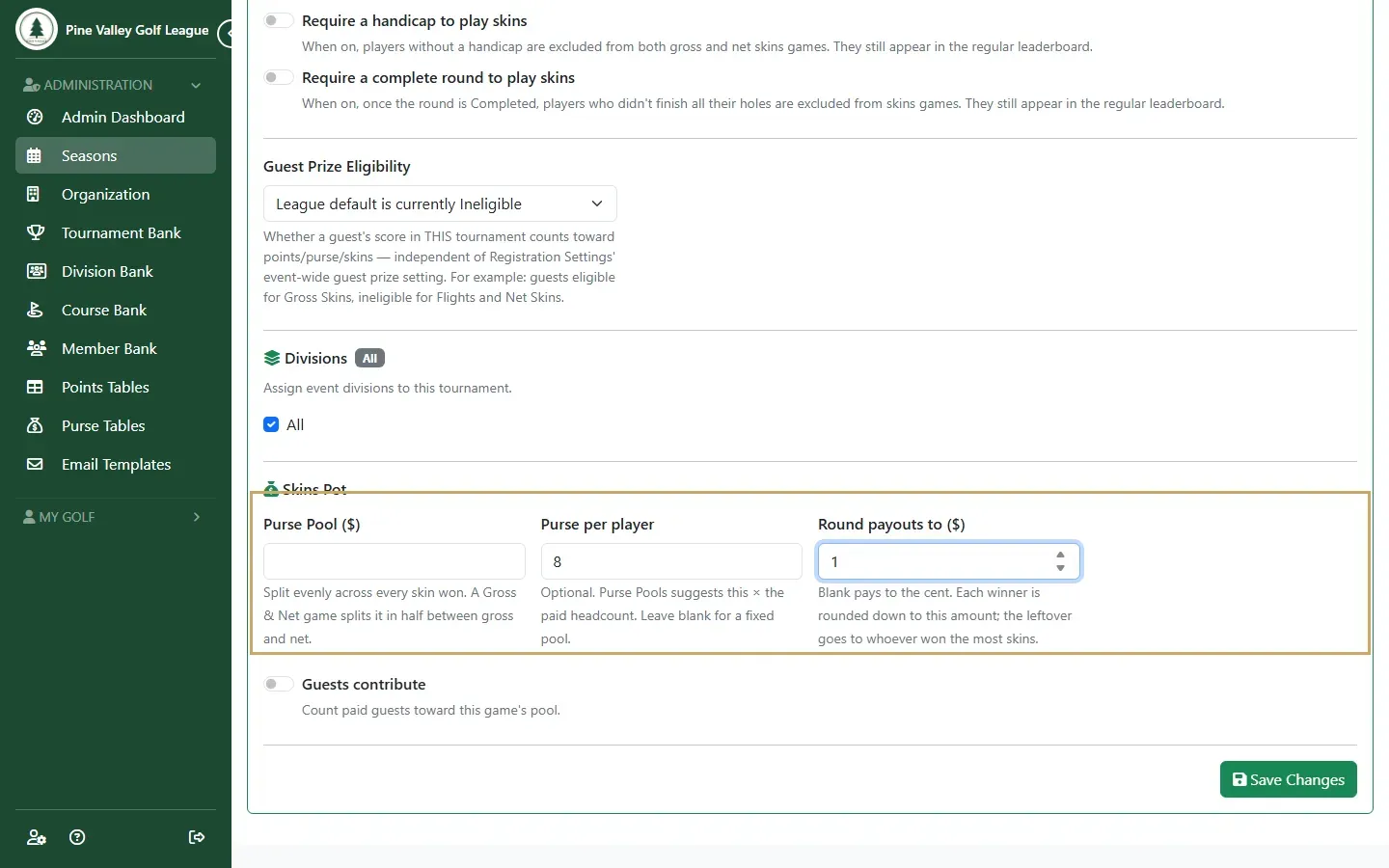
Under Skins Pot, set Purse per player: what each player puts in for this game. You can type a fixed Purse Pool ($) instead. To pay round amounts, set Round payouts to ($), for example $1 or $5: each winner’s share is rounded down to it, and whatever is left over goes to the player with the most skins. Left blank, the money is paid to the cent. Either way the payouts add up to the pot exactly. Select Save Changes.
-
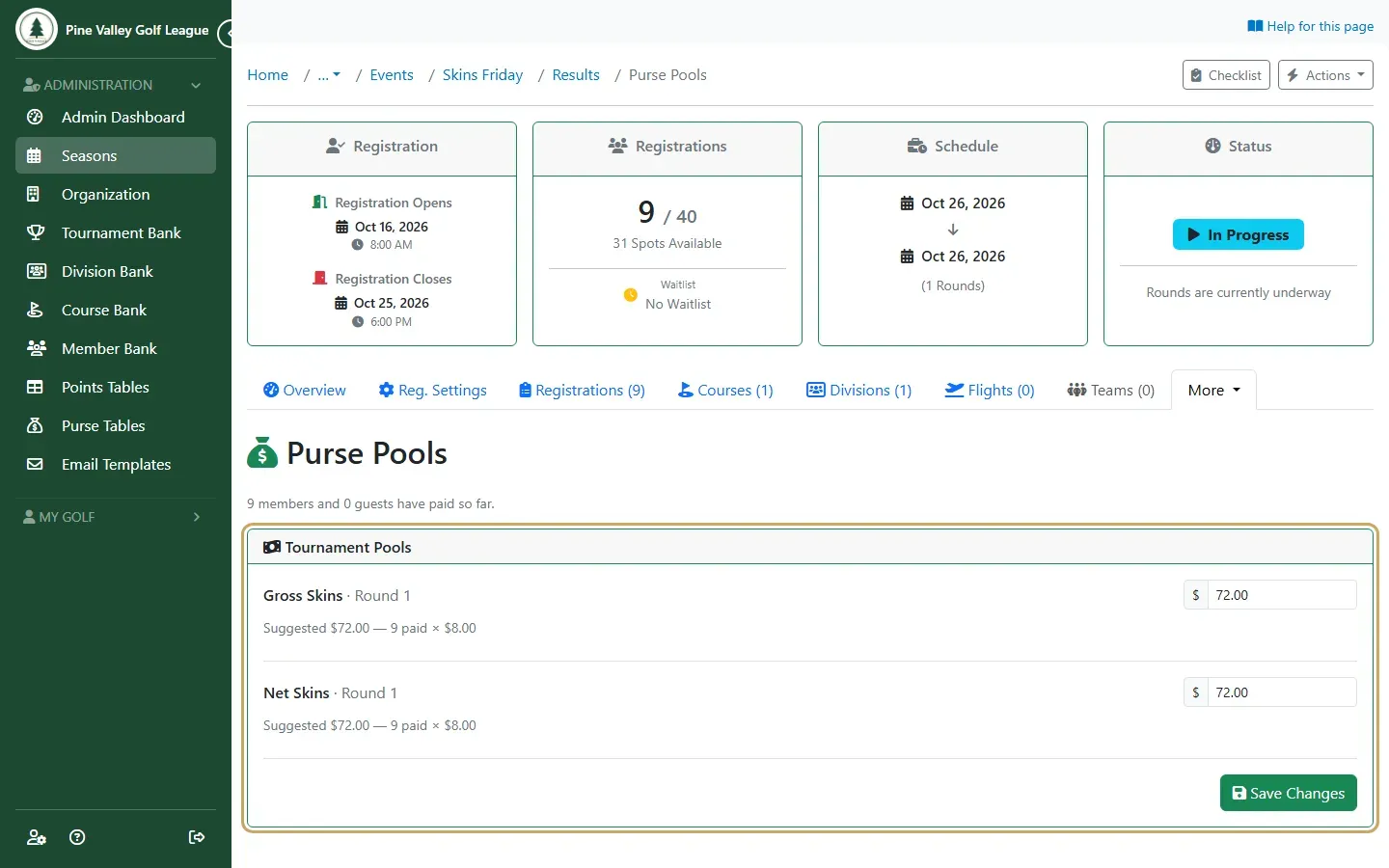
Open the event’s Purse Pools page (the same page sets the pools of games paid from a purse table). Each skins game shows a suggested pot: the purse per player times the players who paid. Check it and select Save Changes.
-
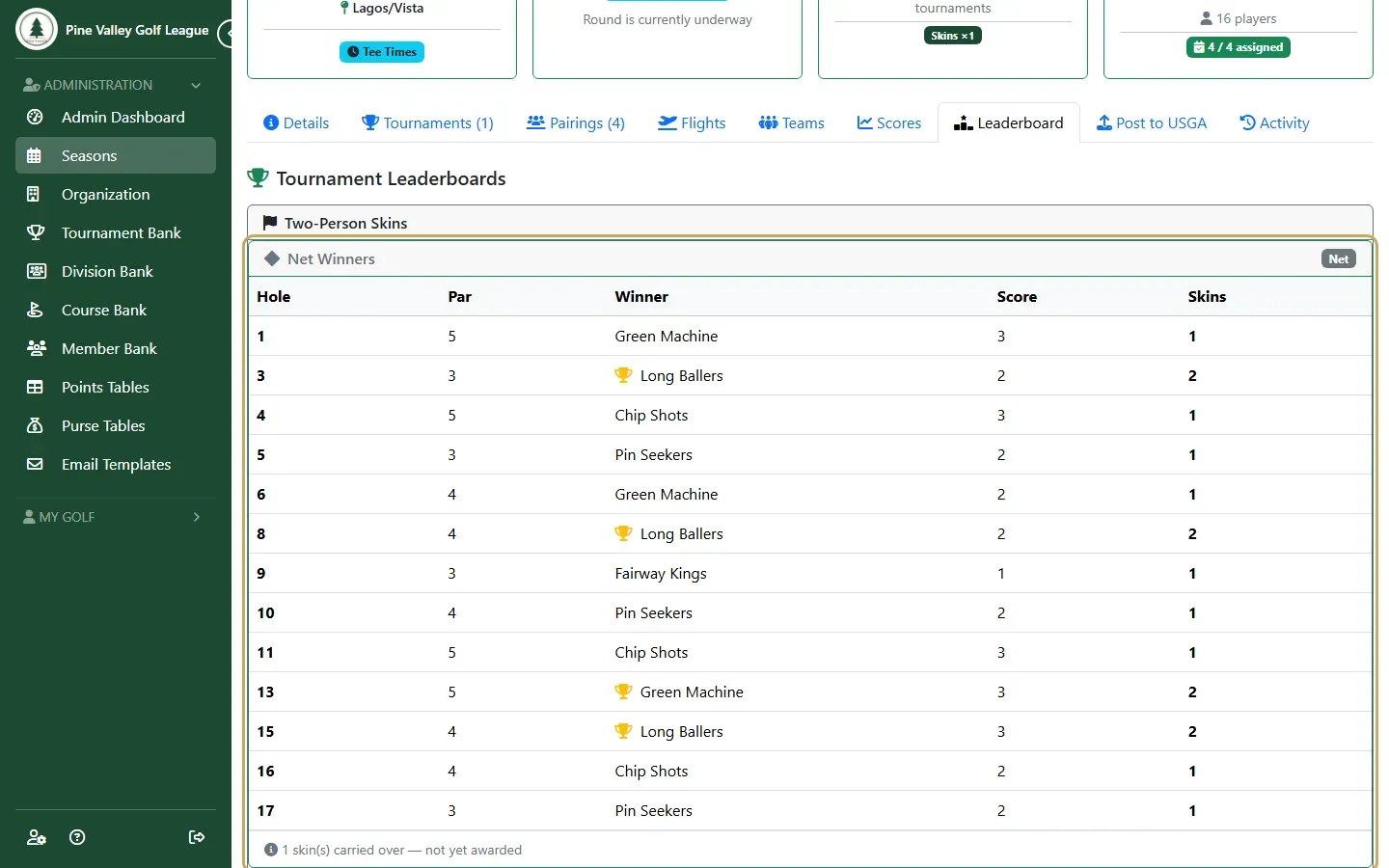
Play the round. The round’s Leaderboard tab lists each skin as it’s won: the hole, the winner, their score and how many skins it was worth. Skins still carrying are counted underneath.
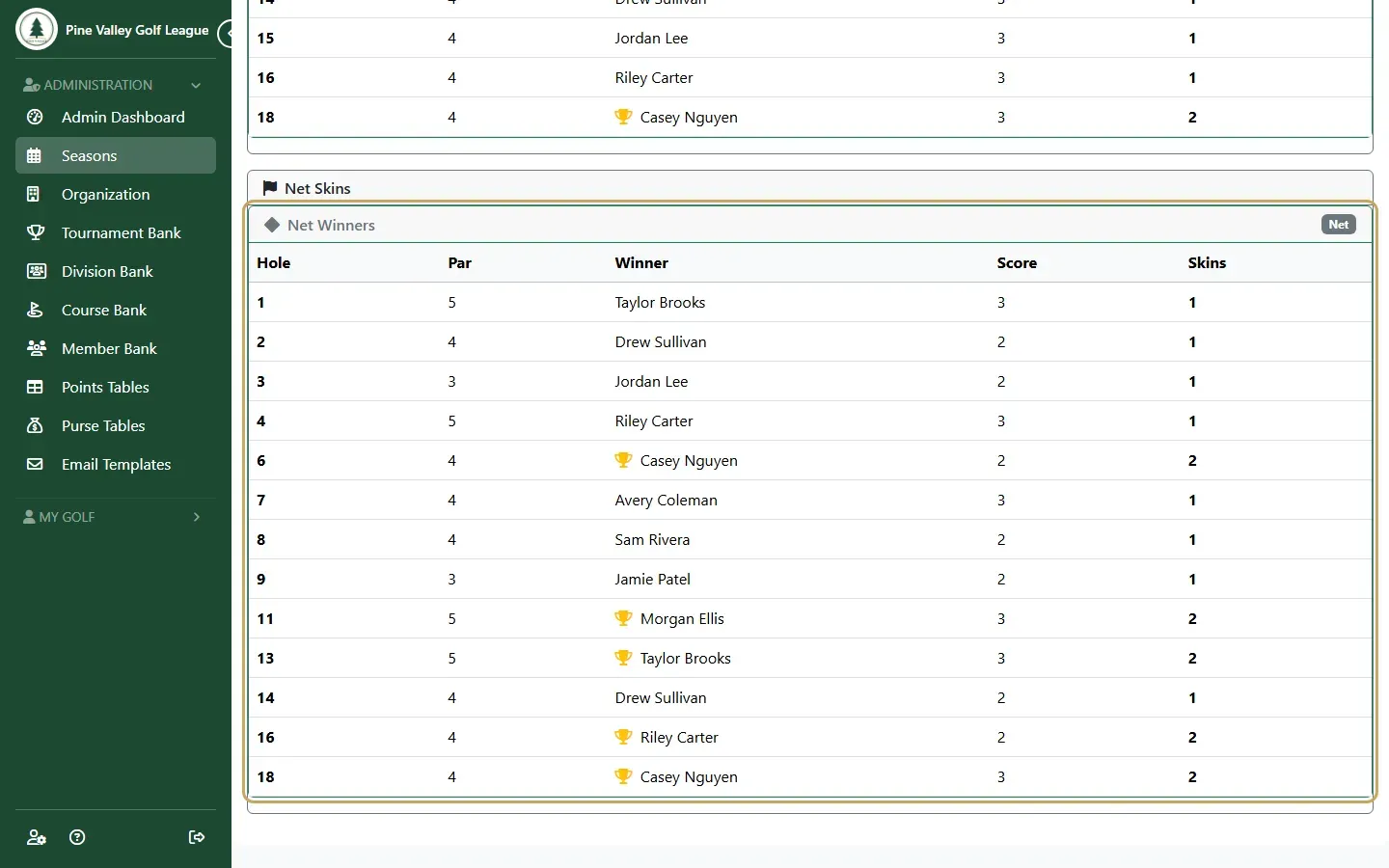
-
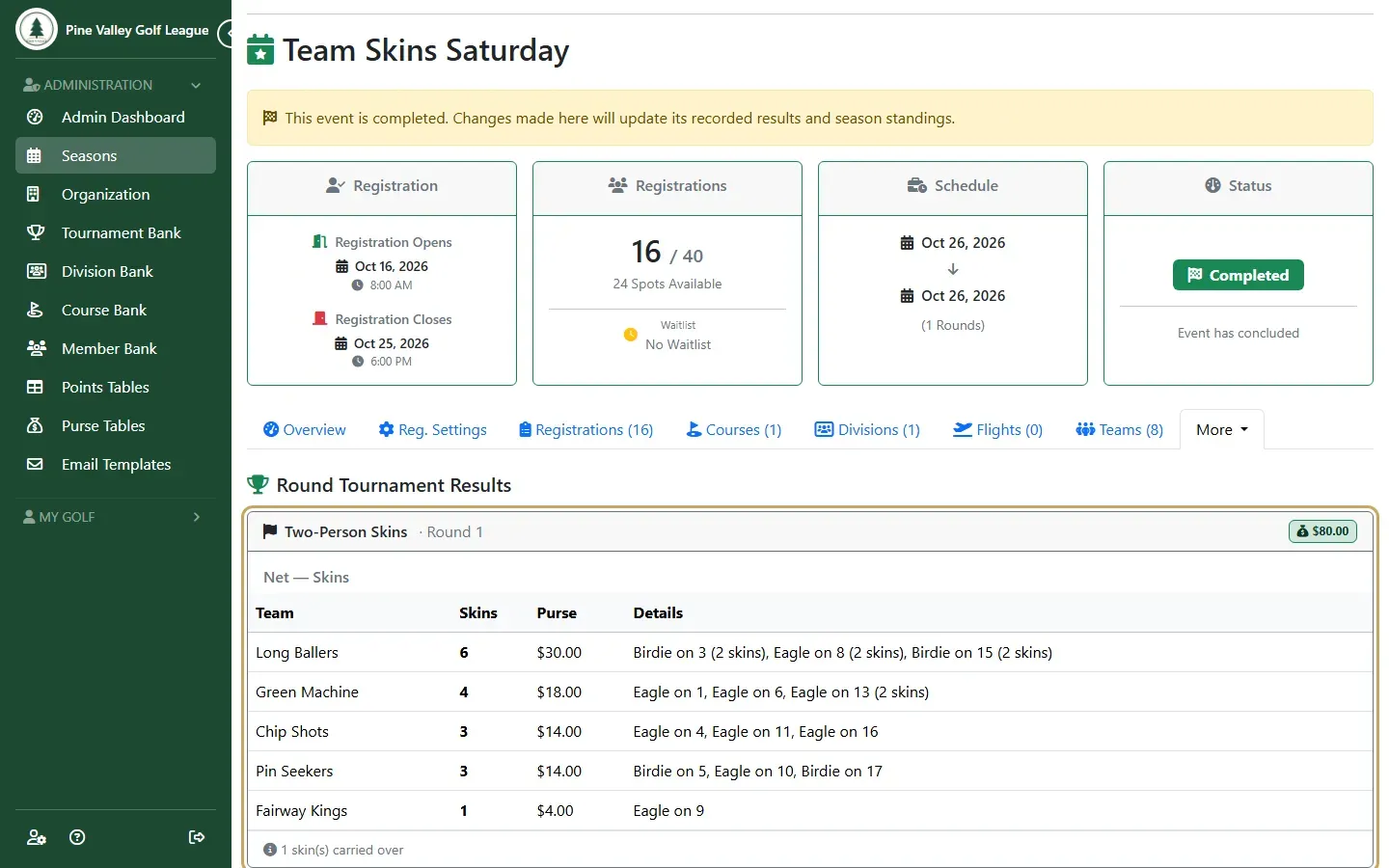
Complete the round and the event. The event’s Results page then shows each winner’s skins and their share of the pot, and adds it to the Player Purse Summary.
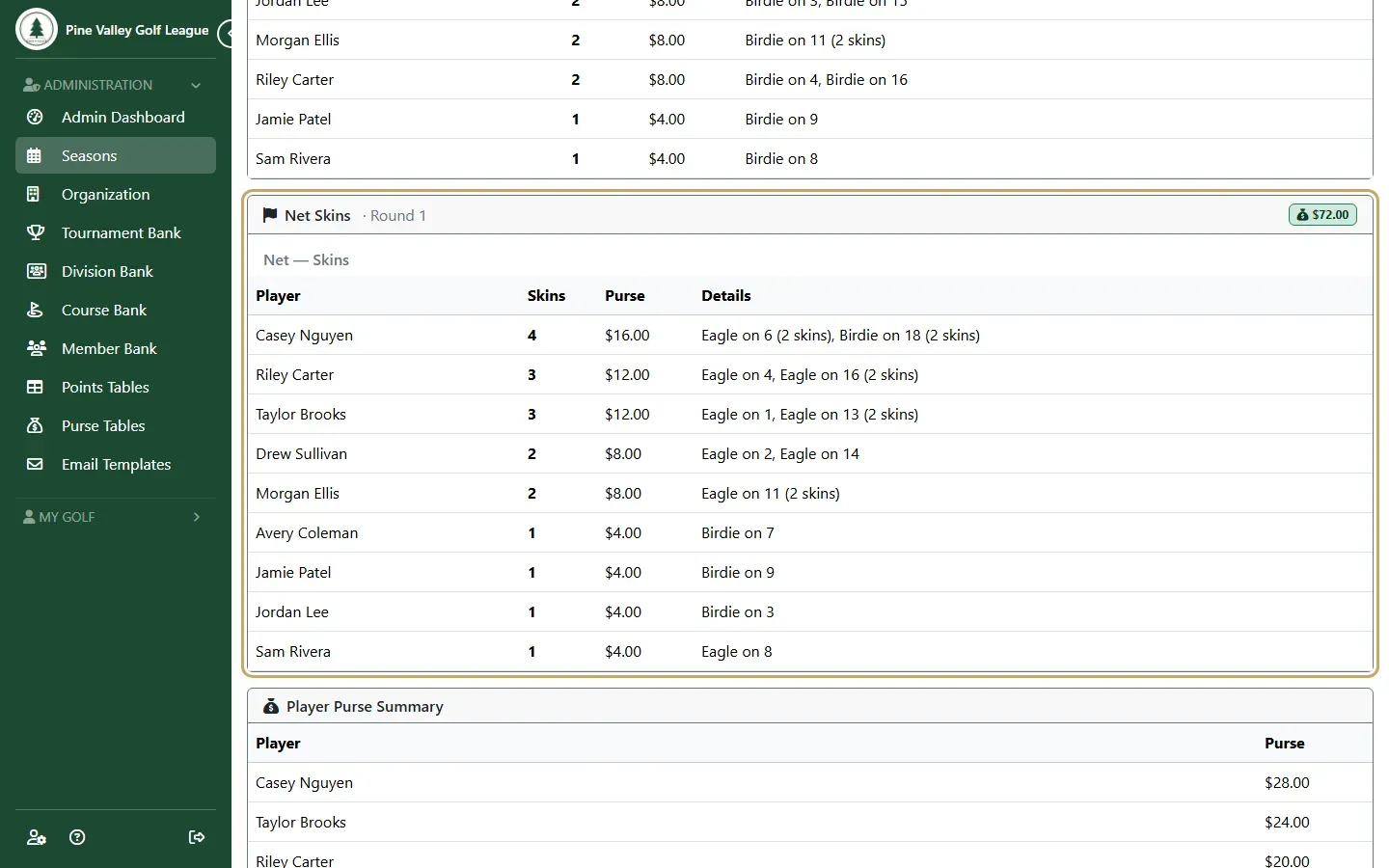
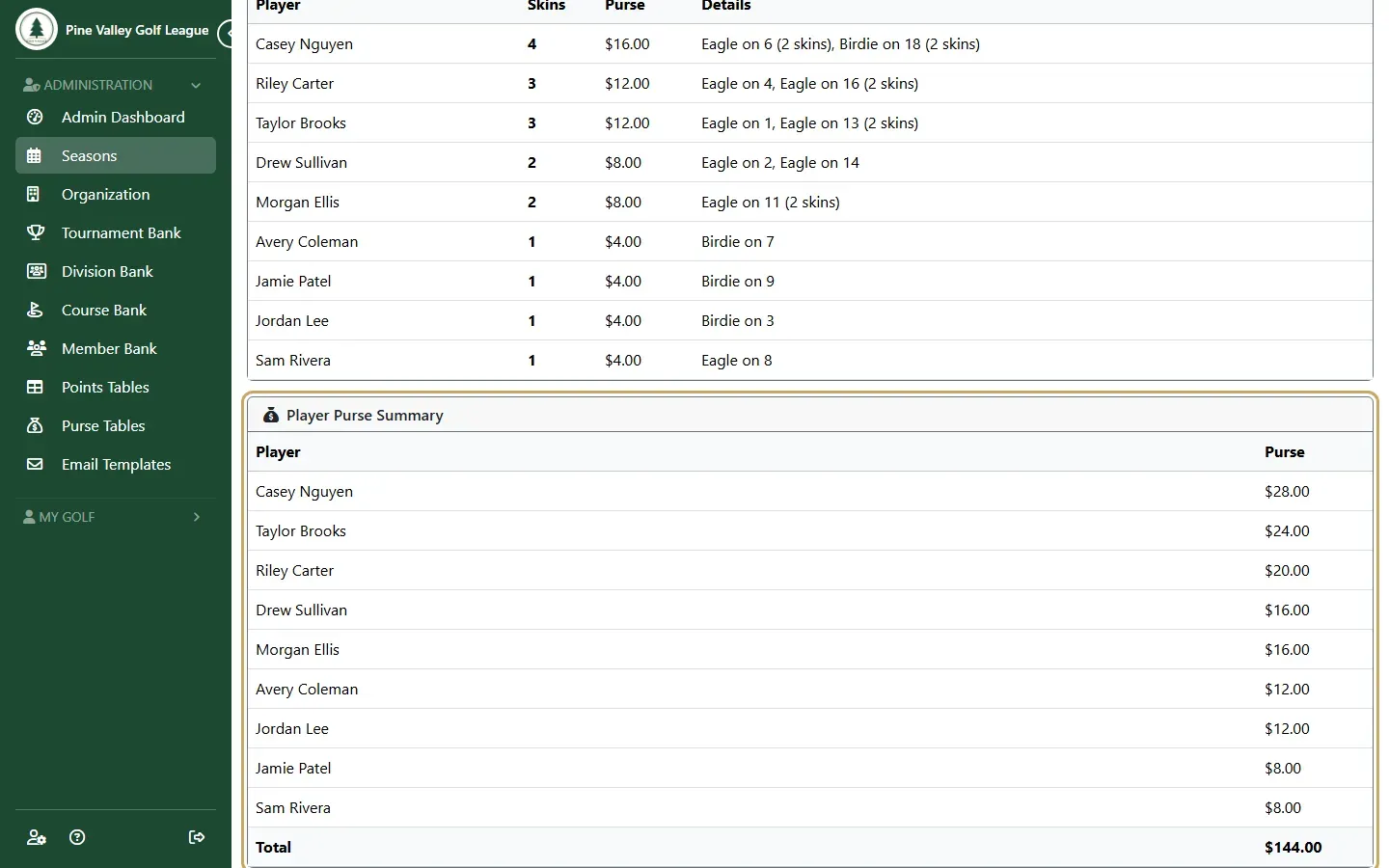
Gross and net in one game
Section titled “Gross and net in one game”A skins tournament scored Gross & Net plays both games from one pot: half goes to the gross skins and half to the net skins. If you want separate entry fees, run two tournaments instead, one Gross Only and one Net Only.
Team skins
Section titled “Team skins”Skins can also be a team game: choose Skins among the team formats, and set the team size. The team’s best ball plays each hole. For net team skins, Net Skins Basis decides how handicaps count: Pooled team handicap applies one team handicap to the best gross ball, and Per-player best ball nets each player’s own ball first.
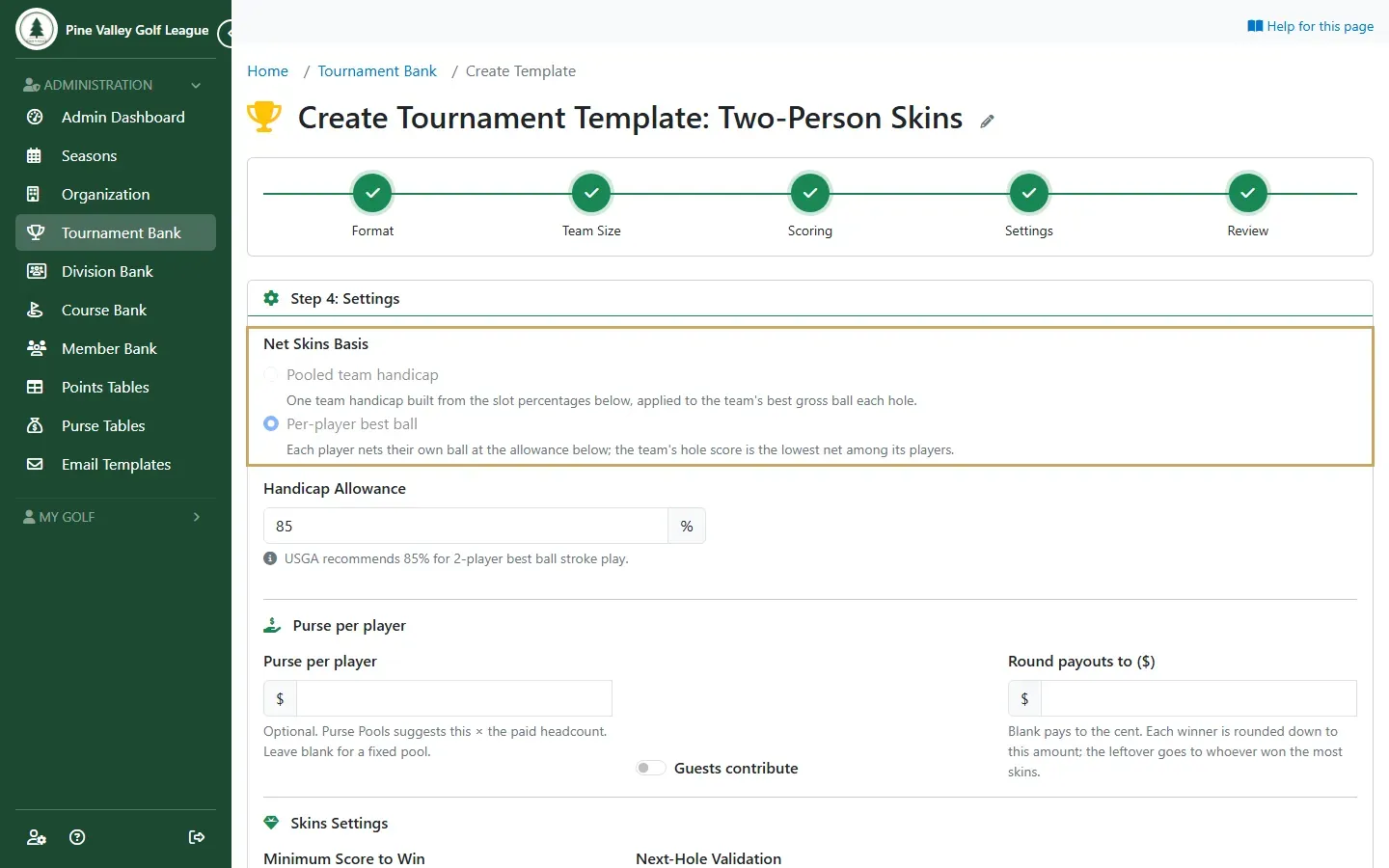
The round’s Leaderboard tab and the event’s Results page then list teams as the winners. Each team’s money is split evenly between its players.
A player who’s out of the skins has their scores left out, and their team plays on with the others: a player with no handicap when Require a handicap to play skins is on, a guest your league doesn’t let win prizes, or a player disqualified from the event. They get no share of the team’s skins money.