
Flights
Flights split your field into groups of similar ability, so players compete against others at their level. Each flight gets its own leaderboard and prizes. RELM Golf builds them for you from each player’s Handicap Index. When the field changes afterwards, it tells you the flights are out of date, but it never rebuilds them on its own.
Before you start: get your players registered, and make sure their Handicap Indexes are current (Add your members). Flights are best built after registration closes.
-
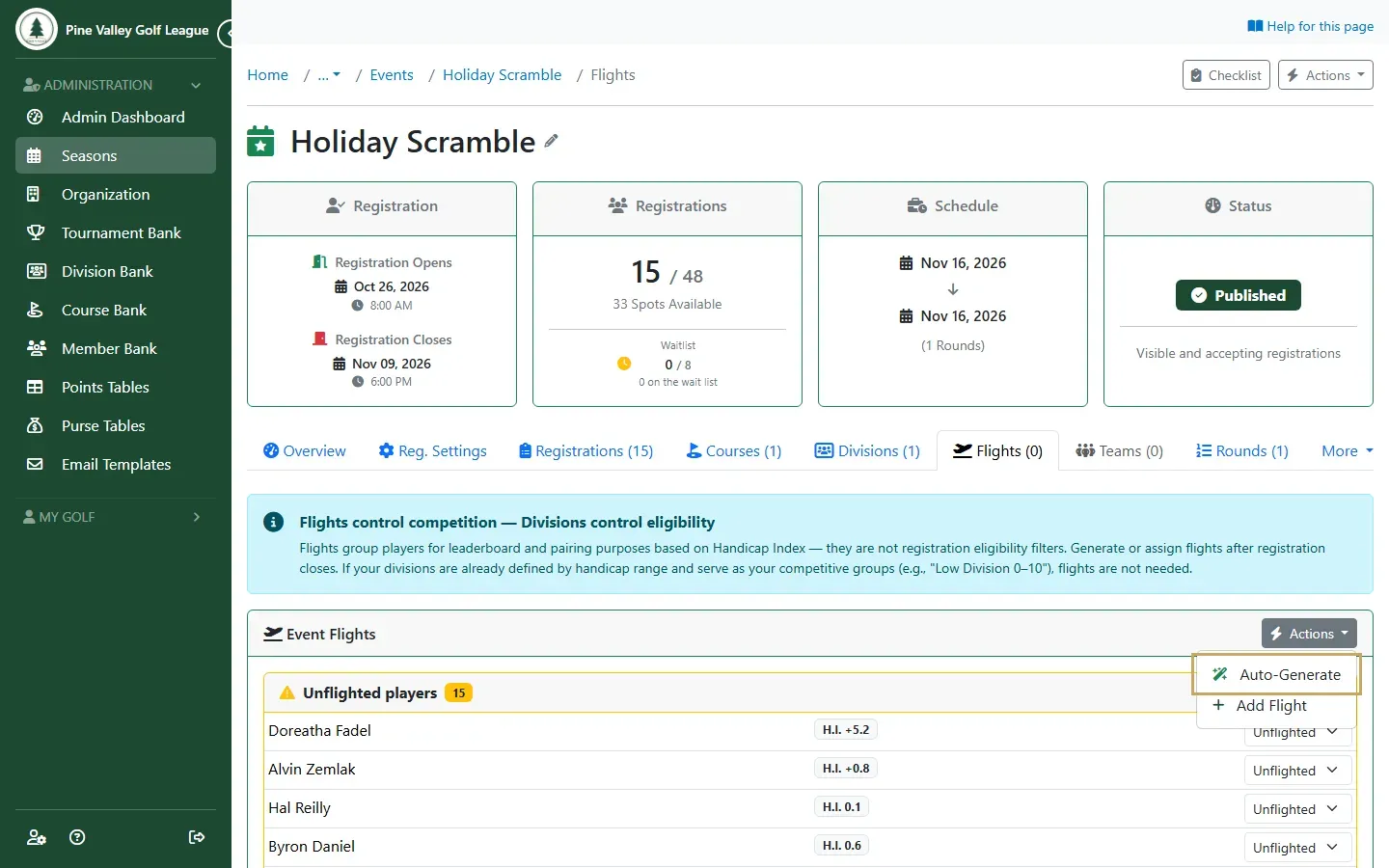
Open the event and go to its Flights tab. Until flights exist, everyone is listed under Unflighted players, with their Handicap Index (H.I.). Open Actions on Event Flights and choose Auto-Generate.
-
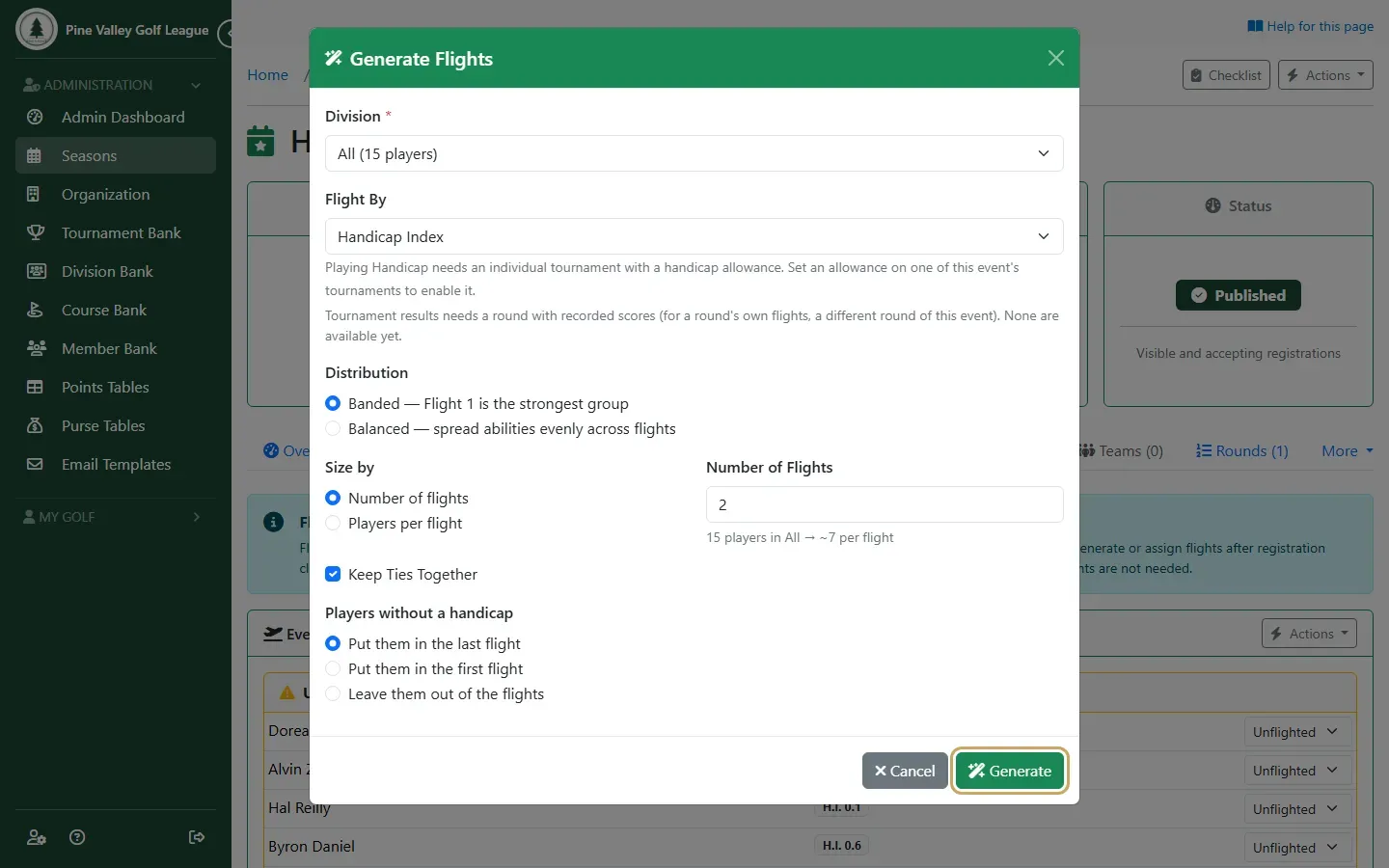
In Generate Flights, choose:
- Flight By: Handicap Index. Playing Handicap and Tournament results are also available once the event has a tournament or a scored round.
- Distribution: Banded puts the lowest handicaps in Flight 1, the next in Flight 2, and so on. Balanced spreads abilities evenly across flights instead.
- Size by: a Number of Flights, or a number of players per flight.
- Players without a handicap: put them in the last flight, the first flight, or leave them out.
Select Generate.
-
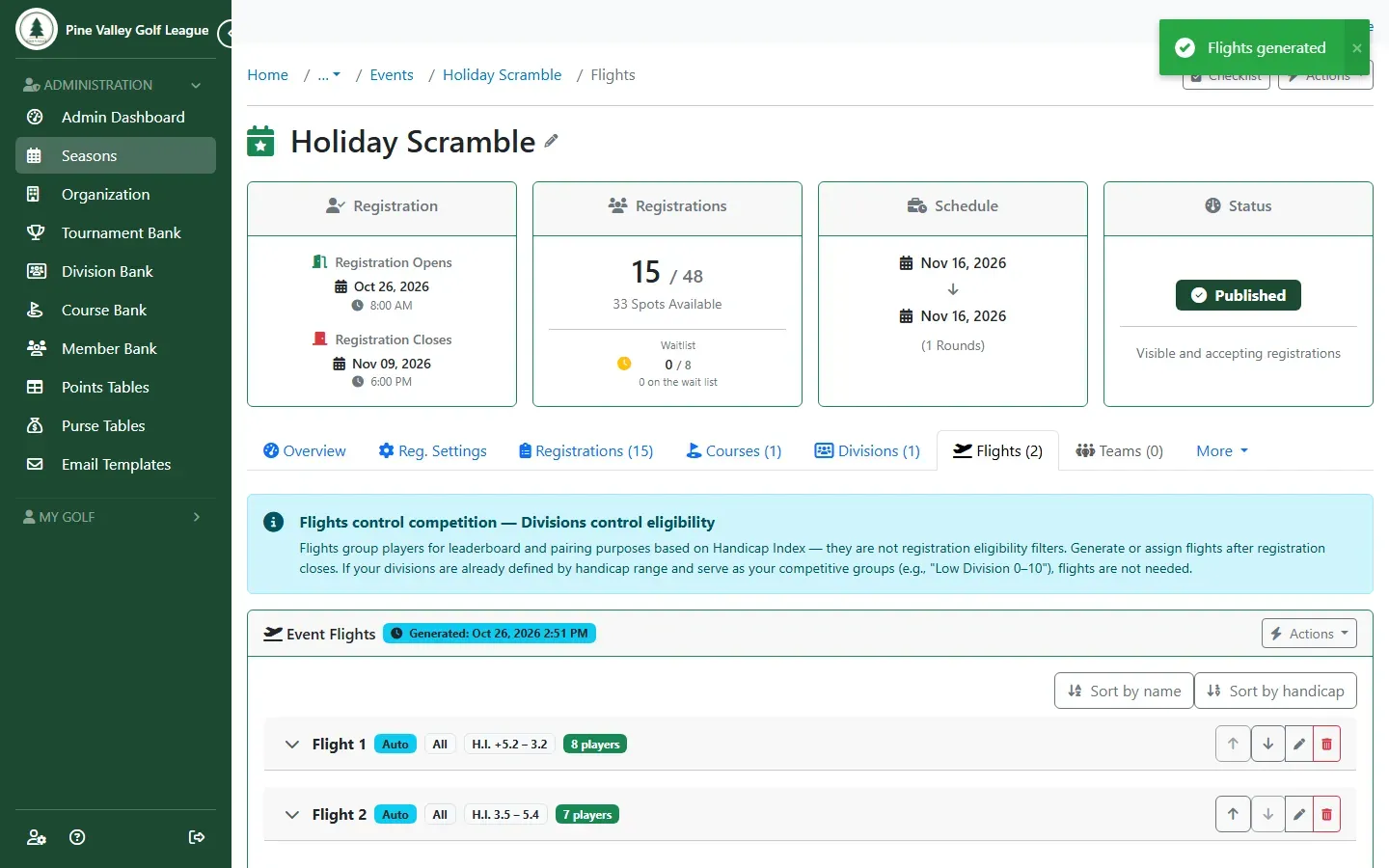
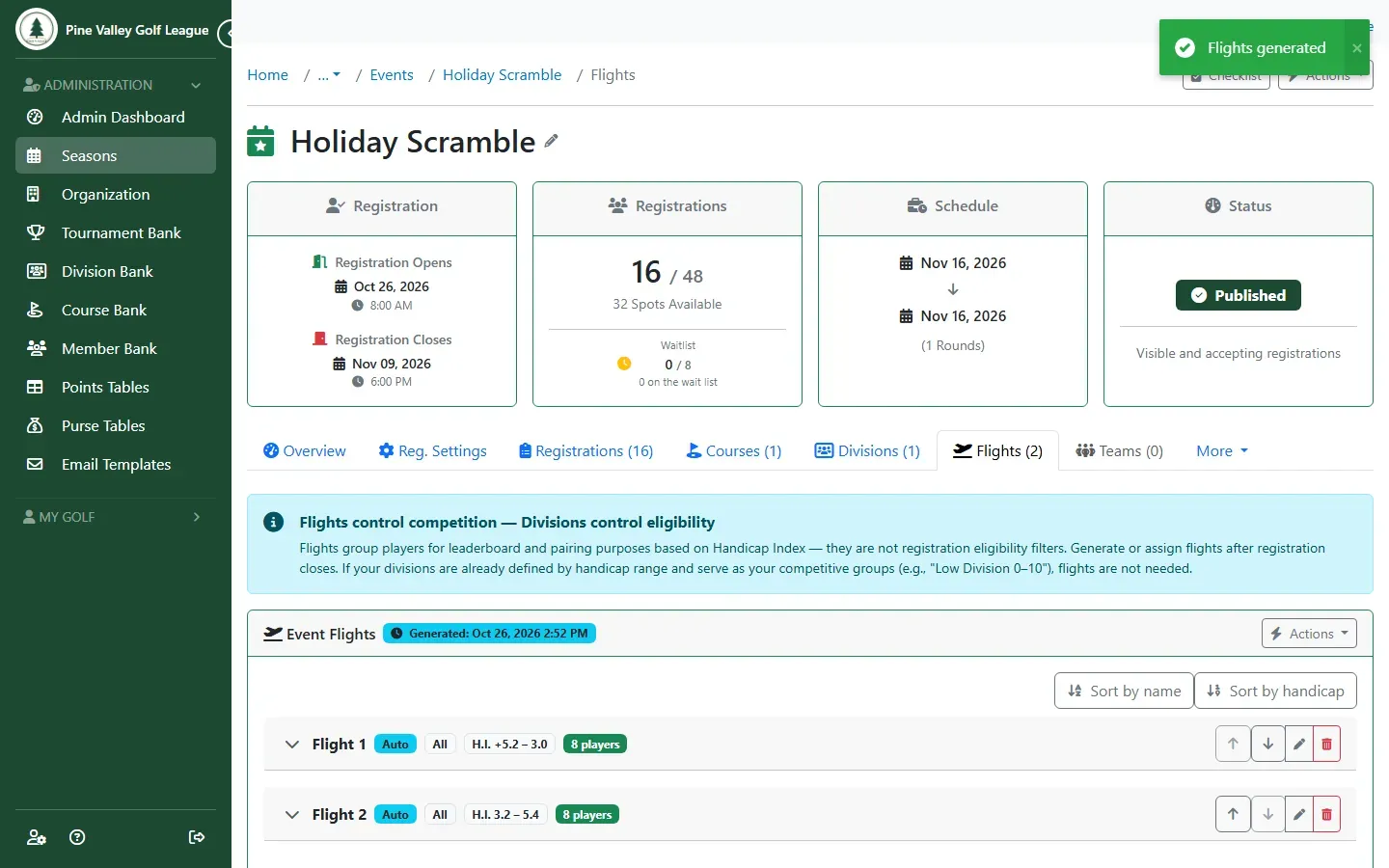
The flights are built. Each shows its Handicap Index range and how many players it has. Expand a flight to see its players and move one to another flight. The arrows change the flights’ order.
-
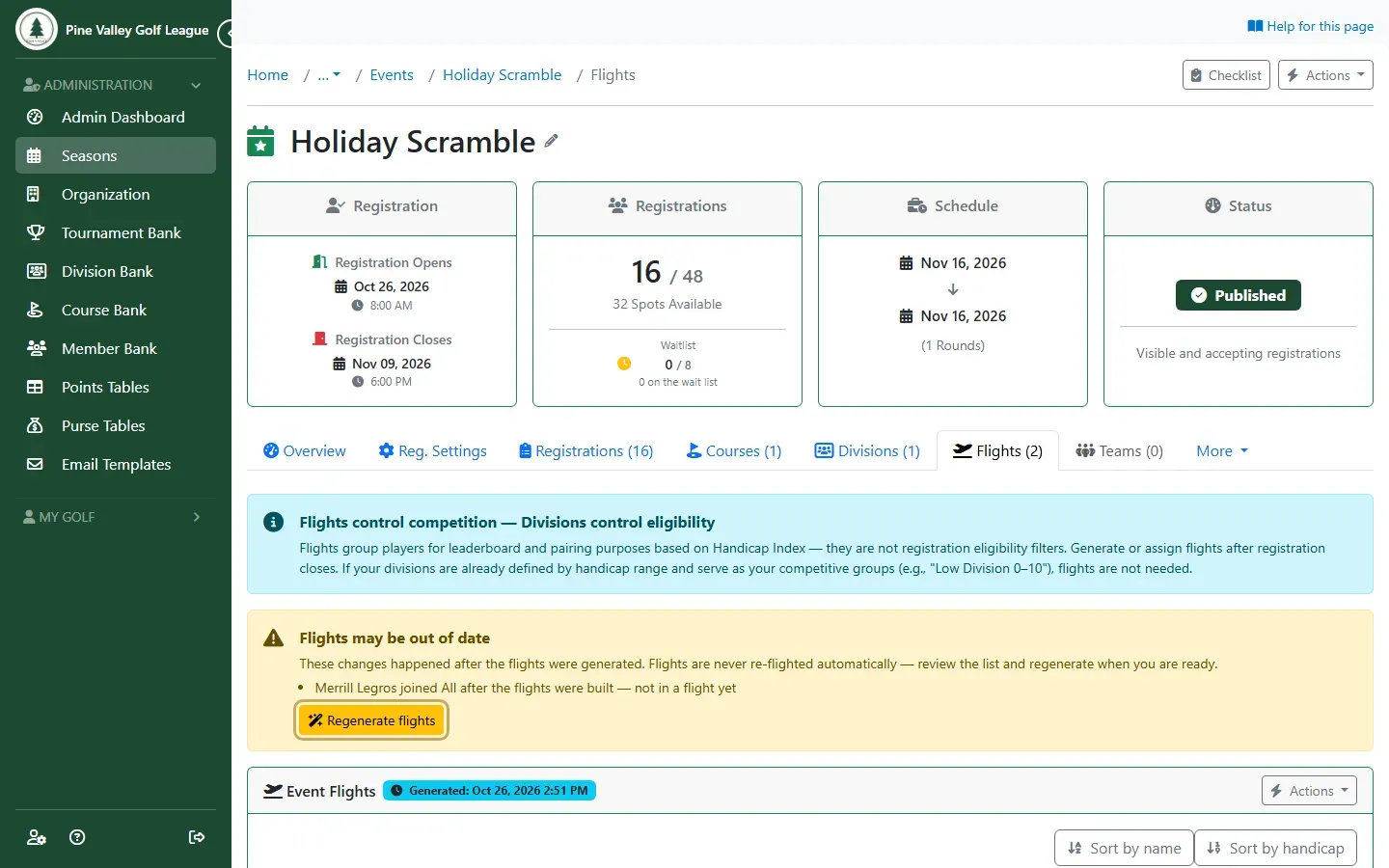
If anything changes after the flights were built (a player registers or withdraws, or a Handicap Index changes), a Flights may be out of date warning lists what changed. Select Regenerate flights when you’re ready, and generate again.
-
The new flights include everyone again.
To give each flight its own prize money and points, see Pay prizes by flight.